How do you set up negative keyword lists in search ads?
Negative keywords tell Google Ads and Microsoft Advertising which searches should not trigger your ads. Find them in your search terms report, add universal exclusions at account level or in shared lists, keep campaign and ad group negatives for routing traffic, and review new search terms every week so your budget goes to queries that can convert.
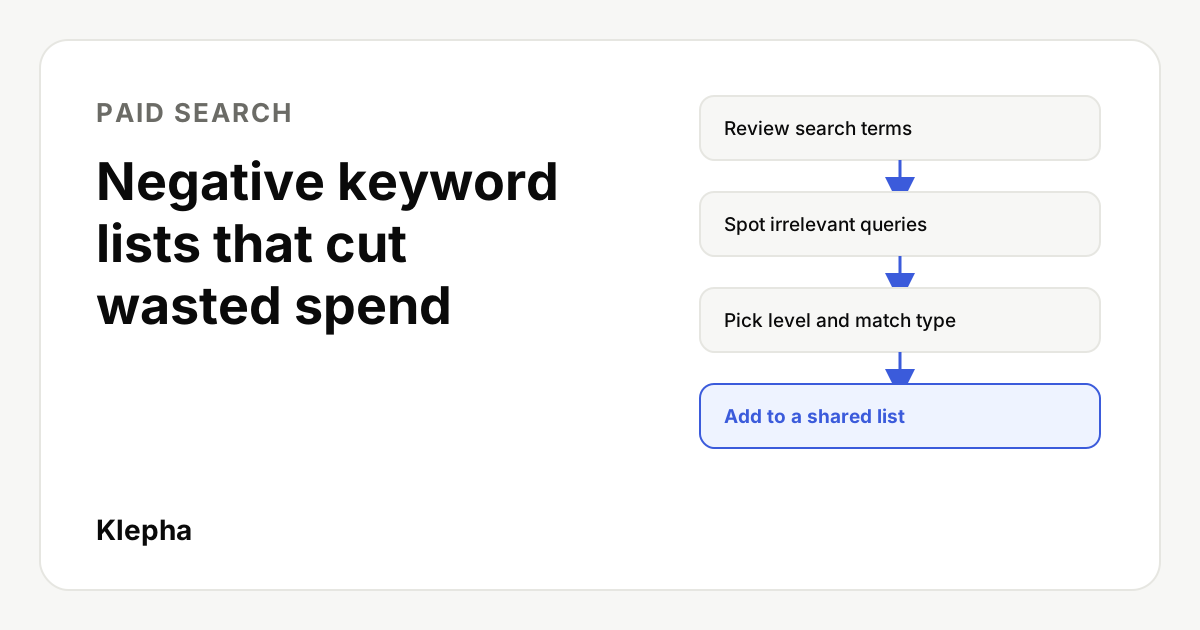
Every search campaign pays for some clicks it should never have bought. Someone looking for a job at your company, a free version of what you sell, a tutorial or a competitor's login page can all click an ad that was written for buyers. On a small budget, a handful of those clicks a day is the difference between a profitable campaign and one that looks like it does not work.
Negative keywords are the main tool for preventing that waste. This guide explains how they match, where to find the wasted spend, how to organize negatives so they are easy to maintain, and the mistakes that accidentally block good traffic. The steps use Google Ads terms; Microsoft Advertising works in a very similar way.
Key takeaways
- Negatives decide where you do not show. They are as important as the keywords you bid on, especially with broad match and AI driven campaign types.
- Negatives do not match close variants. Unlike positive keywords, you need to add plurals, misspellings and synonyms yourself.
- Use the search terms report as the source. Sort by cost with no conversions to find the most expensive waste first.
- Organize by purpose. Universal exclusions go at account level or in shared lists; routing negatives stay at campaign or ad group level.
- Review weekly, then monthly. New irrelevant queries keep appearing as match types and automation expand reach.
What are negative keywords?
A negative keyword is a word or phrase you add to a search campaign so that your ads do not show when someone's search contains it. If you sell accounting software and add "jobs" as a negative, a search for "accounting software jobs" should not trigger your ad.
Positive keywords say where you want to appear. Negative keywords narrow that reach. As ad platforms push broader matching and more automation, the share of control that sits in your negatives grows. A modern broad match keyword can match searches that share no words with it at all, so the negatives you add are one of the few direct levers left for keeping traffic relevant.
Google Ads lets you add negatives at three levels: the ad group, the campaign and, for many campaign types, the whole account. You can also save negatives into shared negative keyword lists and apply a list to many campaigns at once.
How do negative match types work?
Negative keywords have their own match types, and they behave differently from positive ones. The most important difference, according to Google's help documentation, is that negative keywords do not match close variants such as plurals, misspellings or synonyms. If you exclude "free", a search containing "freebie" can still trigger your ad.
| Negative match type | Syntax | Blocks the ad when the search | Example negative: running shoes |
|---|---|---|---|
| Negative broad | running shoes | Contains all the words, in any order | Blocks "shoes for running", not "running shoe" |
| Negative phrase | "running shoes" | Contains the exact words in the same order, with other words allowed around them | Blocks "blue running shoes", not "shoes for running" |
| Negative exact | [running shoes] | Is exactly those words, in that order, with nothing extra | Blocks "running shoes" only |
Practical rules that follow from this:
- Use single word negative broad for words that are never relevant, such as "jobs", "salary" or "torrent".
- Use negative phrase for multi word ideas where word order carries the meaning, such as "how to".
- Use negative exact when you want to block one specific query but still show for longer versions of it, for example blocking the bare brand name of a competitor while keeping "competitor alternative".
- Add the plural and common misspellings yourself, because negatives will not catch them automatically.
How do you find wasted spend?
The search terms report shows the actual searches that triggered your ads. In Google Ads it sits under Insights and reports. Microsoft Advertising has an equivalent search terms report. This is where nearly all useful negatives come from.
- Pick a meaningful date range. On a small account, use the last 30 to 90 days so you see enough data.
- Sort by cost, highest first. Look at search terms with spend and no conversions. These are your most expensive problems.
- Read for intent, not just words. Ask: could this person buy what the ad promotes? A query can be on topic and still be the wrong intent, such as "how to do my own bookkeeping" for a bookkeeping service.
- Find the word that makes it irrelevant. Instead of adding the full query as a negative, identify the modifier that signals the wrong intent ("free", "course", "template", "near me" for an online only business) and add that.
- Check before you add. Make sure the word does not also appear in searches that convert. Filtering the report for the word shows you what else it would block.
Since 2020, Google Ads has not shown every search term; queries searched by too few people are hidden for privacy reasons, and searches from AI powered experiences can appear in grouped form. That makes theme level negatives more important than query by query cleanup. We cover what you can and cannot see in our article on AI search in Google Ads search terms.
One more check is worth making. Search terms with clicks and no conversions are only waste if your conversion tracking works. If tracking is broken, every term looks bad. Confirm your setup first with our guide to conversion tracking before you spend on ads.
Should negatives go at account, campaign or ad group level?
Each level has a different job. Putting a negative at the wrong level is one of the most common reasons good traffic disappears.
| Level | Use it for | Example |
|---|---|---|
| Account level | Searches you never want for any campaign, anywhere | jobs, careers, salary, internship, adult terms, brand safety terms |
| Shared negative keyword list | Themes you want to exclude from a group of campaigns, managed in one place | "Research intent" list: free, template, pdf, course, tutorial |
| Campaign level | Searches that belong to another campaign, or are wrong for this campaign's offer or location | Brand terms excluded from non brand campaigns |
| Ad group level | Routing searches to the most relevant ad group inside one campaign | Excluding "women's" in the men's shoes ad group |
A simple test: if you would block the word in every campaign you could ever run, it belongs at account level. If it depends on the offer, it belongs in a shared list or campaign. If it is only about which ad group answers which query, it belongs in the ad group.
Brand separation is a good example of campaign level routing. If you run a brand campaign and a non brand campaign, add your brand name as a negative in the non brand campaign. Otherwise the two compete for the same cheap brand searches and your non brand results look better than they are. Our guide to structuring a Google Ads account on a small budget shows where this fits.
Paying for clicks your content could win for free?
A free Klepha report shows which buyer questions you already rank or get cited for in Google, ChatGPT, Gemini and Perplexity, so you can decide where paid search is really needed.
Get my free reportHow do you build and apply negative keyword lists?
Shared lists keep negatives consistent and save time when you run more than one campaign. In Google Ads they live in the shared library under negative keyword lists.
- Create lists by theme, not by campaign. Names such as "Employment", "Free and DIY", "Education and training", "Wrong product types" and "Competitor brands" make the purpose obvious.
- Add the negatives with the right match type. Use the syntax in the table above: plain words for broad, quotes for phrase, square brackets for exact.
- Apply each list to the campaigns it fits. Not every list belongs everywhere. A "Free and DIY" list might apply to service campaigns but not to a lead magnet campaign that offers a free guide.
- Record why each list exists. A short note in the list name or a shared document stops a future colleague from deleting something important.
- Check list and account limits. Ad platforms cap the number of lists and negatives per list and per account. Check the current limits in the help center before you build very large lists.
Microsoft Advertising supports shared negative keyword lists too, and many advertisers import their Google Ads campaigns into it. After an import, check that negatives and lists came across as expected before increasing budgets.
Which negative keywords should most accounts start with?
Start from themes that rarely convert for commercial campaigns, then cut anything that does not fit your business. These are starting points, not rules.
| Theme | Starter negatives | Do not add if |
|---|---|---|
| Employment | jobs, job, careers, career, hiring, salary, internship, resume | You are advertising vacancies |
| Free and DIY | free, diy, homemade, "how to", tutorial, template | You offer a free plan, trial or template as your offer |
| Education | course, courses, training, certification, degree, class | You sell training |
| Research only | definition, meaning, wiki, pdf, examples | You run content or awareness campaigns on purpose |
| Used or cheap | used, second hand, refurbished, cheapest | You sell refurbished or budget products |
| Wrong location | Names of cities or countries you do not serve | Location targeting already handles it and the names overlap with products |
"Cheap" and "near me" are worth special care. For some businesses they signal low value or the wrong channel. For others they are among the best converting searches. Check your own search terms data before blocking either.
How do negatives work with broad match, Performance Max and AI Max?
Automation makes negatives more important, not less. Broad match and features that expand queries can show your ads on searches you never listed, so exclusions are how you set the boundaries.
- Broad match campaigns. Expect more new search terms each week. Review them more often in the first month after switching to broad match.
- Performance Max and AI Max for Search. These campaign types rely heavily on automated query matching. Google lets advertisers apply account level negative keywords and other brand and keyword controls to them, but the options and limits have changed several times. Check Google's current help pages for what each campaign type supports before you rely on a specific control. Retail advertisers should also check traffic quality; see AI Max and invalid traffic in retail search, and for new shopping placements, local retailer ads in Google AI Mode.
- Smart Bidding. Automated bidding learns from conversions, not from your intentions. Blocking clearly irrelevant traffic gives it cleaner data to learn from.
If you run AI Max, our guide to the AI Max ValueTrack parameter shows how to separate that traffic in analytics, which makes it easier to see which queries deserve negatives.
What mistakes block good traffic?
- Adding a converting word as a negative. Always filter the search terms report for the word before adding it.
- Using negative broad for a phrase that only matters in order. "Free shipping" as negative broad would block any search containing both "free" and "shipping", including some you want.
- Blocking your own keywords. A negative that matches one of your positive keywords stops it from serving. Google Ads flags some of these conflicts; check for them after large uploads.
- Putting routing negatives at account level. A negative meant for one ad group, added to the whole account, silently switches off traffic elsewhere.
- Never removing old negatives. Products, offers and locations change. A negative that made sense two years ago can block today's best customers.
How often should you review negatives?
A simple routine keeps waste under control without taking over your week:
| When | What to do | Time on a small account |
|---|---|---|
| Weekly for the first month of any new campaign | Read new search terms, add obvious negatives, note borderline ones | 15 to 30 minutes |
| Weekly or every two weeks after that | Sort search terms by cost with no conversions; add theme level negatives | 15 minutes |
| Monthly | Check lists are applied to the right campaigns; look for conflicts with positive keywords | 20 minutes |
| Quarterly or after offer changes | Remove negatives that no longer fit the business | 30 minutes |
Measure the effect by tracking the share of spend that goes to search terms with no conversions over the same time window each month. If that share falls while conversions hold steady, your negatives are working. Paid search also works best alongside organic and AI visibility, because some of the queries you pay for may already be answered by your content. See our solutions, the disciplines on our expertise page and our case studies for how we connect the two.
Sources
- Google Ads Help, "About negative keywords" (match types and close variant behavior). support.google.com
- Google Ads Help, "About the search terms report". support.google.com
- Microsoft Advertising Help Center, negative keywords and shared negative keyword lists. help.ads.microsoft.com
Frequently asked questions
Do negative keywords match plurals and misspellings?
No. Google Ads documents that negative keywords do not match close variants such as plurals, misspellings or synonyms. Add those versions yourself if you want to block them.
How many negative keywords should a new campaign have?
There is no right number. Start with a short list of themes that rarely convert for your business, such as employment or free searches, then add more from the search terms report each week. Relevance matters more than the size of the list.
What is the difference between account level negatives and negative keyword lists?
Account level negatives apply to all eligible campaigns in the account and suit words you never want. Negative keyword lists are shared sets you apply to chosen campaigns, which suits themes that are wrong for some offers but not others.
Can negative keywords hurt performance?
Yes, if they block searches that would have converted. Before adding a negative, filter the search terms report for the word and check it does not appear in converting searches. Review older negatives when your products or offers change.
Do negative keywords work with Performance Max?
Google lets advertisers apply account level negative keywords and other keyword and brand controls to Performance Max, but the available options have changed over time. Check Google Ads Help for the current controls before relying on them.