How should you structure a Google Ads account on a small budget?
On a small budget, use as few campaigns as your goals allow, usually one or two Search campaigns, with tightly themed ad groups and your highest intent keywords in exact and phrase match. Spend first on searches closest to a purchase, such as your brand and your core service with buying words, then expand once conversion tracking proves what works.
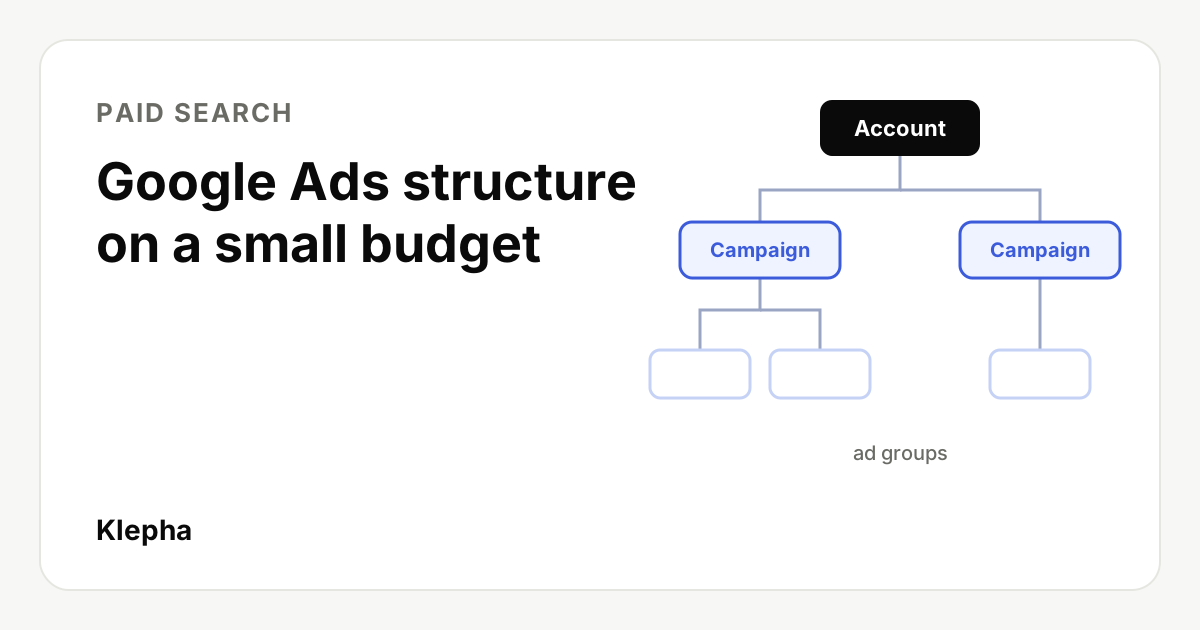
On a small budget, structure a Google Ads account for focus rather than coverage: one or two Search campaigns, a handful of tightly themed ad groups, and your highest intent keywords in exact and phrase match. Put your first dollars on searches closest to a purchase, then widen your reach only after conversion tracking shows which ads and keywords bring customers.
The reason is simple arithmetic. A small budget buys a limited number of clicks each month, and every extra campaign or broad keyword splits those clicks further. Split them too thin and no part of the account gets enough data to tell you anything. This guide walks through the account levels, match types, a starter structure and where to spend first.
Key takeaways
- Fewer campaigns, more data each. Create a separate campaign only when you need a different budget, location, goal or bidding strategy.
- One theme per ad group, so the ad and landing page match what people searched.
- Start with exact and phrase match for control; Google says broad match needs Smart Bidding, which needs conversion data.
- Spend first where intent is highest: brand terms and your core service with buying words.
- Know your real monthly spend: Google can spend up to twice the daily budget on a day, but no more than 30.4 times it in a month.
What are the levels of a Google Ads account?
| Level | What you set here | Small budget rule |
|---|---|---|
| Account | Billing, users, conversion tracking | Set up conversion tracking before spending anything |
| Campaign | Budget, bidding strategy, locations, languages, networks, schedule | One or two campaigns; split only for a real difference in these settings |
| Ad group | Keywords and ads around one theme | Three to five ad groups per campaign to start |
| Keywords and ads | What you bid on and what people see | A short list of high intent keywords; one strong responsive search ad per ad group |
Budgets live at the campaign level. That is why the number of campaigns matters so much on a small budget: each campaign gets its own slice, and a slice that is too small runs out early in the day or never collects enough clicks to learn from.
How many campaigns do you need?
Create a new campaign only when something at the campaign level genuinely needs to differ:
- Different budget priority, such as brand searches you never want to run out of budget.
- Different locations or languages, such as two cities with different services.
- Different goals or bidding, such as lead generation versus online sales.
For most small businesses that means one Search campaign for core services, plus a small brand campaign if people already search for your name. Hold off on Display, Video and Performance Max until Search is profitable and you have conversion data; they need more budget and data to optimize well.
Check the network settings of each Search campaign as well. Decide deliberately whether to include search partners and display expansion rather than accepting whatever is selected, and review their results separately once data comes in.
How should you build ad groups?
Each ad group should cover one theme tight enough that a single ad and landing page answer every keyword in it. If you would write a different headline for two keywords, they belong in different ad groups.
| Ad group | Example keywords | Landing page |
|---|---|---|
| Emergency plumber | "emergency plumber", [24 hour plumber near me] | Emergency service page with phone number first |
| Water heater repair | "water heater repair", [water heater replacement cost] | Water heater page with pricing guidance |
| Drain cleaning | "drain cleaning service", [blocked drain plumber] | Drain cleaning page |
Illustrative example for a local plumbing business.
Google lets you add up to 15 headlines and 4 descriptions to a responsive search ad, with headlines up to 30 characters and descriptions up to 90. Use them to repeat the ad group's theme, state a clear offer and give a reason to choose you. The landing page should continue the same message; our guide to landing pages for paid ads covers message match.
Which match types should you use on a small budget?
Google defines the three match types like this:
| Match type | Syntax | Google's definition | Small budget use |
|---|---|---|---|
| Exact | [red shoe] | Searches with the same meaning or intent as the keyword | Core, proven terms |
| Phrase | "tennis shoes" | Searches that include the meaning of the keyword | Main starting point for reach with control |
| Broad | low carb diet plan | Searches related to the keyword, which may not contain its direct meaning | Later, with Smart Bidding and conversion data |
Broad match is the default for new keywords, so change it deliberately. Google's own help page says "it's critical to use Smart Bidding with broad match," and Smart Bidding depends on conversion data: Google notes that some strategies "rely on a minimum volume of historical conversion data." A new account with a small budget usually has little of either, which is why exact and phrase match are the safer start. The trade-off is reach in AI Mode: exact and phrase match only serve there on queries with direct commercial intent, as our guide to multiturn ads in Google AI Mode explains.
Add negative keywords from day one for searches you never want: "free," "jobs," "course," "DIY" or competitor names if you do not want to bid on them. Then review the search terms report weekly and add more. Be aware that the report no longer shows every query; we explain why in our article on AI search in Google Ads search terms.
Where should you spend first?
Rank your keywords by how close the searcher is to buying, and fund the top of the list first.
- Brand searches, if people already search for you. Clicks are usually cheap and convert well, and they stop competitors from taking your name.
- Core service plus buying words: "hire," "near me," "price," "quote," "book," "buy."
- Problem searches with urgency, such as "burst pipe" for a plumber or "website down" for a hosting provider.
- Comparison and research terms, such as "best" or "vs," only once the first three are profitable.
Use location targeting and an ad schedule to focus on where and when you can actually serve customers. A local business paying for clicks from outside its service area, or at hours nobody can answer the phone, is wasting the scarcest resource it has.
Know where your buyers are searching
A free Klepha report shows the questions buyers ask Google and AI assistants in your category, so your paid and organic budgets target the same high intent demand.
Get my free reportHow do you set a realistic budget?
Google's help page on budgets explains that "on a given day, your campaign might spend up to twice your average daily budget," but over a month you will spend "no more than 30.4 times your average daily budget." So a campaign with a $30 daily budget can spend up to $60 on a busy day and up to about $912 in a month.
To check whether that budget can teach you anything, work backwards from expected clicks. If your keywords cost around $3 per click (check the estimates in Keyword Planner for your market), $912 buys roughly 300 clicks a month. Spread across two campaigns and ten ad groups, that is only 30 clicks per ad group, which is not much to judge from. Concentrated on three ad groups, it is about 100 each, which is enough to see which themes produce leads.
Set your target cost per lead or sale from your margins and customer value, not from industry averages. Our guide to calculating CAC and LTV shows how to turn those numbers into a budget ceiling.
Which bidding strategy should a small account use?
Google lists Target CPA, Target ROAS, Maximize conversions and Maximize conversion value as its Smart Bidding strategies. Without conversion history, a common path is to start with Maximize clicks with a maximum cost per click limit, or Manual CPC, while conversion tracking collects data, then move to Maximize conversions and later a target once results are steady. Change one major setting at a time so you can see its effect.
What mistakes waste a small Google Ads budget?
- Launching without conversion tracking. Without it you can only optimize for clicks, and clicks are not customers.
- Too many campaigns at once. Five campaigns on a budget that suits one means none of them learns.
- Leaving broad match on by accident. New keywords default to broad match, which can match searches far from your service.
- Sending every ad to the homepage. A page that matches the ad group's theme converts better than a general homepage.
- Changing everything every week. Frequent changes reset what you can learn. Give each change time to show results, and use an experiment when you can; our guide to A/B testing ads and landing pages covers sample size.
- Ignoring the search terms report. It is incomplete, but reviewing it weekly still catches irrelevant searches you can exclude.
What does a small budget setup checklist look like?
- Conversion tracking installed and tested for calls, forms or purchases, with consistent UTM parameters on any non-Google campaigns.
- One core Search campaign, plus a brand campaign if there is brand demand.
- Three to five ad groups, one theme each, with a matching landing page.
- Exact and phrase match keywords only, with a starter negative keyword list.
- Locations, languages, schedule and network settings checked deliberately.
- A daily budget calculated from your monthly ceiling divided by 30.4.
- A weekly review of search terms, ads and conversions, and a monthly decision about what to expand.
Paid search works best alongside organic and AI visibility, since the same buyer may see your ad, your organic result and an AI answer for the same question. See our solutions, expertise page and case studies for how we connect them.
Sources
- Google Ads Help, "About keyword matching options", accessed November 10, 2026. support.google.com
- Google Ads Help, "About Smart Bidding", accessed November 10, 2026. support.google.com
- Google Ads Help, "About overdelivery and your average daily budget", accessed November 10, 2026. support.google.com
- Google Ads Help, "About responsive search ads", accessed November 10, 2026. support.google.com
Frequently asked questions
How many campaigns should a small Google Ads account have?
Usually one or two Search campaigns. Create a separate campaign only when you need a different budget, location, language, goal or bidding strategy, because each extra campaign splits a small budget further.
How many ad groups should a campaign have?
Start with three to five tightly themed ad groups per campaign. Each should cover one theme narrow enough that one ad and one landing page answer every keyword in it.
Should I use broad match on a small budget?
Usually not at first. Google says it is critical to use Smart Bidding with broad match, and Smart Bidding works best with conversion history, which new small accounts rarely have. Start with exact and phrase match.
How much will Google Ads spend compared with my daily budget?
On a given day a campaign can spend up to twice its average daily budget, but over a month Google says you will spend no more than 30.4 times the average daily budget.
Where should I spend my first Google Ads budget?
Start with searches closest to a purchase: your brand name if people search for it, then your core service combined with buying words such as near me, price, quote or book.