How do you set up conversion tracking before spending money on ads?
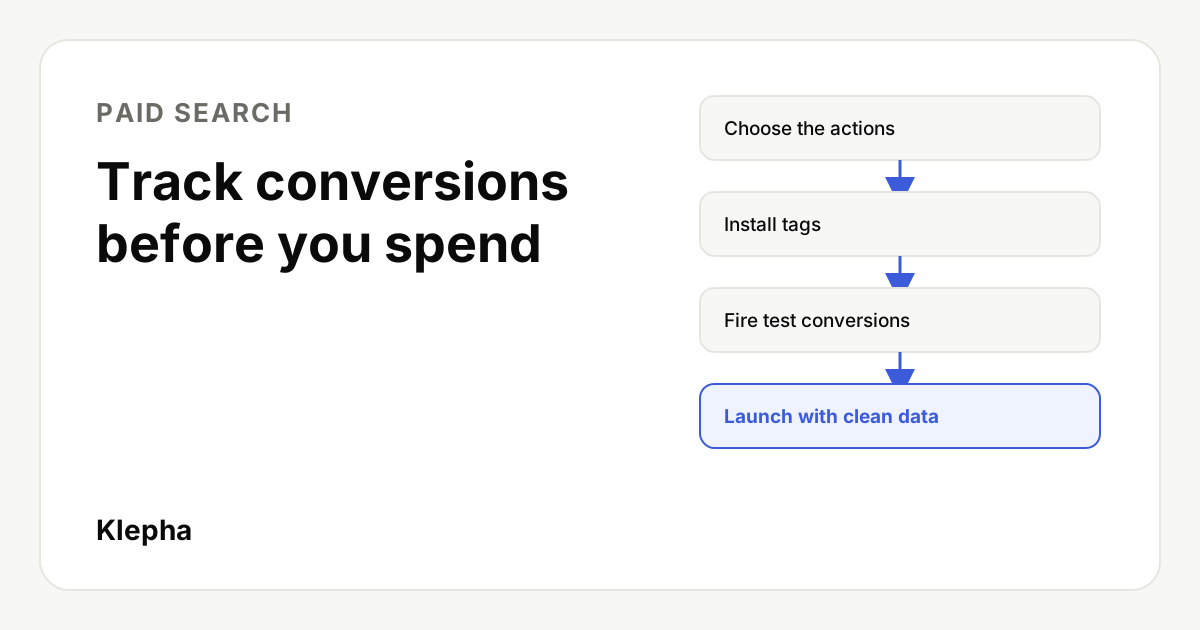
Decide which customer actions count as conversions, mark only the one or two that represent real business value as primary, install the tags, then fire test conversions yourself and confirm each one appears in Google Ads, Meta and your analytics before you launch. Ad platforms optimize toward whatever you tell them is a conversion, so broken or careless tracking wastes budget from the first click.
Most new advertisers do this backwards: launch first, then add tracking when the results look strange. The problem is that modern bidding learns from conversion data from day one. Google notes that "correctly configuring your conversion actions as primary (biddable) or secondary (observation-only) is critical," and smart bidding strategies depend on that data. If the data is wrong, the system optimizes toward the wrong people.
This guide covers which actions to track for common business types, how to choose primary and secondary goals, the setup order for Google Ads, GA4 and Meta, and a test routine you can finish in an afternoon. It is written for founders and small marketing teams setting up their first serious ad budget.
Key takeaways
- Track before you launch. Bidding learns from conversions from the first day; bad data trains it in the wrong direction.
- One or two primary actions. Make the action closest to revenue primary. Track the rest as secondary for observation.
- Match the action to the business: purchases for ecommerce, qualified leads for services, trials or paid sign-ups for SaaS.
- Test every action yourself. Use Google Tag Assistant, GA4 DebugView and Meta's Test Events tool, then check the status in each platform.
- New tags start as "Unverified" or "Inactive". Google says the status turns "Active" only after the first conversion or a successful test event.
Why set up conversion tracking before you spend?
Google defines conversions as the actions you choose as valuable, "like a purchase, sign-up, or phone call," after which "Google Ads will then help you get the most out of your campaigns." That help is the point. Automated bidding, audience expansion and AI driven matching all decide who sees your ads based on who converted before. Without tracking, you have three problems:
- You cannot tell which ads work. Clicks and click-through rate say nothing about revenue.
- Smart bidding has nothing to learn from. Google says broad match works best with Smart Bidding, and Smart Bidding relies on conversion data. Our guide to structuring a Google Ads account on a small budget explains why that changes your first campaign choices.
- Fixing it later costs data. Conversions are not recorded retroactively. Every day without tracking is a day you cannot analyze.
Which actions should you track?
Track the action that is closest to money, plus a few steps before it so you can diagnose drop off. Here is a starting point by business type:
| Business type | Primary conversion | Secondary conversions |
|---|---|---|
| Ecommerce | Purchase, with order value | Add to cart, begin checkout |
| Local services | Qualified lead form or call over a set length | Clicks on phone number, direction requests |
| B2B SaaS | Demo request or sales qualified lead | Pricing page view, content download |
| Self serve SaaS | Trial start or paid sign-up | Account created, key activation step |
| Mobile app | In-app purchase or subscription | Install, registration |
| Agency or consultant | Booked call | Contact form submitted |
Google groups the sources into four families: website conversions, app conversions, phone call conversions and offline conversions imported from files or APIs. If your real sale happens offline, for example after a sales call, plan to import those results later. That is how you teach the platform the difference between a lead and a customer.
What is the difference between primary and secondary conversions?
In Google Ads, primary conversion actions are used for bidding and appear in the main Conversions column. Secondary actions are observation only: you see them, but bidding ignores them. Meta works on a similar idea by letting you choose the event an ad set optimizes for.
A simple rule: if you would be happy paying for more of this action at your target cost, make it primary. Page views, scroll depth and "time on site" almost never qualify. Neither does a newsletter sign-up for a business that sells high value services. Too many primary actions blur the signal; one or two is usually right for a new account.
Should you assign conversion values?
Yes, when you can. Ecommerce should pass the actual order value. For lead generation, estimate a value from your own numbers: average deal size multiplied by the share of leads that become customers. A lead worth 200 dollars on average and a phone click worth 20 tell the system what matters. Our guide on how to calculate CAC and LTV shows where those inputs come from.
How do you set it up, step by step?
- Write a tracking plan. List each action, where it happens (URL, button, form), its value and whether it is primary or secondary. One shared document avoids double counting later.
- Install the Google tag on every page, directly or through Google Tag Manager. Google describes the method: you add a tag to your site, a click on your ad sets a temporary cookie, and when the visitor completes your defined action, the tag records the conversion.
- Create conversion actions in Google Ads for each primary and secondary action, or import key events from GA4 if you prefer one source of truth. Pick one approach per action, not both, to avoid counting the same sale twice.
- Set up GA4 key events for the same actions so analytics and ad platforms agree.
- Install the Meta Pixel and, if you can, the Conversions API, which sends events from your server and is less affected by browser restrictions.
- Trigger on confirmed actions. Fire purchase events on the order confirmation, lead events on a successful form submission, not on button clicks that may fail validation.
- Keep attribution intact. Turn on Google Ads auto-tagging and use consistent UTMs elsewhere; our guide to UTM parameters covers naming.
- Check consent. If you serve visitors in regions that require consent, make sure your consent banner and tags work together, or you will undercount.
Ads buy attention. AI answers earn it.
A free Klepha report shows whether ChatGPT, Gemini and Perplexity mention your brand when buyers ask about your category, so you know where paid and organic need to work together.
Get my free reportHow do you test that tracking works?
Never assume a tag works because it is installed. Run each action yourself, the way a customer would, and confirm it in every tool.
| Tool | What it checks | What to look for |
|---|---|---|
| Google Tag Assistant | Whether Google tags fire on each page and action | Your conversion tag firing once on the confirmation step |
| GA4 DebugView | Events Analytics collects in real time | The key event with correct parameters, such as value and currency |
| Meta Test Events (Events Manager) | Pixel and Conversions API events | One event per action, deduplicated across browser and server |
| Google Ads conversion status | Whether Google Ads has recorded conversions | Status moving from "Unverified" or "Inactive" to "Active" |
GA4's DebugView "displays the events and user properties that Analytics collects from a user in real time," and Google notes that Tag Assistant switches on debug mode by adding a parameter to your site address. Meta's Test Events tab in Events Manager does the same job for the Pixel, and a separate server test covers the Conversions API.
A practical test script:
- Open your site with Tag Assistant connected and complete each tracked action once: a purchase with a test product or discount code, a form submission, a phone number click.
- Watch DebugView and Meta Test Events while you do it. Each action should appear once, with the right name and value.
- Reload the confirmation page. If the conversion fires again, add deduplication (a transaction ID for purchases, or fire only on the first load).
- Repeat on mobile and in a second browser.
- Within a day or two, check that Google Ads shows the actions as recording, and that counts match across Google Ads, Meta and GA4 within a reasonable margin. Differences in attribution models are normal; a factor of two is not.
Our guide to landing pages for paid ads includes a pre-launch checklist that pairs well with this one.
What are the most common conversion tracking mistakes?
- Counting the thank you page view when that page is also reachable directly or indexed in search. Make it noindex and trigger on the actual submission.
- Duplicate tags from a plugin plus a manual install, which double every conversion.
- Too many primary actions, so bidding chases cheap micro actions instead of sales.
- Forgetting values, which treats a 20 dollar order and a 2,000 dollar order the same.
- Never importing offline outcomes, so the system keeps buying leads that never close.
- Not re-testing after site changes. A new checkout or form tool can silently break tracking. Re-run the test script after every release that touches those pages.
What should you do after launch?
Review conversion counts daily for the first week, then weekly. Compare platform numbers with your own records: orders in your store, leads in your CRM. Once the data is trustworthy, it becomes the base for everything else, from A/B testing ads and landing pages to deciding whether to scale.
Tracking also connects paid search with the rest of your growth work. Our expertise page explains how we combine ad data with organic and AI search visibility, and our case studies show the measurement setups behind them.
Sources
- Google Ads Help, "About conversion measurement", accessed November 13, 2026. support.google.com
- Google Analytics Help, "Monitor events in DebugView", accessed November 13, 2026. support.google.com
- Meta Business Help Center, "Test events tool: verify app and web browser events for Meta", accessed November 13, 2026. facebook.com
- Meta Business Help Center, "Test your server events using the Test Events tool", accessed November 13, 2026. facebook.com
Frequently asked questions
What conversions should I track before running ads?
Track the action closest to revenue as your primary conversion, such as a purchase, a qualified lead, a booked call or a paid sign-up. Track earlier steps like add to cart or form starts as secondary conversions so you can diagnose drop off without confusing bidding.
What is the difference between primary and secondary conversions in Google Ads?
Primary conversion actions are used for bidding and reported in the main Conversions column. Secondary actions are observation only: you can see them in reports, but bidding does not optimize toward them.
How do I test if conversion tracking is working?
Complete each tracked action yourself while watching Google Tag Assistant, GA4 DebugView and Meta's Test Events tool. Each action should fire once with the right name and value. Then check that Google Ads shows the conversion action as recording.
Why does my Google Ads conversion say Unverified or Inactive?
Google says an Unverified or Inactive status is normal for new tags. It changes to Active only after Google Ads records its first conversion or a successful test event.
Do I need both the Meta Pixel and the Conversions API?
You can start with the Pixel, but adding the Conversions API sends events from your server as well, which makes tracking more resilient to browser restrictions. Use deduplication so each action is counted once.