What do the new Add to cart and Buy now buttons in Google Search mean for online stores?
Product panels in standard Google Search results in the United States now show "Add to cart" and "Buy now" buttons beneath the retailer's "Visit site" link, part of the Universal Cart that Google began rolling out on October 15, 2026. Add to cart saves the item to a cart in the shopper's Google account, and Buy now completes the purchase with Google Pay, while the merchant stays the seller of record. Eligibility runs through Merchant Center and the Universal Commerce Protocol, and Google has not said how these purchases appear in Google Ads conversion reporting.
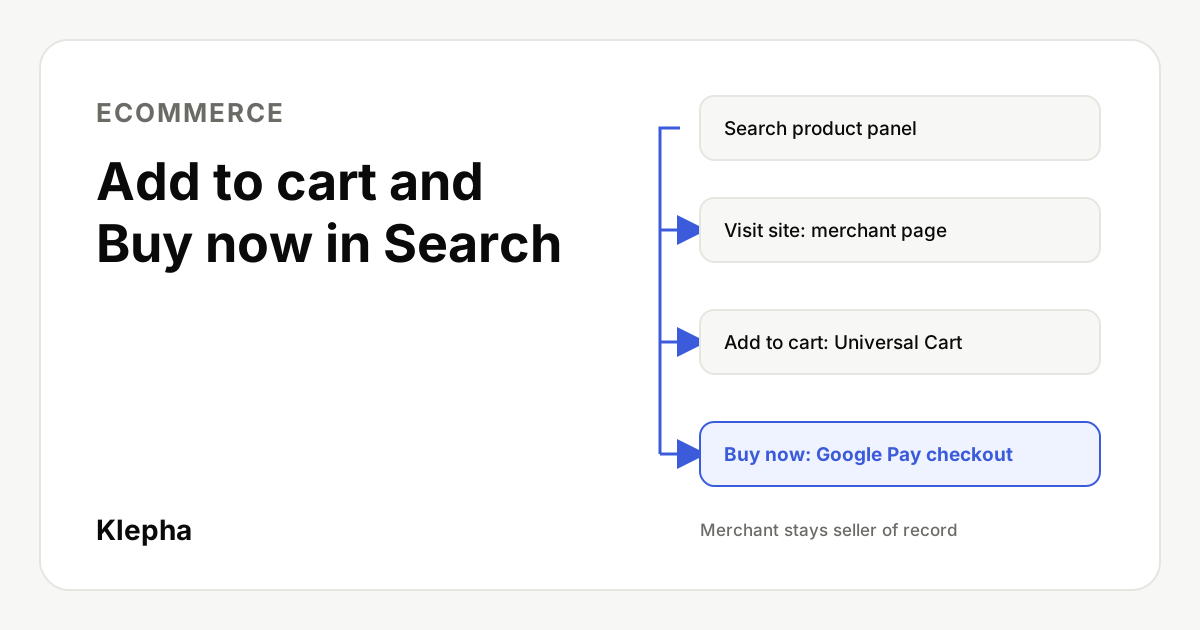
For years, a product offer in Google Search led to one place: the retailer's product page. That is no longer true for many US searchers. The same panel now offers three routes, and two of them keep the shopper on Google. That touches organic visibility, feeds and Shopping measurement at once, ten days before Black Friday on November 27, 2026.
Facts below were checked on November 17, 2026 against Google's own pages and reporting by PPC Land and Search Engine Roundtable.
Key takeaways
- Three exits from one panel. Visit site still leads, but Add to cart and Buy now sit directly beneath it.
- It is Universal Cart in standard results. Google launched the cart in the US across Search and the Gemini app on October 15, 2026.
- The merchant stays seller of record. Google says confirmations and customer support come from the merchant.
- Eligibility is a feed and integration job. Merchant Center standing, return and support settings, UCP attributes and variant data decide whether the buttons can appear.
- Measurement is the open question. Google has not documented how Buy now purchases after an ad click are credited, and saved carts are invisible to the merchant until transfer.
What do the Add to cart and Buy now buttons do?
PPC Land reported on November 1, 2026 that product panels on standard results pages now carry two outlined buttons, "Add to cart" and "Buy now", beneath a larger blue "Visit site" button. A cart icon sits at the top right of the results page next to the account profile, with a badge showing the number of saved items.
Each button does something different:
| Button | What happens | Where the sale finishes |
|---|---|---|
| Visit site | Opens the retailer's product page, as before | Merchant site |
| Add to cart | Saves the product to Universal Cart in the shopper's Google account. Glenn Gabe reported on October 17 that it first asked him to choose options and sizes, then added the item on a second click | Later, either with Google Pay in the cart or after transferring the cart to the merchant's site |
| Buy now | Starts a purchase on the spot. Payment runs through Google Pay with details saved in the shopper's Google account | Google surface, with the merchant as seller of record |
The example PPC Land published, a search for "duo case", showed an offer from Casely priced at $59.50, down from $70.00. The panel's price breakdown applied a promo code, FALL15, that "Expires in 10 days". Search Engine Roundtable's Barry Schwartz confirmed on October 23 that "Add to cart" buttons now appear in Google's product listing results and send items to Universal Cart, and that it works across Google Shopping.
What has Google officially confirmed?
Google's own announcement, "An intelligent new shopping cart" by Suresh Ganapathy, published October 15, 2026, says Universal Cart "is rolling out in the U.S. across Google Search and in the Gemini app." It describes four functions:
- Save products from multiple retailers in one cart that persists across AI Mode, Search and the Gemini app.
- Price and stock alerts. The cart is built on the Shopping Graph, which Google says holds "60+ billion continually refreshed product listings," and sends notifications about price drops or items back in stock.
- Savings and card perks. Built on Google Wallet, the cart suggests payment methods based on card benefits and shows relevant promo codes.
- Two checkout paths. Shoppers can "check out with Google Pay in just a few taps" or "transfer your items directly to the merchant's cart to finish buying on their site."
Google names Nike, Sephora, Target, Ulta Beauty, Walmart, Wayfair "and many Shopify merchants" as merchants offering these checkout experiences, and states that "you will receive direct confirmations and customer support from the merchant, and they will remain the seller of record."
Two details are not in Google's post. It does not name the "Buy now" button or describe the layout of standard Search product panels, which come from PPC Land's and Search Engine Roundtable's reports. And the Casely offer in PPC Land's example belongs to a merchant Google did not name, so the pool of eligible stores is wider than the launch list.
If you have read our guide to Google agentic checkout and UCP, this is the same protocol at work. That post covers the Buy button inside AI Mode and Gemini and the early access program. What is new here is that cart and checkout buttons now appear in ordinary Search results as well.
Which merchants are eligible, and how do you set it up?
Google's Merchant Center Help page "How to onboard to the UCP integration hub in Merchant Center" says the integration "is gradually rolling out in the U.S., with Australia and Canada to follow next year." In the hub, merchants can choose UCP capabilities including cart transfer to the merchant site, native checkout on Google and identity linking. The steps Google lists are:
- Complete the technical implementation described in Google's UCP developer guide. Google says this must happen before onboarding.
- Fill out the interest form.
- Wait for selection. Once selected, you get access to onboarding in Merchant Center and a sandbox to validate your UCP profile, cart transfer and native checkout APIs.
If you sell through a third party platform, Google tells you to ask that platform about its UCP plans. For Shopify, PPC Land reported that from September 18, 2026 Google switched on native checkout by default for Shopify stores matched to their Merchant Center accounts, and that merchants who want to keep transactions on their own domain must turn it off in the Shopify admin under Sales channels and then Agentic. That report comes from PPC Land rather than a Google page we checked, so confirm the setting in your own admin.
Cart transfer and checkout are opted in differently
Google's developer guide, "Prepare your Merchant Center account" (last updated October 29, 2026), treats the two capabilities differently:
- Checkout is opt in. A product needs
native_commerce(checkout_eligibility)set toTRUE. Missing orFALSEmeans it is not eligible. - Cart transfer is opt out. Products approved for free listings are "automatically eligible for cart transfer once
dev.ucp.shopping.cartis declared" in your UCP profile. To exclude a product, setnative_commerce(cart_eligibility)toFALSE.
Google also lists product types that are ineligible for checkout, such as subscriptions, personalized, used or final sale items, pre-orders, age restricted items and most digital goods.
Feed and account readiness checklist
The table below collects the requirements and recommendations from Google's UCP Merchant Center guide, with a note on why each matters for the new buttons.
| Item | What Google says | Why it matters for the buttons |
|---|---|---|
| Merchant Center standing | Account in good standing with products approved for free listings | Baseline for both cart transfer and checkout |
| Return policy | Required. Include return cost, return window and a link to the full policy, at account level or with the returns attribute. Advanced accounts set it per sub-account | Shown on the checkout screen |
| Customer support info | At least one of a support URL, email or phone number | Powers the "Contact Merchant" link on the order confirmation |
native_commerce(checkout_eligibility) | Boolean, defaults to FALSE | Opts a product into checkout on Google |
native_commerce(cart_eligibility) | Opt out. Omitted or TRUE keeps a product available for cart transfer | Controls whether items saved to the cart can be transferred to your site |
variant_option with item_group_id and item_group_title | Strongly recommended for products with sizes, colors or materials | Builds the variant selector. Incomplete data "can suppress the checkout button" |
merchant_item_id | Needed when the feed id does not match your checkout API's product ID | Takes precedence over id in agentic requests |
consumer_notice | Mandatory where the law requires warnings, such as California Proposition 65. Up to 1,000 characters | Displayed on the checkout screen |
| Price and inventory freshness | Recommended: migrate to the Merchant API or send supplemental price and availability updates | Prevents checkout price mismatches |
| Supplemental data source | Recommended way to add UCP attributes rather than editing the primary feed | Avoids breaking regular product ingestion |
Do AI answers recommend your products?
A free Klepha report shows whether Google AI Mode, ChatGPT and other assistants name your store and products for your buyers' questions, and which competitors they cite instead.
Get my free reportWhat does it mean for ecommerce SEO?
The buttons do not change how Google ranks pages, and nothing Google published says they do. They change what happens after a shopper sees your offer.
Some product panel clicks will skip your product page
When a shopper presses Buy now, the order can complete without a visit to your site. When they press Add to cart, the product sits in a Google cart until they buy or transfer it. Sessions and on-site conversion rates from organic shopping surfaces may fall even when revenue holds. Judge performance by orders by channel in your order system, not only by sessions in web analytics.
Free listings carry more weight
Google's guide makes approval for free listings a requirement, and cart transfer eligibility is based on products approved for free listings. The Casely offer in PPC Land's example appeared in a grid where none of the listings carried a sponsored label. Free listings are therefore not only a traffic source but the entry ticket for these buttons.
Structured data still supports the offer
Google Search Central's merchant listing documentation (last updated September 8, 2026) says Product markup can make a page eligible for merchant listing experiences, including the shopping knowledge panel, Google Images, popular product results and product snippets. Required properties are name, image and offers, with price and priceCurrency on the Offer. Shipping details, MerchantReturnPolicy and GTINs are recommended.
The same page sets an order of precedence when shipping or return policies are defined in several places: product level feeds in Merchant Center come first and product level markup comes after Merchant Center settings. In practice, your feed is the stronger signal, and markup should agree with it. Our schema markup guide covers Product and Offer markup in detail.
Product pages still make the case
The panel PPC Land described also includes a "What to know" section of pros and cons drawn from reviews. Clear specifications, sizing and honest review content still shape what Google and AI assistants say about a product. For other assistants, see our guide to ChatGPT shopping and product discovery.
What does it mean for product feeds?
When the purchase happens in a Google panel, the feed is the product page. Four areas deserve attention before the holiday peak:
- Price and availability accuracy. Google's guide calls out checkout price mismatches and recommends real time updates through the Merchant API or supplemental feeds. A stale price in a panel that offers Buy now is a direct problem, not just a disapproval risk.
- Promotions and codes. The example panel applied a promo code inside Google's price breakdown. Google's launch post says the cart will "show you relevant promo codes right from the cart" but does not say where they come from or how one is chosen when several exist. Keep sale prices and promotions consistent between feed and site.
- Variants. Add to cart asked Gabe to choose options and sizes first. That selector is built from
variant_option, and missing variant data can suppress the checkout button. - Identifiers and policies. Map
merchant_item_idif your checkout uses different IDs, and keep return and support settings complete, because they appear on the checkout and confirmation screens.
What does it mean for Shopping ads and measurement?
This is where Google has said the least. Neither Google's launch post nor the Merchant Center pages we checked say whether Add to cart and Buy now appear on Shopping ads in standard results. PPC Land noted that when a Buy button first appeared on a Wayfair free listing on May 5, 2026, sponsored ads sat directly above the free listings in the same section. For AI Mode ads specifically, see our post on local retailer ads in Google AI Mode.
The measurement gaps PPC Land identified are specific:
- Buy now after an ad click. How a purchase that starts with a Shopping ad click and ends on Google's page is recorded in Google Ads conversion reporting is undocumented.
- Delayed cart purchases. Whether a product saved from a paid click and bought days later after a price alert is credited to the ad is also undocumented.
- Saved carts are invisible. According to PPC Land's reading of Google's documentation, merchants receive nothing while a shopper saves products. Google sends one request with all items only when the shopper transfers the cart, and Merchant Center reporting starts at clicks to buy. There is no abandoned cart signal for items left in a Google cart.
What you can do now:
- Reconcile with your order system. Since you remain seller of record, orders placed through Google checkout reach you. Compare those orders with conversions reported in Google Ads to see how much is missing or modeled. Our guide to setting up conversion tracking before you spend covers the foundations.
- Check cart transfer landings. When a cart is transferred, the shopper arrives in your cart rather than on a product page. Test that your tags fire and that the visit is attributed sensibly in your analytics.
- Annotate the rollout. Mark October 15 to October 26, 2026 in reporting so changes in Shopping click through, site sessions and conversion rate can be read against it.
- Revisit targets. If some conversions are no longer visible in Google Ads, ROAS targets based on reported conversions can push bids down. Recheck them against total revenue using a break-even ROAS calculation.
What is still unknown?
- Reach. Google has published no completion date, share of US users or count of participating merchants. Reports put broad availability between October 17 and October 26, 2026.
- Route to eligibility. It is not known whether non-named merchants like Casely qualified through the Shopify default, the Merchant Center hub or another path.
- Documentation scope. The Merchant Center Help page describes a checkout button in AI Mode and Gemini. Google has not published separate documentation for the buttons in standard Search product panels.
- Shopping ads. Whether paid listings carry the buttons, and how such sales are counted, is not documented.
- Promo codes. Google has not said where in-cart codes come from or how one is chosen.
- Other markets and surfaces. Australia and Canada are planned for next year. YouTube and Gmail, named at Google I/O in May, are not part of the October launch.
Until Google publishes more, treat the buttons as a US feature that rewards clean Merchant Center data and honest, consistent offers. For help connecting organic, paid and AI visibility, see the disciplines on our expertise page and the reporting in our case studies. No one can guarantee which offers Google shows with these buttons, and we do not promise placement.
Sources
- PPC Land, "Google Search product panels gain Add to cart and Buy now buttons", Luis Rijo, November 1, 2026, checked November 17, 2026. ppc.land
- Google blog, "An intelligent new shopping cart", Suresh Ganapathy, October 15, 2026, checked November 17, 2026. blog.google
- Google Merchant Center Help, "How to onboard to the UCP integration hub in Merchant Center", checked November 17, 2026. support.google.com
- Google for Developers, "Prepare your Merchant Center account" (UCP guide), last updated October 29, 2026, checked November 17, 2026. developers.google.com
- Google Search Central, "How To Add Merchant Listing Structured Data", last updated September 8, 2026, checked November 17, 2026. developers.google.com
- Search Engine Roundtable, "Google Universal Cart In Search Is Live, Yep", Barry Schwartz, October 23, 2026, checked November 17, 2026. seroundtable.com
Frequently asked questions
What do the Add to cart and Buy now buttons in Google Search do?
Add to cart saves a product to Google's Universal Cart, which is tied to the shopper's Google account. Buy now starts a purchase on Google with Google Pay. A Visit site button to the retailer still sits above both in the product panel.
Where are the buttons available?
In the United States. Google began rolling out Universal Cart across Search and the Gemini app on October 15, 2026, and reports from October 17 to October 26 show the buttons in standard Search product panels. Merchant Center onboarding for Australia and Canada is planned for next year.
Does the merchant still own the sale?
Yes. Google says the merchant remains the seller of record and that shoppers receive confirmations and customer support directly from the merchant, whether they pay with Google Pay or transfer the cart to the merchant's site.
How does a store become eligible?
Google's documentation requires a Merchant Center account in good standing with products approved for free listings, a return policy, customer support details and a UCP integration. Checkout needs native_commerce(checkout_eligibility) set to TRUE, while cart transfer is on by default once the cart capability is declared. Shopify stores should check the setting in their Shopify admin.
How are Buy now purchases counted in Google Ads?
Google has not documented this. As of November 17, 2026 there is no published guidance on how a purchase made with Buy now after a Shopping ad click, or a cart saved from a paid click and bought later, is credited in conversion reporting.