How do you use retargeting ads without annoying people?
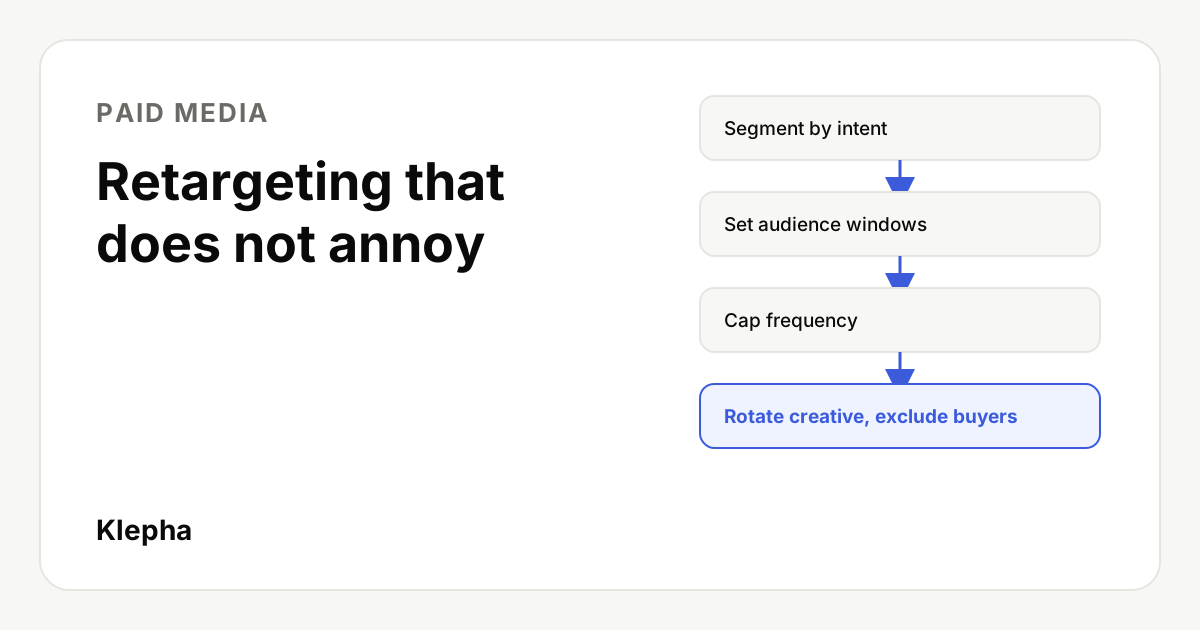
Retargeting stops being annoying when people see a few relevant ads for a limited time and then stop. Segment visitors by what they did, keep each audience window close to how long buyers really take to decide, cap frequency per person, exclude anyone who already converted, and rotate creative before the same ad goes stale.
Everyone has been followed around the internet by a product they already bought. That experience is why retargeting has a bad name, and it is almost always a setup problem rather than a channel problem. Retargeting, also called remarketing, shows ads to people who already visited your site, used your app or engaged with your brand. Done well, it reminds interested people at the right moment. Done badly, it burns budget and goodwill.
This guide covers the four controls that separate the two: audience segments, audience windows, frequency caps and creative rotation, plus the exclusions most accounts forget. Examples refer to Google Ads and Meta, but the principles apply to any platform.
Key takeaways
- Segment by intent. A cart abandoner and a blog reader should not see the same ad for the same length of time.
- Match the window to the buying cycle. Short for impulse purchases, longer for considered ones, never "as long as possible" by default.
- Cap frequency per person and watch frequency in reports, not just cost.
- Always exclude converters from acquisition retargeting, or move them to a separate post purchase message.
- Rotate creative so the same person sees a new message rather than the same ad again and again.
Why does retargeting annoy people?
Retargeting feels intrusive for a handful of predictable reasons, and each one maps to a setting you control:
| What people notice | Usual cause | Control that fixes it |
|---|---|---|
| The same ad, many times a day | No frequency cap on a small audience with a large budget | Frequency cap and budget sized to audience |
| Ads for weeks after one quick visit | Long default audience window | Shorter membership duration |
| Ads for something already bought | Converters not excluded | Purchaser exclusion list |
| Ads for a page they bounced from in seconds | Audience includes every visitor | Intent based segments |
| The same image for a month | No creative plan | Creative rotation schedule |
Fixing these is not only about manners. Repeated exposure to the same ad tends to bring falling click through rates and rising costs, so annoying setups usually cost more as well.
How should you segment retargeting audiences?
Group visitors by how close they came to buying. Each segment gets its own window, cap and message.
| Segment | Who is in it | Message |
|---|---|---|
| High intent | Added to cart, started checkout, started a sign up or demo request | Remove the last obstacle: shipping, returns, setup time, a reminder of what they chose |
| Medium intent | Viewed product or pricing pages, viewed several pages | The main benefit and proof: reviews you have permission to use, a short demo, a comparison |
| Low intent | Read a blog post or one page | Helpful content or a light offer such as a guide; often better left out of paid retargeting entirely |
| Existing customers | Purchased or subscribed | Exclude from acquisition campaigns; use separate cross sell or onboarding messages if relevant |
Segments depend on accurate tracking. If your pixel or tag cannot tell a cart event from a page view, fix that first; see how to set up conversion tracking before you spend on ads.
How long should retargeting audience windows be?
The audience window, called membership duration in Google Ads and retention in Meta website custom audiences, is how long someone stays in a list after their last qualifying visit. Set it from how long your customers really take to decide, not from the platform maximum.
Platform maximums are generous. Google Ads lets data segments keep members for up to 540 days, and Meta website custom audiences have long allowed retention of up to 180 days. Check the current limits in each platform's help pages before you build, because they can change. Using the maximum by default is the most common reason people see ads for something they looked at months ago.
As a starting point, before you have your own data:
| Business type | High intent window | Medium intent window |
|---|---|---|
| Low price ecommerce, impulse purchases | 3 to 7 days | 7 to 14 days |
| Considered ecommerce (furniture, electronics) | 7 to 14 days | 14 to 30 days |
| SaaS free trial or demo | 7 to 14 days | 30 days |
| High value B2B or services | 14 to 30 days | 30 to 90 days |
These ranges are Klepha's illustrative starting points, not platform rules. Replace them with your own numbers: in analytics, look at the typical time between first visit and purchase, and set the window to cover most of it. You can also layer windows, for example a stronger message in days 1 to 3 and a softer one in days 4 to 14, by creating two lists and excluding the shorter from the longer.
How do you set frequency caps?
Frequency is the average number of times a person sees your ads in a period. A frequency cap limits it per person.
- Google Ads. Display and video campaigns let you set frequency caps on impressions per user per day, week or month, or let Google manage frequency automatically. Not every campaign type supports manual caps, so check the options for the campaign you use in the Google Ads help page on frequency capping.
- Meta. Auction campaigns optimized for reach let you set a frequency cap, and reach and frequency buying gives tighter control. Conversion optimized campaigns do not offer a simple per person cap, so manage frequency there through audience size, budget and exclusions, and watch the frequency column in Ads Manager.
There is no universal right number. A practical way to start is a cap of a few impressions per person per day for high intent audiences and lower for medium intent, then check results weekly. Signs that frequency is too high:
- Frequency keeps rising while click through rate falls.
- Cost per conversion climbs with no change in offer or landing page.
- Negative feedback, hides or comments such as "stop showing me this" increase.
Budget and audience size are linked. A large budget on a small list forces the platform to show the same people more ads. If your high intent list is a few hundred people, the budget needed to reach them sensibly is small.
Retargeting only reaches people who already found you
More buyers now start with an AI assistant. A free Klepha report shows whether ChatGPT, Gemini and Perplexity recommend your brand, so more people reach your site in the first place.
Get my free reportHow often should you rotate retargeting creative?
Creative fatigue sets in when the same person keeps seeing the same ad. Small retargeting audiences hit fatigue much faster than broad prospecting audiences, so plan rotation from the start.
- Prepare three to five variations per segment with genuinely different angles: the benefit, a customer proof point, an objection answered, a product detail.
- Sequence messages by time since visit. Day 1 to 3: a reminder of what they viewed. Day 4 to 10: why customers choose you. Later: an answer to the most common objection.
- Refresh on signals, not the calendar. When frequency rises and click through rate drops for an ad, replace it.
- Use dynamic product ads with care. Showing the exact product viewed works for high intent shoppers, but cap it and stop after purchase.
- Keep promises consistent. Any discount or claim must match the landing page. See how to write Meta ad copy for hooks and headlines that stay honest.
Avoid creepy copy. "Still thinking about the blue sofa you looked at on Tuesday?" feels like surveillance. "The Oslo sofa ships free this week" carries the same reminder without telling people you watched them. Meta's Advertising Standards also restrict ad text that asserts or implies personal attributes about the viewer.
Which exclusions should every retargeting campaign have?
- Recent purchasers or sign ups. Exclude for at least the length of your buying cycle, longer for one time purchases.
- Very short visits. Where the platform allows, exclude sessions that bounced in a few seconds, which are often accidental clicks.
- Job seekers and existing staff. Exclude visitors to careers pages and internal traffic where possible.
- Support visitors. People reading help docs are usually customers with a problem, not prospects.
- Overlapping lists. Exclude the high intent list from the medium intent campaign so one person is not in two campaigns at once.
What about privacy and consent?
Retargeting relies on cookies, pixels or customer lists, so it is subject to privacy law and platform policy. In regions with consent requirements, only people who agreed to advertising cookies should be added to lists, which makes audiences smaller. Use Google's and Meta's consent tools as your setup requires, honor opt outs, and keep a clear privacy policy that explains how you use advertising data. Smaller, consented audiences are another reason to keep budgets and frequency modest.
What is a sensible starting setup?
For a small business running its first retargeting campaigns, this illustrative setup is a reasonable base to adjust from:
| Campaign | Audience and window | Frequency | Creative |
|---|---|---|---|
| High intent | Cart or checkout or demo started, last 7 to 14 days, purchasers excluded | Capped at a few impressions per day | 3 variations, objection handling, product reminder |
| Medium intent | Product or pricing viewers, last 14 to 30 days, high intent and purchasers excluded | Lower cap than high intent | 3 variations, benefit and proof |
| Post purchase (optional) | Purchasers, last 30 to 60 days | Low | Onboarding, complementary product, review request |
Track results with consistent UTM parameters, review weekly, and test changes one at a time using the approach in how to A/B test ads and landing pages. On a tight budget, see how to structure a Google Ads account on a small budget. For help connecting paid media with search and AI visibility, see our solutions, our expertise page and our case studies.
Sources
- Google Ads Help, "Use frequency capping". support.google.com
- Google Ads Help, "How your data segments work" (membership duration). support.google.com
- Meta Business Help Center, "Learn about website custom audiences". facebook.com
- Meta Business Help Center, "About the Reach objective". facebook.com
- Meta Transparency Center, "Advertising Standards". transparency.meta.com
Frequently asked questions
What is a good frequency cap for retargeting ads?
There is no universal number. Start with a few impressions per person per day for high intent audiences and a lower cap for medium intent, then watch frequency, click through rate and cost per conversion weekly. If frequency rises while click through rate falls, lower the cap or refresh the creative.
How long should someone stay in a retargeting audience?
Roughly as long as your customers usually take to decide. That might be a few days for low price impulse purchases and a month or more for high value B2B services. Check the typical time from first visit to purchase in your analytics rather than using the platform maximum.
What is the difference between retargeting and remarketing?
In everyday use they mean the same thing: showing ads to people who already interacted with your site, app or brand. Google Ads tends to use the word remarketing, while many marketers say retargeting. Some people use remarketing specifically for email follow up.
Should I exclude people who already bought from retargeting?
Yes, from acquisition retargeting. Showing ads for a product someone already bought wastes budget and annoys them. If you want to reach customers again, use a separate campaign with a different message, such as onboarding or a complementary product.
Why do my retargeting ads get worse over time?
Retargeting audiences are small, so the same people see your ads repeatedly and creative fatigue sets in quickly. Rotate several genuinely different ads, cap frequency, and keep budgets in proportion to the audience size.