How do you build a content calendar for a small marketing team?
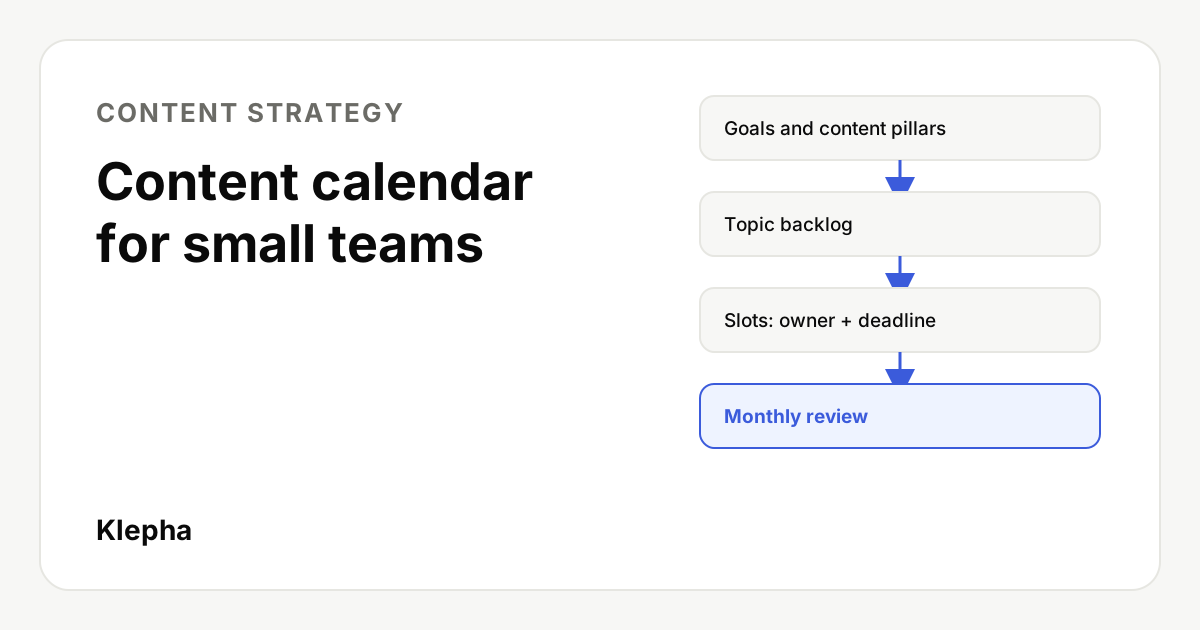
A content calendar for a small team is one shared sheet that lists every planned piece with its topic, format, channel, owner, deadline and status. Build it from two or three business goals and a few content pillars, plan at a pace the team can sustain, give every piece one owner and two dates (draft and publish), and review it every month.
Small marketing teams rarely fail at content because they lack ideas. They fail because ideas live in five places, nobody knows who is writing what, deadlines slip quietly, and the blog goes silent for six weeks after a busy launch. A content calendar fixes the coordination problem, not the creativity problem.
This guide shows a simple system for a team of two to five people: the columns your calendar needs, how to choose topics and formats, how to assign owners and deadlines that hold, and a sample month you can copy. It works in a spreadsheet; you do not need a dedicated tool to start.
Key takeaways
- One sheet, one source of truth. Every planned piece lives in the calendar or it does not exist.
- Start from goals, not ideas. Two or three goals and three to five content pillars decide what gets planned.
- Every piece has one owner and two dates: draft due and publish date.
- Plan a pace you can keep. A steady rhythm beats bursts followed by silence.
- Review monthly. Use results to reshape next month, and refresh old pieces as well as adding new ones.
What is a content calendar, and what is it not?
A content calendar is a schedule of planned content with the details needed to produce and publish it: topic, format, channel, owner, deadlines and status. It turns a content strategy into dated work that people can see and plan around.
It is not the strategy itself. The strategy decides who you are writing for, which problems you cover and how content supports the business. The calendar decides what ships this month and who ships it. If you skip the strategy, the calendar fills up with whatever is easiest to write, which is rarely what customers need.
For a small team, the calendar also does a quieter job: it makes capacity visible. When the sheet shows four pieces owned by one person in the same week, you can see the problem before it becomes a missed deadline.
How do you set goals and content pillars first?
Before you add a single topic, write down two or three goals content should support this quarter. Keep them tied to the business, for example:
- Grow organic sign ups from people searching for help with a specific problem.
- Support sales with answers to the questions prospects ask before buying.
- Keep existing customers engaged with product education.
Then choose three to five content pillars: broad themes your audience cares about and your business can speak to with authority. A bookkeeping app might pick invoicing, tax deadlines, cash flow and freelancer finances. Every topic in the calendar should sit under a pillar. If it does not fit, it probably does not belong this quarter.
Pillars also help search and AI visibility. Covering a theme in depth, with pages that link to each other, makes it clearer what your site is about. Our guide to building topical authority with content clusters shows how to map pillars into hub and spoke pages.
Which columns should a content calendar have?
Keep the sheet simple enough that people actually update it. These columns cover what a small team needs:
| Column | What goes in it | Why it matters |
|---|---|---|
| Publish date | The date it goes live | Sorts the calendar and sets the rhythm |
| Topic or working title | The question or problem the piece answers | Keeps the focus on the reader |
| Pillar | One of your three to five themes | Shows balance across themes at a glance |
| Goal | Which business goal it supports | Stops random content creeping in |
| Format | Blog post, video, email, social post, guide, case study | Helps estimate effort and skills needed |
| Channel | Where it is published and promoted | Plans distribution, not just creation |
| Target keyword or question | The search query or prompt it should answer | Connects content to search demand |
| Owner | One named person | Clear accountability |
| Draft due | Date the first draft is ready for review | Leaves time for edits before publishing |
| Status | Idea, planned, drafting, in review, scheduled, published | Shows progress without a meeting |
| Link | The live URL once published | Makes reporting and internal linking easy |
| Notes | Sources, reviewers, assets needed | Keeps context in one place |
Add a second tab called Backlog for ideas that are not scheduled yet. Ideas go to the backlog first; only planned work goes on the calendar.
How do you plan topics that people actually need?
The best topics come from real questions, not brainstorms. Fill the backlog from these sources:
- Sales and support. Questions prospects and customers ask again and again are proven demand.
- Search data. Queries in Google Search Console where you get impressions but few clicks point to content that needs to exist or be improved. A keyword opportunity review adds topics competitors rank for and you do not.
- AI assistant answers. Ask ChatGPT, Gemini and Perplexity the questions your buyers ask. Gaps where your brand is missing, or where answers are thin, are topics worth covering.
- Product and company news. Launches, features and events that customers need to know about.
- Existing content. Pages that used to perform and have slipped are often worth refreshing before writing something new.
When you move an idea from the backlog to the calendar, write the topic as the question it answers. "How do I invoice a client in another currency?" is easier to write well than "Currency post". Google's own guidance on helpful, people-first content is a useful check: would the reader leave feeling they learned enough to reach their goal?
How do you choose formats and repurpose content?
Small teams get more from fewer, stronger pieces that are reused across channels. Plan one main piece per week or fortnight, then plan its smaller versions in the same row group.
| Main piece | Repurposed into | Effort |
|---|---|---|
| In depth blog guide | Three social posts, one newsletter section, one short video script | High once, low after |
| Customer case study | Sales one pager, quote graphics, a LinkedIn post | Medium |
| Webinar or live session | Recording, blog recap, short clips, FAQ additions | High once, low after |
| Original data or survey | Report page, charts for social, press pitch, sales slides | High |
Mark repurposed items with the same topic and a format suffix so you can see the family together in the sheet. When a piece becomes a video, plan its title, description and chapters in the same row; our guide to YouTube titles and descriptions that rank covers how.
How do you assign owners and deadlines that hold?
Most calendars break at this step. These rules keep them working:
- One owner per piece. Others can contribute, but one name is responsible for it shipping.
- Two dates, not one. Set a draft due date before the publish date, with enough time for review and edits. For a written piece, about a week between draft and publish is a sensible starting point for a small team; adjust once you see how long reviews really take.
- Name the reviewer up front. If a subject expert or founder must approve, put their name in the notes when the piece is planned, not when it is late.
- Plan to about 80% of capacity. Leave room for urgent requests, launches and sick days. A full calendar is a broken calendar.
- Move, do not delete. If something slips, change its date and status so the history stays visible.
Owners and authors also matter to readers. Publishing under a real, named author with a profile page shows who stands behind the advice, which supports trust with both people and search engines.
Plan content around the questions AI assistants get
Your buyers ask ChatGPT and Gemini before they ever reach your blog. A free Klepha report shows which questions your brand is missing from, so you can put them on next month's calendar.
Get my free reportWhat does a sample month look like?
Here is an illustrative month for a three person team at a fictional invoicing app, publishing one main piece a week plus repurposed posts.
| Week | Main piece (owner) | Pillar | Repurposed |
|---|---|---|---|
| 1 | How to invoice a client in another currency (Sam) | Invoicing | 2 social posts, newsletter section |
| 2 | Refresh: Quarterly tax deadlines for freelancers (Priya) | Tax deadlines | Reminder email, 1 social post |
| 3 | Case study: a design studio that cut late payments (Alex) | Cash flow | Sales one pager, LinkedIn post |
| 4 | How much should a freelancer save for tax each month? (Sam) | Freelancer finances | Short video script, 2 social posts |
Notice that week 2 is a refresh. Updating a page that already has links and history is often faster and more valuable than writing a new one, and it prevents two of your own pages competing for the same query.
What weekly and monthly routine keeps it alive?
- Weekly, 15 minutes: check statuses, unblock anything waiting on review, confirm next week's owners.
- Monthly, one hour: review what was published, look at early results, move the best backlog ideas into next month and balance the pillars.
- Quarterly: revisit goals and pillars, and list older pages to refresh or merge.
For measurement, track each piece with consistent UTM parameters when you promote it, and watch impressions, clicks and conversions in Search Console and analytics. Do not judge search content too early; our guide on how many blog posts you need to rank explains why consistency and coverage matter more than raw volume.
What mistakes should small teams avoid?
- Planning a quarter in detail. Plan the next four to six weeks in detail and keep the rest as a ranked backlog.
- Publishing for the calendar's sake. A thin post written to fill a slot can do more harm than skipping a week.
- Forgetting distribution. If a piece has no channel plan, it will not find readers.
- Never updating old content. Facts, screenshots and prices go stale. Put refreshes on the calendar like new work.
- Too many tools. A shared sheet that everyone uses beats a powerful tool that half the team ignores.
If you want help turning a content plan into search and AI visibility, see our Blog Ranking solution, the disciplines on our expertise page and our case studies.
Sources
- Google Search Central, "Creating helpful, reliable, people-first content". developers.google.com
- Google Search Central, "Google Search Essentials". developers.google.com
Frequently asked questions
What is the difference between a content calendar and a content strategy?
A content strategy decides who you create content for, which topics you cover and how content supports business goals. A content calendar is the dated schedule that turns that strategy into specific pieces with owners, formats, channels and deadlines.
How far ahead should a small team plan content?
Plan the next four to six weeks in detail and keep a ranked backlog for the rest of the quarter. Detailed plans further out usually change before you reach them, so the time spent on them is often wasted.
How often should a small team publish?
Publish at a pace you can keep for months. One strong main piece a week or a fortnight, repurposed across channels, usually beats daily posting that stops after a few weeks. Consistency and quality matter more than volume.
What tool should I use for a content calendar?
Start with a shared spreadsheet. It is free, everyone can use it and it covers the essentials. Move to a project management tool only when the team outgrows the sheet, for example when you need approval workflows or many contributors.
Should old content go on the content calendar?
Yes. Plan refreshes and merges alongside new pieces. Updating a page that already has history and links is often faster and more effective than writing a new one, and it avoids two of your pages competing for the same search.