How do you build topical authority with content clusters?
You build topical authority by covering one subject thoroughly and accurately, then organizing that coverage so it is easy to navigate: a pillar page that gives the overview, supporting articles that answer each specific question in depth, and internal links that connect them. Plan the cluster from real questions, publish the most valuable pieces first, and keep it updated.
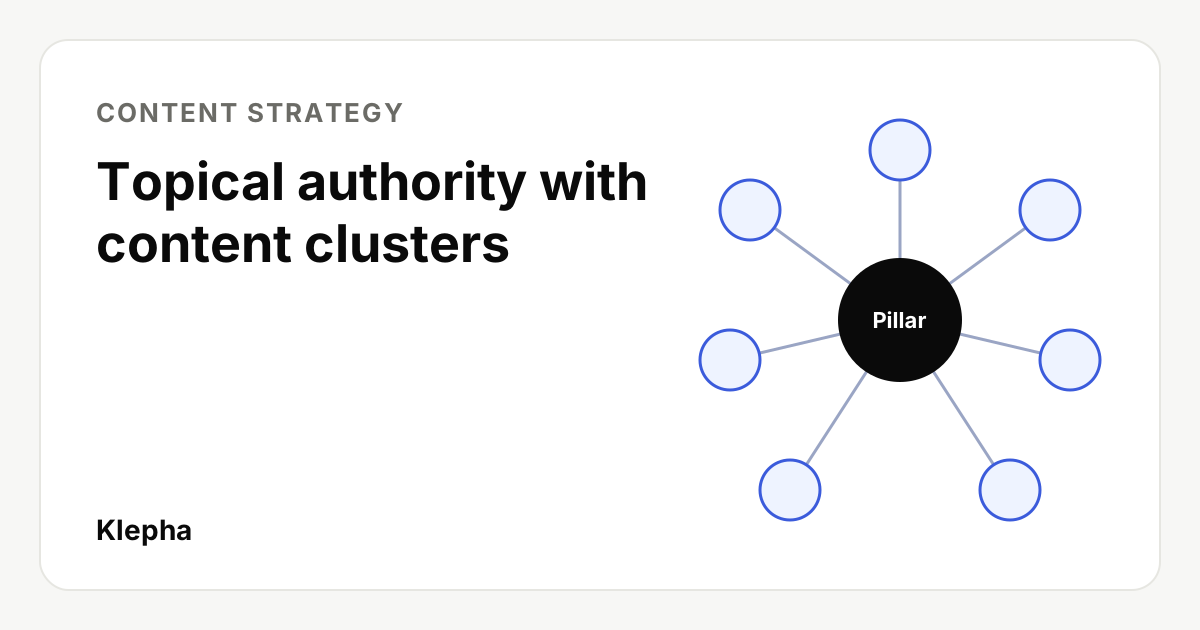
Topical authority is the practical result of covering a subject so completely and reliably that both readers and search systems treat your site as a go-to source for it. Content clusters are the way to organize that coverage: one pillar page gives the overview of a topic, a set of supporting articles answers each specific question in depth, and internal links tie them together so every page is easy to find.
Topical authority is a useful working idea, not a score Google publishes. Google's own guidance talks about helpful, reliable content and expertise, and it asks whether "someone researched the site producing the content, would they come away with an impression that it is well-trusted or widely-recognized as an authority on its topic?" Clusters are how a small team earns that impression on purpose, one topic at a time.
Key takeaways
- Depth beats breadth: ten connected pages on one topic usually do more than ten unrelated posts.
- A pillar page is a map, not the longest article on the site. It answers the broad question and links to each subtopic.
- Supporting articles each own one question and one main search intent, so they do not compete with each other.
- Plan from real questions: search data, sales and support conversations, and the prompts people put to AI assistants.
- Links make the cluster: every supporting page links to the pillar, the pillar links to every supporting page, and siblings link where useful.
What are topical authority and content clusters?
Topical authority describes how thoroughly and credibly a site covers a subject. It is not a single metric. In practice it shows up as a site ranking for many related queries in a topic, including new pages ranking faster, because the surrounding coverage already demonstrates expertise.
A content cluster (or topic cluster) is a group of pages about one topic, organized in a hub and spoke structure:
| Part | Job | Example for "email marketing for ecommerce" |
|---|---|---|
| Pillar page | Answers the broad question and links to every subtopic | Email marketing for ecommerce: the complete guide |
| Supporting article | Answers one specific question in depth | How to write an abandoned cart email |
| Supporting article | Another specific question | Welcome email sequence for new subscribers |
| Supporting article | Comparison or decision | Email vs SMS for ecommerce: when to use each |
| Internal links | Connect pillar, supporting pages and siblings | Descriptive anchors such as "abandoned cart email examples" |
Why do clusters help SEO and AI visibility?
- They answer the whole journey. Someone researching a topic rarely asks one question. A cluster answers the follow-ups, which keeps readers on your site and gives search engines many relevant pages to choose from.
- They make expertise visible. Google's helpful content guidance asks whether content shows expertise and whether the site is recognized as an authority on its topic. One thin post cannot show that; a well-built cluster can.
- They are easy to crawl. Google says "every page you care about should have a link from at least one other page on your site." A cluster structure guarantees that each new article is linked from the pillar on the day it is published.
- They match how AI assistants retrieve. Assistants like ChatGPT, Perplexity and Google's AI Overviews pull specific passages that answer specific questions. A dedicated supporting page with a direct answer is easier to extract and cite than a paragraph buried in a general post. Our guide to how LLMs choose sources covers this in more depth.
What makes a good pillar page?
A pillar page targets the broad, head term of the topic and gives a complete overview. It should:
- Answer the main question directly in the first paragraph, then define the key terms.
- Cover every subtopic in a short section, with a link to the supporting article that goes deeper. If a section grows past a few paragraphs, it probably deserves its own page.
- Be organized for scanning: descriptive headings, a table of contents and tables for comparisons.
- Stay current. The pillar is the page you update first when something changes in the topic.
A common mistake is writing a 10,000 word pillar that tries to answer every question itself. That page then competes with its own supporting articles. Keep the pillar broad and let the supporting pages own the details.
What makes a good supporting article?
- One main question per page. If two planned articles would answer the same query, merge them.
- A direct answer first, then steps, examples, data and edge cases.
- Something original: your process, numbers, screenshots, templates or a clear point of view. Google's guidance describes originality as information or perspectives "that aren't already available on other websites."
- A link up to the pillar near the top or in context, and links across to closely related siblings.
How do you plan a content cluster from scratch?
1. Choose one topic you can credibly own
Pick a topic that matters to your buyers and where you have real expertise or data. For a new site, a narrower topic is better: "SEO for dental clinics" is winnable sooner than "SEO."
2. Collect the questions
Gather every question people ask about the topic from several places: keyword tools and Google's "People also ask," Search Console queries you already appear for, your sales calls and support tickets, community threads, and the prompts people put to AI assistants. Our guide to keyword research for a new website shows how to find low competition long tail questions.
3. Group questions by intent
Put questions that would be satisfied by the same page into one group. A practical test: if the top Google results for two queries are mostly the same pages, they belong on one page. Each group becomes one supporting article; the broadest group becomes the pillar.
4. Map the cluster
| Page | Main query | Intent | Priority | Status |
|---|---|---|---|---|
| Pillar | email marketing for ecommerce | Learn | 1 | Planned |
| Supporting | abandoned cart email | How to | 1 | Planned |
| Supporting | welcome email sequence | How to | 2 | Planned |
| Supporting | email vs sms marketing | Compare | 2 | Existing, update |
| Supporting | best time to send marketing emails | Answer | 3 | Planned |
Illustrative example. Your own map should use the questions and data from your market.
5. Check what you already have
Before writing anything new, match existing pages to the map. Update and expand pages that fit, merge pages that compete for the same query, and redirect the weaker one to the stronger. Consolidation often moves results faster than new content.
6. Publish in a sensible order
Publish the pillar and the two or three supporting articles closest to buying decisions first, then fill in the rest. A cluster does not need to be complete on day one, but it should look intentional: every published piece linked, no dead ends.
Find the questions your cluster is missing
A free Klepha report shows the buyer questions AI assistants answer in your space, which sources they cite and where your site is absent.
Get my free reportHow should you link pages inside a cluster?
- Pillar to every supporting page, from the section that summarizes that subtopic.
- Every supporting page back to the pillar, with anchor text that names the topic.
- Sibling to sibling where a reader would go next, such as from "abandoned cart email" to "welcome email sequence."
- Descriptive anchors. Google's guidance is that anchor text should be "descriptive, reasonably concise, and relevant" to both pages.
- Crawlable HTML links, not script-only widgets. Our internal linking guide covers the details and how to find orphan pages.
How do you measure topical authority?
Since there is no official score, measure the outcomes a strong cluster produces:
| Measure | Where | What good looks like |
|---|---|---|
| Queries per cluster | Search Console, filtered by the cluster's URLs | The number of queries with impressions keeps growing |
| Time to first impressions for new pages | Search Console | New cluster pages pick up impressions faster than isolated posts |
| Clicks and conversions | Analytics | Cluster pages drive leads or sales, not only visits |
| AI citations | Assistant answers for your topic's questions | Your pages are cited or your brand is named for more prompts |
What does a cluster look like for a small B2B company?
Take a company selling scheduling software to physiotherapy clinics. Its broad topic might be "running a physiotherapy clinic," but that is too wide to own. A better first cluster is "patient scheduling for physiotherapy clinics." The pillar explains how scheduling works in a clinic, the common problems and the options. Supporting articles answer the specific questions owners actually ask: how to reduce no-shows, how long appointment slots should be, how to handle waitlists, whether to allow online booking, and how to compare scheduling tools. Each article links to the pillar and to the one or two siblings a clinic owner would read next.
None of these pages needs to be long, but each needs something only this company can offer, such as anonymized data from its own customers on no-show rates by reminder type, or a template for slot lengths. That combination of focus, original detail and clean linking is what makes a small site credible on a narrow topic long before it can compete on broad terms.
What mistakes stop clusters from working?
- Several pages for the same query. They split signals and confuse readers. Merge them.
- Mass-produced supporting pages. Generating many near-identical pages without added value can fall under Google's scaled content abuse policy. Depth means useful, not numerous.
- Unlinked articles. A supporting page with no link from the pillar is not part of the cluster.
- Drifting off topic. Posts outside your area dilute the signal. Start a new cluster deliberately instead.
- Never updating. Topics change. Review each cluster at least twice a year.
Clusters are how we plan content for clients through our Blog Ranking service, often starting from a keyword gap analysis. See our expertise page and case studies for how that works in practice.
Sources
- Google Search Central, "Creating helpful, reliable, people-first content", accessed November 10, 2026. developers.google.com
- Google Search Central, "SEO link best practices for Google", last updated December 10, 2025, accessed November 10, 2026. developers.google.com
- Google Search Central, "Spam policies for Google web search: scaled content abuse", accessed November 10, 2026. developers.google.com
Frequently asked questions
What is topical authority in SEO?
Topical authority describes how thoroughly and credibly a site covers a subject. It is not a metric Google publishes, but sites that cover a topic completely and accurately tend to rank for more related queries and get new pages found faster.
What is the difference between a pillar page and a supporting article?
A pillar page gives a broad overview of a topic and links to every subtopic. A supporting article answers one specific question in depth and links back to the pillar and to closely related articles.
How many articles does a content cluster need?
There is no fixed number. Start with a pillar and the few supporting articles closest to buying decisions, then add one page for each distinct question your audience asks until the topic is fully covered.
How do I stop cluster articles from competing with each other?
Give each page one main question and intent. If the top search results for two planned queries are mostly the same pages, cover both on one page, and merge existing pages that target the same query.
Do content clusters help with AI search?
They can. AI assistants extract specific passages that answer specific questions, so a dedicated, clearly structured supporting page is easier to find and cite than a passage buried in a general post.