How do you write YouTube titles and descriptions that rank in search?
Put the phrase people actually search for at the start of a title under 100 characters, then restate the topic and what the viewer will learn in the first lines of the description. Add chapters with timestamps, keep the thumbnail and title telling the same story, and make sure the video delivers what the text promises, because YouTube ranks on relevance, engagement and quality together.
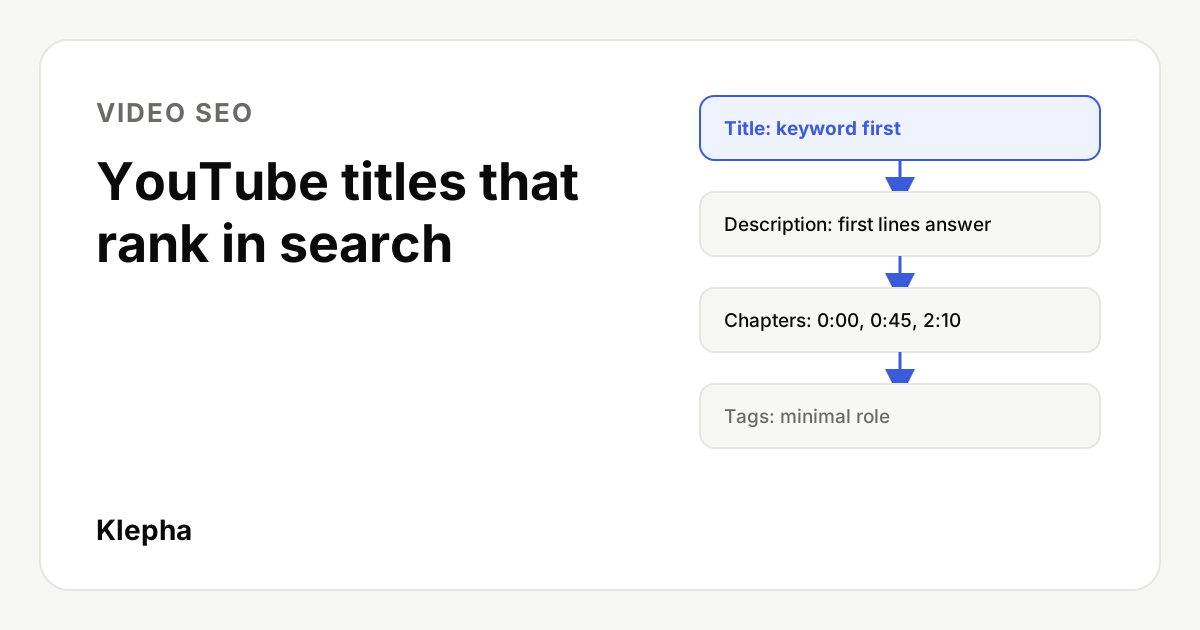
A YouTube title has two readers. One is a person scanning a results page on a phone, deciding in a second whether your video is the one that answers their question. The other is a ranking system that needs to know what the video is about before it can show it to that person. Good titles and descriptions serve both at once, and the methods that work are mostly the same ones that work for meta titles and descriptions on a website.
This guide covers how YouTube search ranks videos, how to research video keywords, title and description rules, chapters, tags, thumbnails, captions, and how videos reach Google Search and AI answers. Limits and rules follow YouTube Help, YouTube's own explanation of search and Google Search Central, whose pages were confirmed live on November 17, 2026.
Key takeaways
- Relevance, engagement, quality. YouTube says search weighs how well the title, tags, description and content match the query, how viewers engage, and signs of expertise and trust.
- Lead with the keyword. Titles can run to 100 characters, but the start is what people see. Put the searched phrase there.
- The first lines of the description do the work. Restate the topic in plain language before links and boilerplate.
- Chapters need three rules. Start at 0:00, list at least three timestamps in ascending order, and keep each chapter at least 10 seconds.
- Tags are minor. YouTube says they play a minimal role in discovery. Spend the time on the title and thumbnail instead.
How does YouTube search decide which videos rank?
YouTube publishes a short explanation of search on its "How YouTube works" site. It names three main elements:
- Relevance. How well the title, tags, description and video content match the search query.
- Engagement. Signals such as a video's watch time for a particular query, which help YouTube judge whether viewers found it relevant.
- Quality. Signals that help YouTube identify channels that show expertise, authoritativeness and trustworthiness on a topic.
YouTube also notes that results can reflect a viewer's own search and watch history, so two people typing the same query can see different results. That has two practical consequences. First, your words are the entry ticket: if the title and description do not clearly describe the topic, the video is unlikely to be considered for the query at all. Second, words alone do not hold a position. A title that wins the click but leads to a video that does not answer the question tends to lose engagement, and YouTube is explicit that engagement for the query matters.
Writing for "both viewers and the algorithm" is therefore not a compromise between two audiences. The system is built to measure whether viewers were satisfied, so an accurate, specific title that real searchers recognize is also the one that ranks.
How do you find the keywords people use for video?
Video keyword research starts from the same idea as keyword research for a new website: find specific questions you can answer better than what is already there. The sources differ a little.
- YouTube search suggestions. Type the start of a topic into the YouTube search bar and note the autocomplete phrases. They reflect what people search on YouTube, and they surface the longer, more specific versions that are easier to rank for. Our guide to long-tail keywords explains why those specific phrases add up.
- Google results that already show video. Search the phrase on Google. If the page shows a video carousel or video results, Google treats the query as one where video helps, which is a good sign that a video can earn traffic from Google as well as YouTube. A quick SERP analysis also shows which formats and angles already win.
- The Research tab in YouTube Studio. YouTube Studio's analytics include a Research tab that shows what your viewers and viewers across YouTube search for, including topics where few videos meet demand. YouTube's Inspiration tab offers video ideas based on your audience. Availability of these features varies by channel and region.
- Your own data. In YouTube Analytics, the YouTube search traffic source lists the terms that already bring viewers. If you embed videos on your site, Search Console shows video performance and a video indexing report for pages where Google found a video.
Pick one main query per video and two or three close variations. A video that tries to rank for five unrelated phrases usually ranks for none of them, and it is harder to write an honest title for.
What makes a YouTube title rank and get clicked?
YouTube titles can be up to 100 characters, a limit documented for uploads and in the YouTube Data API. Most views show far less: search results, suggested videos, mobile feeds and TV apps all cut titles at different lengths depending on screen and layout. Rather than chasing a single safe number, follow four rules:
- Front-load the keyword. Put the phrase from your research in the first few words, so it is visible in the shortest truncated view and matches what the searcher typed.
- Add one specific reason to click. A format (tutorial, walkthrough, comparison), a scope (for beginners, in 10 minutes) or an outcome. Specific beats vague.
- Make the start stand on its own. If the title were cut after the first 40 or so characters, would it still say what the video is? If not, reorder it.
- Keep the promise. The title must describe what the video delivers. A mismatch between title, thumbnail and content is clickbait, it hurts engagement, and YouTube's spam, deceptive practices and scams policies cover misleading titles, thumbnails and descriptions.
The table below shows title formulas for a fictional invoicing app, Tallybird, that publishes tutorials on YouTube.
| Formula | Weak title | Stronger title |
|---|---|---|
| Keyword + format + scope | Tallybird Tips #14 | How to Send Recurring Invoices: Step-by-Step Tallybird Tutorial |
| Question the searcher asks | You Won't Believe This Invoicing Hack | How Do Late Payment Fees Work? Setting Them Up for Freelancers |
| Comparison | Which One Is Better?? | Invoice vs Receipt: What's the Difference for Small Businesses |
| Outcome + time | Our New Feature Is Here | Automate Payment Reminders in 5 Minutes (Tallybird Demo) |
| Problem + fix | Ugh, Clients Not Paying | Clients Paying Late? 4 Invoice Settings That Get You Paid Faster |
Notice that the brand name goes at the end, not the start, unless people search for the brand. Episode numbers and internal names mean nothing to a new viewer and waste the most visible part of the title.
How should you write the description?
The description can hold up to 5,000 characters (the YouTube Data API documents the limit as 5,000 bytes, so some non-Latin scripts reach it sooner). Only the first lines show before a viewer expands it, and those lines are also what appears under the video in many search views. Use them to:
- Restate the topic in a natural sentence that includes the main keyword or a close variation.
- Say what the viewer will learn or be able to do.
- Put the most important link, if any, right after that summary.
Below the fold, add chapters, related videos or playlists, resources mentioned in the video, and your standard channel information. Write in sentences, not keyword lists. A block of repeated phrases helps neither viewers nor ranking, and misleading or spammy metadata can break YouTube's spam policies.
Here is a description template for the first Tallybird example above.
Learn how to send recurring invoices in Tallybird so monthly clients are billed automatically. This tutorial covers setting a schedule, choosing payment terms and checking what clients will receive.

Start a free Tallybird trial: [link]
Recurring invoices help article: [link]

Chapters
0:00 What recurring invoices do
0:35 Creating a recurring schedule
2:10 Payment terms and late fees
3:40 Previewing the client email
4:55 Pausing or ending a schedule

Related tutorials
How to set up payment reminders: [link]
Invoice vs receipt explained: [link]

About Tallybird: invoicing software for freelancers and small teams.
Create this as a saved default in YouTube Studio for the reusable lower half, then write the top two lines fresh for each video. If you plan videos alongside articles, a shared content calendar keeps titles and target queries consistent across both.
Do AI assistants mention your brand when buyers ask?
A free Klepha report shows whether ChatGPT, Gemini and Google AI answers name your brand for your buyers' questions, and which sources they cite instead.
Get my free reportHow do chapters help viewers and search?
Chapters split a video into labeled sections on the progress bar. Viewers can jump to the part they need, and the chapter labels give YouTube and Google more descriptive text about what each part covers. Google can show chapters from YouTube as key moments in Search results.
YouTube Help lists the rules for manual chapters in the description:
- The first timestamp must start at 0:00.
- There must be at least three timestamps, listed in ascending order.
- Each chapter must be at least 10 seconds long.
YouTube can also generate automatic chapters, and creators can turn this off. Automatic labels are often generic, so writing your own is usually worth the two minutes.
| Timestamp | Weak label | Descriptive label |
|---|---|---|
| 0:00 | Intro | What recurring invoices do |
| 0:35 | Part 1 | Creating a recurring schedule |
| 2:10 | Settings | Payment terms and late fees |
| 3:40 | Preview | Previewing the client email |
| 4:55 | Wrap up | Pausing or ending a schedule |
Write labels the way a searcher would phrase the sub-question. Each label is a small, honest description of a section, which is useful to viewers and to any system summarizing the video.
Do tags, hashtags, thumbnails and captions still matter?
Each supporting field plays a different, smaller role than the title and description. The table summarizes limits and what each field is for.
| Field | Limit or rule | What it is for |
|---|---|---|
| Title | Up to 100 characters | Main relevance signal and the click decision |
| Description | Up to 5,000 characters | Context, links, chapters; first lines shown before expanding |
| Chapters | Start at 0:00, at least 3 timestamps, each at least 10 seconds | Navigation and key moments |
| Tags | Minimal role in discovery, per YouTube | Common misspellings of your topic |
| Hashtags | YouTube ignores all hashtags on a video that has more than 60 | Linking to hashtag pages; use a few relevant ones |
| Thumbnail | Must follow YouTube's thumbnail policies | Visual half of the click decision |
| Captions | Automatic captions where available; uploaded captions can be edited | Accessibility and a full text version of the video |
Tags. YouTube Help says tags play a minimal role in your video's discovery and are most useful if the content is commonly misspelled. Add a handful at most and move on.
Hashtags. Hashtags in the title or description link to hashtag result pages. YouTube's hashtag policy says that if a video has more than 60 hashtags, all of them are ignored, and that misleading or unrelated hashtags can lead to removal. Two or three relevant ones are plenty.
Thumbnails. The thumbnail and title are read together. Use the thumbnail to show something the title does not say, such as the result, the interface or a face, instead of repeating the title in large text. They must agree: a thumbnail that promises something the video does not show is the visual version of clickbait.
Captions and transcripts. YouTube generates automatic captions in supported languages. Reviewing them, especially for product names and technical terms, improves accessibility and gives you an accurate transcript. If you embed the video on your site, publishing that transcript on the page gives search engines and readers indexable text.
How do videos show up in Google Search and AI answers?
YouTube videos regularly appear in Google Search as video results and carousels. For a video hosted on YouTube, the title, description and chapters you wrote are the main text Google has to work with, and YouTube chapters can appear as key moments.
For video you host on your own site, Google Search Central's video best practices apply:
- Put each video on a watch page whose main purpose is that video, and make it publicly accessible.
- Use a supported video format and a valid thumbnail, and let Google fetch the video file.
- Add
VideoObjectstructured data with name, description, thumbnail and upload date. Our schema markup guide covers implementation. - For key moments, add
Clipmarkup to label specific segments yourself, orSeekToActionmarkup so Google can identify key moments automatically. - Monitor the video indexing report and video appearance in Search Console performance reports.
AI answers add another surface. Google's AI Overviews and AI Mode can link to YouTube videos as sources, and assistants that browse the web can cite video pages too. There is no special markup or setting that guarantees a citation. What is well established is that these systems need to understand what a video covers, and they rely on text: titles, descriptions, chapters, captions and the pages that embed or discuss the video. The same habits in this guide also apply to written content, as covered in how to get your content cited by AI.
After publishing, wait a few weeks, then check the YouTube search traffic source and Search Console. If a video ranks for a different phrase than you targeted, or not at all, revise the title and the first lines of the description to match how people actually search. Our Blog Ranking service applies the same process to articles, and our expertise page and case studies show how we connect search and AI visibility.
Sources
- YouTube, "How YouTube works: Search", link confirmed November 17, 2026. youtube.com
- YouTube Help, "How YouTube search works", link confirmed November 17, 2026. support.google.com
- YouTube Help, "Video chapters", link confirmed November 17, 2026. support.google.com
- YouTube Help, "Spam, deceptive practices and scams policies", link confirmed November 17, 2026. support.google.com
- YouTube Help, "Add tags to your videos", link confirmed November 17, 2026. support.google.com
- YouTube Help, "YouTube hashtag policies", link confirmed November 17, 2026. support.google.com
- YouTube Help, "Explore the Inspiration tab on YouTube", link confirmed November 17, 2026. support.google.com
- YouTube Data API, "Videos" resource reference (title and description limits), link confirmed November 17, 2026. developers.google.com
- Google Search Central, "Video SEO best practices", link confirmed November 17, 2026. developers.google.com
- Google Search Central, "Video (VideoObject, Clip, BroadcastEvent) structured data", link confirmed November 17, 2026. developers.google.com
- Google Search Central Blog, "Introducing the new Search Console video indexing report", July 2022. developers.google.com
Frequently asked questions
How long should a YouTube title be?
YouTube allows up to 100 characters, but much less is shown in many views. Put the main keyword and the reason to click in the first part of the title so it still makes sense when it is cut off.
Do keywords in the YouTube description still matter?
Yes. YouTube says search looks at how well the title, tags, description and video content match the query. Use the main phrase and natural variations in the opening lines, and avoid stuffing lists of keywords, which can break YouTube's spam and misleading metadata policies.
How do I add chapters to a YouTube video?
Add a list of timestamps and titles to the description. The first timestamp must be 0:00, you need at least three timestamps in ascending order, and each chapter must be at least 10 seconds long. YouTube can also generate automatic chapters.
Are YouTube tags important for ranking?
Not very. YouTube says tags play a minimal role in discovery and are mainly useful for words that are often misspelled. The title, thumbnail and description matter far more.
Can YouTube videos appear in Google AI Overviews?
Yes, AI Overviews and AI Mode can link to YouTube videos as sources. There is no separate setting for this. Clear titles, accurate descriptions, chapters and captions make it easier for any system to understand what the video covers.