How do you respond to negative app store reviews to improve your rating?
Respond to negative app reviews quickly, publicly and specifically: thank the user, name the exact problem, say what you fixed or what happens next, and invite them to update their review once it is solved. Both the App Store and Google Play notify users when you reply, and users can change their rating afterwards, so a good reply can win back the reviewer and reassure everyone who reads it before installing.
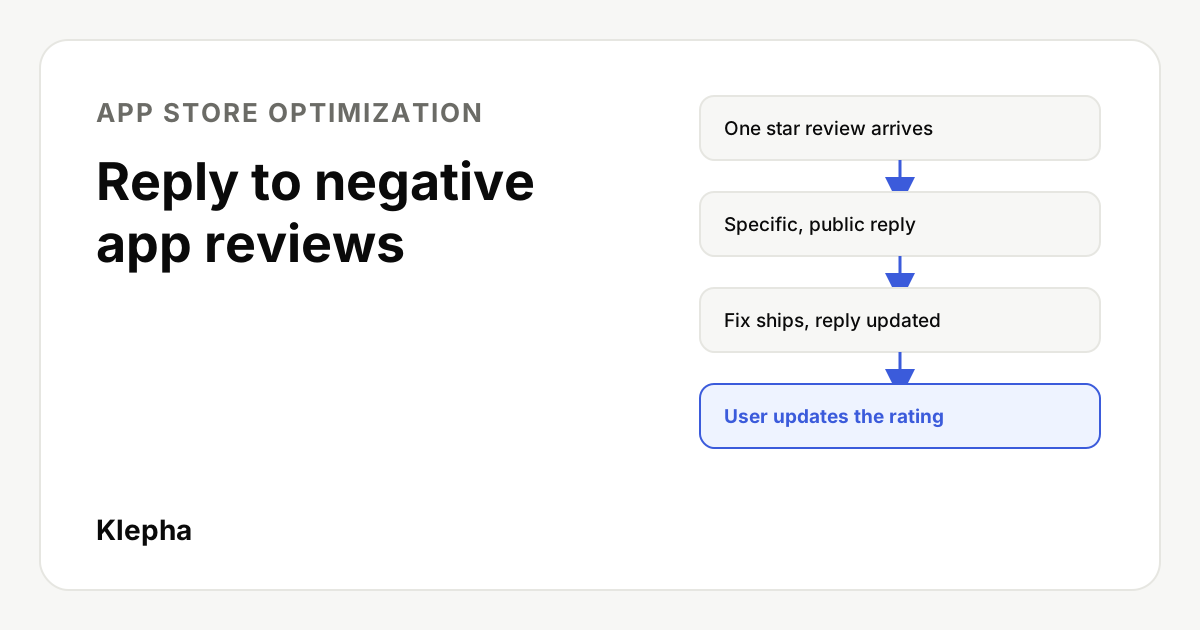
Every one star review is read twice: once by the person who wrote it, and many more times by people deciding whether to install your app. A thoughtful reply speaks to both. It can turn an angry user into a returning one, and it shows future users that someone is listening and fixing things.
This guide covers how replies work on the Apple App Store and Google Play, a simple structure for every reply, copy and paste templates for the most common complaints, and how to use reviews to raise your rating over time rather than one reply at a time.
Key takeaways
- Replies are public and notify the user. On both stores the reviewer is told you replied and can update their rating.
- Be fast, specific and human. Name the exact problem; generic "sorry for the inconvenience" replies change nothing.
- Close the loop. When the fix ships, update your reply. That is when users are most likely to raise their rating.
- Never incentivize. Inviting an update is fine; rewarding one breaks store rules.
- Reviews are product research. Tag them by theme and fix the biggest negative theme first.
Why do replies to negative reviews matter?
Ratings and reviews appear on your product page and, on the App Store, in search results, so they shape both taps and installs. Replies help in three ways:
- They can win back the reviewer. Users are notified of your reply and can update their review. Someone who feels heard, and sees their problem fixed, often does.
- They reassure future users. A visitor who reads "This crash was fixed in version 4.2" next to a one star review weighs that review differently.
- They improve the rating you will earn next. Replies push you to find and fix the problems behind bad reviews, which is what really moves an average. On Google Play, the rating shown to users gives more weight to recent ratings, so fixes show up faster than many teams expect.
We have no reliable public figure for how much replies lift conversion, and it varies by category. Treat claims of a guaranteed rating increase with caution. The mechanism, though, is clear and documented by both stores.
How do review replies work on the App Store and Google Play?
| Topic | Apple App Store | Google Play |
|---|---|---|
| Where you reply | App Store Connect, Ratings and Reviews | Play Console, Ratings and reviews; also via the Reply to Reviews API |
| Is the reply public? | Yes, shown under the review | Yes, shown under the review |
| Is the user told? | Yes, Apple notifies the customer | Yes, Google notifies the user |
| Can the user change the rating? | Yes, at any time | Yes, at any time |
| Replies per review | One, which you can edit | One, which you can edit |
| Length | Keep it short for mobile reading | The Reply to Reviews API documents a 350 character limit |
| Can you delete reviews? | No; you can report a concern | No; you can report reviews that break the policy |
| Refunds for paid purchases | Handled by Apple, not the developer | Developers can refund from Play Console; users can also request refunds from Google Play |
Apple also lets you reset your app's summary rating when you release a new version. That is worth considering after a major fix, but only if the new version really solves what earlier reviews complained about. Check the current options in App Store Connect and Play Console, because store features change.
What should every reply include?
A reply that works has four parts, and on Google Play they need to fit in about 350 characters.
- Thank and acknowledge. One short line. Use their words: "the app freezing on the payment screen", not "the issue".
- Be specific about the cause or status. Fixed, being fixed, under investigation, or working as intended with a reason.
- Give a next step. An update to install, a setting to change, or a support channel to contact.
- Invite, do not pressure. "If this solves it, we'd love to hear how it works for you now." Never promise rewards.
Sign with a real first name and role when you can, such as "Maya, support team". It reads as a person, not a bot.
What should you never write in a reply?
- Copy and paste apologies that ignore the actual complaint. Users notice, and so do readers.
- Arguments or blame. "You didn't read the instructions" loses the user and the readers.
- Requests for personal data in public. Never ask for an email, order number or phone number in the reply. Point to a private support channel.
- Promises you cannot keep. Do not commit to a date or a feature unless it is planned.
- Incentives. No discounts, credits or gifts in exchange for a better rating. Both stores prohibit manipulating ratings, and it puts your listing at risk.
- Marketing copy. A one star reply is not the place to promote a new feature that does not address the complaint.
Which reply templates can you use?
Adapt these to your app's voice. Replace the bracketed parts every time; a template with the placeholders still visible is worse than no reply.
1. Bug or crash that is now fixed
Thanks for flagging this, [name]. The crash when [exact action] was caused by [short cause] and is fixed in version [x.x], available now. Please update and let us know if it happens again at [support channel]. If it works for you now, we'd appreciate an updated review. [Your name], [team]
2. Bug you are still working on
Sorry about [exact problem], and thanks for the detail. We've reproduced it and a fix is in progress. Until then, [workaround if any]. We'll update this reply when the fix is live. [Your name], [team]
3. Problem you cannot reproduce
Thanks for letting us know about [exact problem]. We haven't been able to reproduce it yet, so we'd like to learn more. Could you contact us at [support channel] with your device model and app version? We read every message. [Your name], [team]
4. Missing feature
Thanks for the suggestion, [name]. [Feature] isn't available yet. We've added your vote to our list, and [it is planned / we're exploring it]. For now, [closest existing option]. [Your name], [team]
5. Price or subscription complaint
We understand, [name], and thanks for being direct. The free version includes [what is free]; the subscription adds [what it adds]. You can manage or cancel it anytime in your [App Store / Google Play] subscription settings. Questions? [support channel]. [Your name], [team]
6. Account, login or billing issue
Sorry you're locked out, [name]. For your privacy, please contact us at [support channel] and don't share account details here. We'll sort it out as quickly as we can. [Your name], [team]
7. Review that misunderstands how the app works
Thanks for trying [app], [name]. You can [do the thing they missed] by [short steps]. We'll make this easier to find in a future update. [Your name], [team]
Before and after: a real difference in tone
| Weak reply | Strong reply |
|---|---|
| "We're sorry for the inconvenience. Please contact support." | "Sorry the export to PDF failed on your iPad. That bug is fixed in 3.8, out today. Update and try again, and tell us at the in-app Help tab if it still fails. Sam, support" |
| "The app works fine for most users." | "Thanks for the detail on the login loop. We found it affects some Android 14 devices and are testing a fix now. We'll reply here when it's live. Priya, mobile team" |
Which reviews should you reply to first?
If you have a backlog, work in this order:
| Priority | Review type | Why |
|---|---|---|
| 1 | Recent negative reviews on the current version | Most visible, and the user is most likely to come back |
| 2 | Negative reviews about a problem you just fixed | Highest chance of an updated rating |
| 3 | Detailed reviews with clear steps | Useful to your product team and convincing to readers |
| 4 | Mixed reviews (three stars) | Often one fix away from a higher rating |
| 5 | Positive reviews | A short, personal thank you builds goodwill; never needed for every one |
Aim to reply to negative reviews within one or two business days. Speed matters because the user still has the app installed and still remembers the problem.
See how AI assistants describe your app
More people ask ChatGPT and Gemini which app to download, and reviews shape those answers. A free Klepha report shows whether your app is recommended and which competitors are named instead.
Get my free reportHow do you improve your rating beyond replies?
- Tag every review by theme. Bugs, performance, pricing, missing features, onboarding, praise. The biggest negative theme is your highest leverage fix.
- Watch ratings by version. A drop after a release usually means a bug, not a marketing problem.
- Ask at the right moment. Use Apple's and Google's in-app review prompts after a success, such as finishing a task, not at launch. Apple limits the system prompt to three times in a 365 day period.
- Give unhappy users a private route. An easy in-app Help or feedback option lets people report problems before they write a review. Do not use it to filter who sees the rating prompt in a way that breaks store rules.
- Close the loop in release notes. "Fixed the export crash many of you reported" shows readers that reviews lead to action.
Ratings also affect paid installs: a strong product page makes every Apple Ads tap worth more. See our guide to AI bid agents for Apple Ads if you are automating bids.
Reviews are one part of store performance. Our ASO audit guide covers ratings alongside your title, keywords and screenshots, and our guide to screenshot captions that convert covers the other big factor in install rate.
What does a simple weekly review workflow look like?
- Monday: export new reviews from both stores and tag them by theme.
- Daily: reply to new negative reviews within one or two business days using the templates above, personalized every time.
- Weekly: share the top three negative themes with product and engineering.
- Each release: update replies on reviews about anything you fixed, and mention the fixes in release notes.
- Monthly: compare average rating by version and the share of negative reviews by theme.
If you want help connecting app store work with search and AI visibility, see our solutions, the disciplines on our expertise page, and our case studies.
Sources
- Apple Developer, "Ratings, reviews, and responses". developer.apple.com
- App Store Connect Help, "Respond to reviews". developer.apple.com
- Google Play Developer API, "Reply to Reviews" (350 character reply limit). developers.google.com
- Play Console Help, "View and analyze your app's ratings and reviews". support.google.com
Frequently asked questions
Should I reply to every negative app review?
Reply to every negative review that describes a real problem, especially recent ones and those on your current version. Short angry reviews with no detail still deserve a brief, polite reply that offers a support channel. Skip only abusive or spam reviews, which you can report instead.
Can a reply make a user change their rating?
Yes, it can. Apple and Google both notify users when a developer replies, and users can update their review at any time. Users are most likely to update when the reply confirms a specific fix is live, so reply again or edit your reply when you ship the fix.
How long can a Google Play review reply be?
Google's reply to reviews API documents a limit of 350 characters for a reply, so keep Play replies short and specific. App Store replies have no such tight limit in practice, but short replies are easier to read on a phone.
Can I ask users to change their review?
You can invite them to update their review after you fix their problem. You must never offer rewards, discounts or other incentives for reviews or rating changes, because both stores prohibit manipulating ratings.
Can I delete or hide a bad app review?
No. Developers cannot delete reviews on the App Store or Google Play. You can report reviews that break the store's rules, such as spam, offensive content or reviews about a different app, and the store decides whether to remove them.