How do you choose keywords for an App Store title and subtitle?
Choose App Store title and subtitle keywords by listing the terms your audience searches, scoring each for search popularity, relevance to what the app actually does and competition, then placing the strongest relevant phrase in the 30 character name, a supporting benefit phrase in the 30 character subtitle, and remaining single words in the 100 character keyword field without repeating any word.
On the App Store, a few dozen characters of metadata decide most of where your app can appear in search. Apple gives you an app name and a subtitle of up to 30 characters each, plus a hidden keyword field of 100 characters. Choosing what goes into those fields is the core of keyword work in app store optimization (ASO).
This guide covers the Apple App Store specifically, using Apple's own developer guidance for the limits and rules. Google Play handles metadata differently, so check its own policies before reusing a plan there.
Key takeaways
- Limits: app name up to 30 characters, subtitle up to 30, keyword field up to 100, with commas and no spaces between terms.
- Relevance beats volume. Apple warns that popular terms such as "jobs" or "social" drive traffic but are highly competitive.
- Do not repeat words. Apple advises against duplicates, plurals of words already used, category names and the word "app".
- Promotional text does not affect search ranking, according to Apple, so do not put keywords there.
- Competitor names and trademarks in keywords are a common rejection reason.
Which App Store fields affect search?
Apple's guidance on creating a product page describes how each element is used. The ones that matter for keyword choice are:
| Field | Limit | Visible to users? | Role in search, per Apple |
|---|---|---|---|
| App name | 30 characters | Yes | "Plays a critical role in how users discover it" |
| Subtitle | 30 characters | Yes, below the name throughout the App Store | Summarizes the app's value in a concise phrase |
| Keywords | 100 characters | No | "Help determine where your app displays in search results" |
| Promotional text | 170 characters | Yes | Apple says it "doesn't affect your app's search ranking" |
| Description | Long form | Yes | Apple says not to add unnecessary keywords to it |
| Ratings and reviews | n/a | Yes | Apple says they "influence how your app ranks in search" |
That leaves three fields where keyword choice is decisive: the name, the subtitle and the keyword field. Ratings matter too, but you earn them through the product, not through wording.
What are the App Store character limits?
- App name: up to 30 characters. Apple asks for a "simple, memorable name that is easy to spell and hints at what your app does," and warns against generic terms or names too similar to existing apps.
- Subtitle: up to 30 characters. Apple suggests using it, rather than the name, to explain the app's value, and says to avoid generic descriptions such as "world's best app."
- Keyword field: 100 characters total, terms separated by commas with no spaces after the commas. Spaces are allowed inside a phrase, for example "Property,House,Real Estate".
Thirty characters is short. "Budget Planner: Expense Tracker" is already 31. Every word in the name has to earn its place, which is why the name and subtitle are best planned together.
How do you build an App Store keyword list?
Start wide, then cut. A practical process:
- Describe the app in your users' words. List the jobs it does and the problems it solves, as a user would type them: "split bills", "track spending", "shared budget".
- Mine your own data. Support emails, reviews and onboarding answers show the words real users use. App Store Connect analytics shows how many of your visitors already come from App Store search.
- Check competitors. Note the words used in the names and subtitles of apps that rank for your main terms. You cannot use their brand names, but you can learn which generic terms the category rewards.
- Check search popularity. Apple Ads shows a search popularity indicator for keywords, which gives a relative sense of how often a term is searched on the App Store. Third-party ASO tools estimate volume and difficulty as well; treat all of these as estimates.
- Add variations. Synonyms, common misspellings that real users make and regional terms for localized storefronts.
The same discipline applies to web keyword research. If you also run a website for the app, our guides to keyword research for a new website and long-tail keywords cover the overlap.
How do you balance search volume, relevance and competition?
Apple states the trade-off directly: "Consider the trade-off between ranking well for less common terms versus ranking lower for popular terms." Popular functional terms "may drive a lot of traffic, but are highly competitive." A simple scoring sheet makes the decision explicit:
| Criterion | Question to ask | Score 1 to 3 |
|---|---|---|
| Relevance | Would someone searching this be satisfied by your app today? | 3 = core feature, 1 = loosely related |
| Popularity | How often is it searched, relative to other terms? | 3 = high, 1 = low |
| Competition | How strong are the apps that rank for it now? | 3 = beatable, 1 = dominated by category leaders |
| Conversion intent | Does the searcher want to download something now? | 3 = clear intent, 1 = research only |
Treat relevance as a gate, not a score to trade away. A high popularity term that does not describe your app brings visitors who leave, and Apple lists "terms that are not relevant to the app" among keywords you must not use. For a new app with few ratings, mid popularity terms with beatable competition usually beat chasing the head term.
How do you place keywords across the name, subtitle and keyword field?
- Name: brand plus your single most important relevant phrase, if it fits naturally. Keep the brand readable; Apple wants a distinctive name, not a list.
- Subtitle: the main benefit or use case, using the second most important phrase. Write it for people first, since it shows everywhere your app appears.
- Keyword field: the remaining relevant single words, separated by commas with no spaces. Do not repeat words already in the name or subtitle.
Apple's advice for fitting more into 100 characters is to avoid plurals of words you already have in singular form, names of categories or the word "app", duplicate words, and special characters such as # or @ unless they are part of your brand. ASO practitioners generally assume that words across the name, subtitle and keyword field can combine into longer search phrases. Apple does not document how matching works in detail, so treat that as a working assumption to test, not a rule.
A worked example
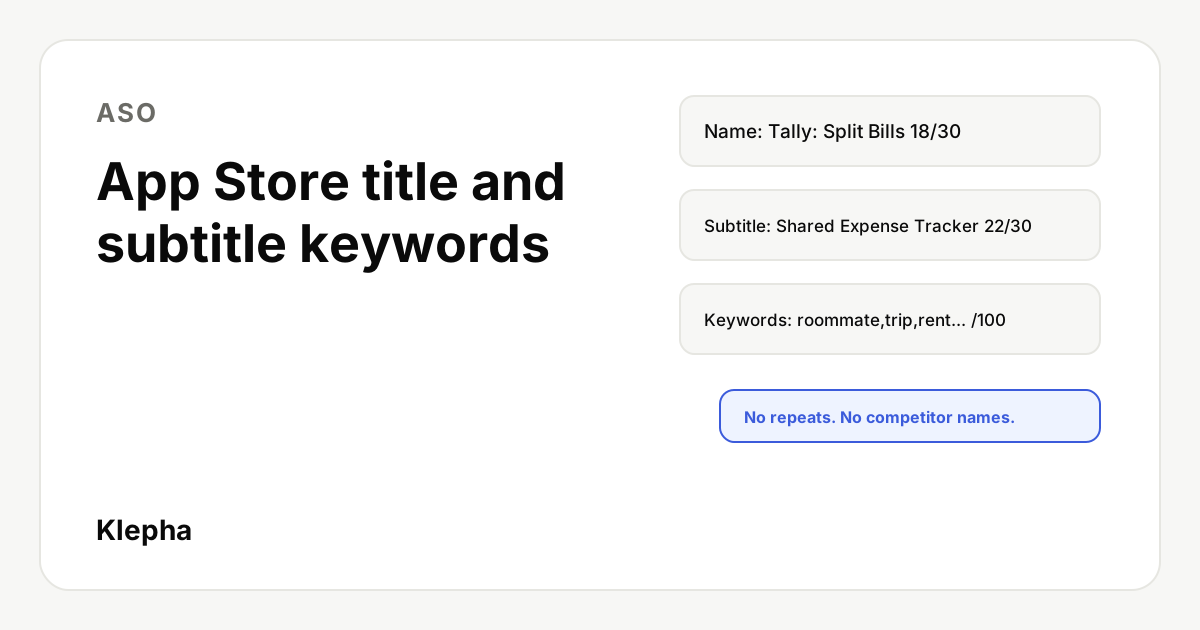
Imagine a fictional shared expenses app called "Tally". Research shows strong relevance for "split bills", "expense tracker", "shared budget" and "roommates".
| Field | Draft | Characters | Reasoning |
|---|---|---|---|
| Name | Tally: Split Bills | 18 | Brand plus the most relevant, high intent phrase |
| Subtitle | Shared Expense Tracker | 22 | Benefit phrase, adds "shared", "expense" and "tracker" |
| Keywords | roommate,couple,trip,group,budget,owe,iou,rent,household,friends,settle,splitwise | n/a | Draft only: "splitwise" is a competitor brand and must be removed |
The last keyword shows the most common mistake. Competitor app names are on Apple's list of terms you must not use, so the final field would drop it and use the space for another relevant generic word such as "travel". Count characters with a tool before you submit; commas count toward the 100.
See how AI assistants describe your app
People now ask ChatGPT and Gemini which app to download. A free Klepha report shows whether your app is named for the questions your users ask.
Get my free reportWhich keyword mistakes get apps rejected or waste space?
Apple says "improper use of keywords is a common reason for App Store rejections." Do not use:
- Unauthorized trademarked terms, celebrity names and other protected words.
- Terms that are not relevant to the app.
- Competing app names.
- Irrelevant, inappropriate, offensive or objectionable terms.
Space wasters that do not cause rejection but cost reach: plurals of words you already use, repeated words across fields, the word "app", category names, spaces after commas and special characters. Putting keywords in promotional text is also wasted effort, because Apple says it does not affect ranking.
How do you test and iterate?
- Change one field at a time. Apple says the subtitle can be updated when you submit a new version of your app, so plan metadata changes around releases, stagger them and note the date of each one.
- Measure impressions and downloads from search in App Store Connect before and after each change, over the same number of weeks.
- Use product page optimization to test icons, screenshots and app previews, which Apple supports with randomly assigned audiences. Apple's product page optimization covers those visual assets, not the name or keyword field.
- Localize. Apple recommends localizing the description, keywords, previews and screenshots for each market, and you can translate the name. Separate localizations give you separate keyword space.
For a full review of a listing, follow our ASO audit guide, and see SEO vs GEO vs ASO for how app store work fits with web and AI search. Our expertise page and case studies show how Klepha approaches it, and For individuals covers solo founders.
Sources
- Apple Developer, "Creating your product page", accessed November 12, 2026. developer.apple.com
- Apple Ads, "Recommendations: Best Practices", for the search popularity indicator, accessed November 12, 2026. ads.apple.com
Frequently asked questions
How many characters can an App Store title have?
Apple allows an app name of up to 30 characters. The subtitle can also be up to 30 characters, and the hidden keyword field up to 100 characters.
Should I put keywords in my app name?
Yes, if a highly relevant phrase fits naturally next to your brand. Apple says the name plays a critical role in discovery but should be simple, memorable and distinctive, so avoid turning it into a keyword list.
Should I repeat keywords from my title in the keyword field?
No. Apple advises against duplicate words, plurals of words already used in singular form, category names and the word "app", so the keyword field is best used for new relevant words.
Can I use competitor app names as keywords?
No. Apple lists competing app names, unauthorized trademarks and celebrity names among terms you must not use, and says improper keyword use is a common reason for rejection.
Does promotional text help App Store search ranking?
No. Apple says promotional text does not affect your app's search ranking, so it should not be used for keywords. Use it for news, offers and upcoming features.
How do I know how popular an App Store keyword is?
Apple Ads shows a search popularity indicator for keywords, which gives a relative measure of App Store searches. Third-party ASO tools also estimate volume, but all of these figures are estimates.