Why are Meta ads showing discounts you never approved, and which settings should you audit?
Meta can display offers it detects on your website and in your ads inside Facebook and Instagram ads, including copies of ads where promotions were switched off, according to reports from November 6 to 8, 2026. The control is not in the ad: it sits in Commerce Manager under Settings, then Offer merchandising, in a "Detected offers" checkbox that applies to all ads. Check it, and the related sale event options, before Black Friday on November 27.
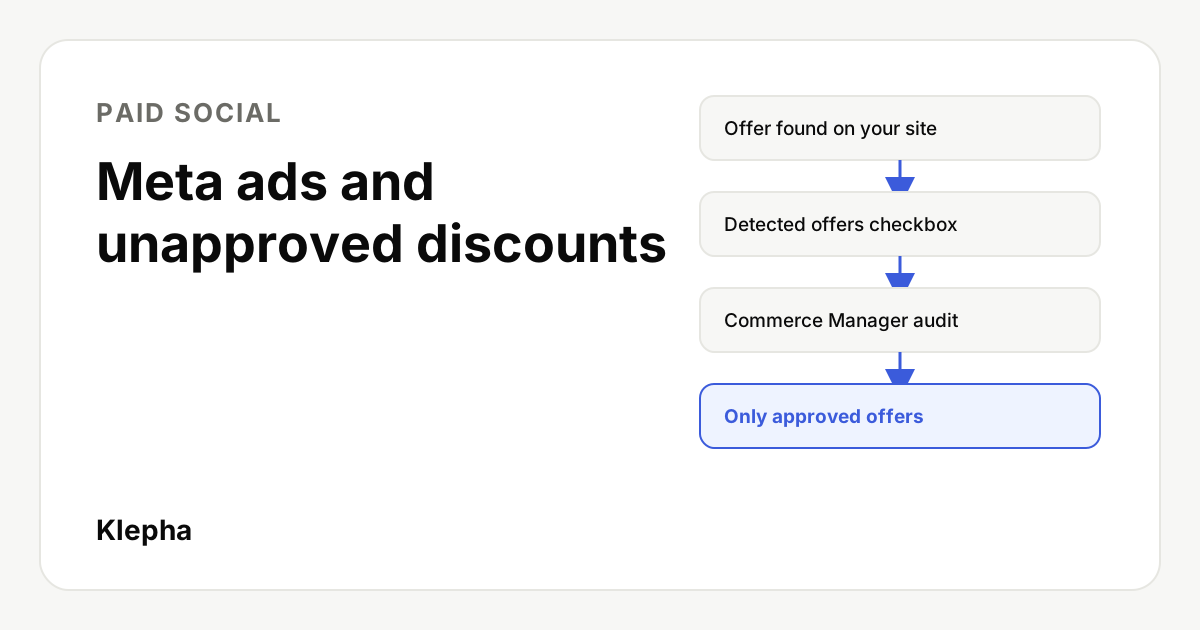
In early November 2026, a Meta advertising specialist showed that Meta can take a discount it finds on a brand's website and display it in that brand's Facebook and Instagram ads. It can do this even in a copy of an ad where promotions had been turned off. Trade press picked it up within days, and it lands in the busiest discount season of the year.
This article explains what was found, what Meta's own interface says, what is still unknown, and the settings and checks to run before Black Friday so your ads show only offers you chose.
Key takeaways
- The control is in Commerce Manager, not the ad. Settings, then Offer merchandising, then the "Detected offers" checkbox under "All ads".
- Copies do not inherit the original's choice. Meta's duplicate ad notice says eligible promotions can appear in a copy even when they were off in the original.
- Defaults and timing are unconfirmed. Meta has not published documentation, and nobody has shown whether the boxes start ticked.
- Discounts are price claims. An expired or audience specific code shown to everyone is your problem at checkout, not Meta's.
- Audit this week. Black Friday is November 27, 2026 and Cyber Monday is November 30.
What happened with Meta's AI ads and website discounts?
On November 6, 2026, Bram Van der Hallen, a Meta advertising specialist at Edge.be, posted on LinkedIn: "Meta may now automatically detect offers from your website and use them in your Meta ads. Even when you have turned off this option for your original ad." He added that the option to display detected offers is controlled in Commerce Manager under "Settings" and "Offer merchandising".
PPC Land reported the post the same day and reviewed the screenshots of Meta's interface he shared. Social Media Today followed on November 8 under the headline "Meta's AI ads included unapproved discounts". Neither outlet cited a Meta announcement or help article, and PPC Land said it could not review Meta documentation for these settings. Treat this as a practitioner finding backed by Meta's own interface text, not as an announced product change.
What do the Offer merchandising settings control?
According to the screenshots described by PPC Land, the Offer merchandising page in Commerce Manager has two blocks:
| Block | Setting | Meta's description | Applies to |
|---|---|---|---|
| All ads | Detected offers | "Display offers detected from your website and ads" | All ads in the account |
| Ads leading to shop or product browsing | Sale events | "Display sale events detected from your ad creative text" | Ads that open a shop or product browsing experience |
| Ads leading to shop or product browsing | Seasonal event names | "Display seasonal event names next to related offers" | Ads that open a shop or product browsing experience |
That means offer material can come from three places: your website, your ads, and the text of your ad creative. In the account shown, all three boxes were ticked.
Separately, when you duplicate an ad, Meta shows a notice titled "Manage promotions for this ad in Commerce Manager", which reads: "Eligible promotions can appear with your new ad, even though promotions are turned off for your original ad. Manage or turn off promotions anytime in Commerce Manager." Duplicating ads is routine during a sale, when teams copy winning creative into new ad sets or refresh it for each phase.
What is still unknown?
- Defaults. Whether Meta ticks these boxes by default, or the account owner ticked them, has not been shown.
- Start date. The post says Meta "may now" do this. No date is given.
- Scope. Whether every advertiser has this page, or only accounts with a shop, catalog or Commerce Manager, is not stated.
- Original ads. Meta's notice refers to copies. Whether a running original with promotions off can pick up a detected offer is not shown.
- Accuracy checks. Meta's notice mentions "eligible promotions" without defining them, and nothing shows how Meta checks that a detected offer is still valid or meant for public use.
We will update this article if Meta publishes documentation.
Why does this matter before Black Friday?
Retailers often run several offers at once in late November: a sitewide sale, category discounts, loyalty codes, email only codes and bundles, changing by the day. A discount meant for one audience or one campaign could appear somewhere else. If a shopper taps an ad promising 30 percent off and the code fails at checkout, the complaint, the refund request and the reputational cost land on the brand.
Two related changes raise the stakes, according to PPC Land's reporting. Meta said it would turn on product browsing in existing ads on October 28 unless advertisers opted out, which brings more ads under the "shop or product browsing" block above. And Meta's revised Commercial Terms add an "AI Features" section that makes advertisers responsible for what Meta's AI features create or change; their effective date was moved to November 20, 2026. Read the current terms yourself before relying on any summary.
Meta is not alone. PPC Land also reported that Google Ads began automatically applying website promotions to some Search and Performance Max campaigns from October 12, with an account level "Automated Promotions" setting to turn it off. If you advertise on both, audit both.
Which settings should you audit, step by step?
1. Offer merchandising in Commerce Manager
Open Commerce Manager, then Settings, then Offer merchandising. Decide deliberately for each box. If you want full control over which discounts appear, untick "Detected offers". Review "Sale events" and "Seasonal event names" too, since they can attach labels like a seasonal sale name next to offers.
2. Promotions in Commerce Manager
Commerce Manager also has a separate "Promotions" section. List every active offer, check its audience and end date, and end anything that should not be public. Targeted offers aimed at new customers, cart abandoners or followers should stay targeted.
3. Your website
If Meta can detect offers from your site, your site is now an ad source. Remove expired banners, old promo pages and public pages that list private codes (influencer, staff or email only codes). Make sure every live offer states its terms clearly: dates, eligible products and exclusions.
4. Duplicated ads
Before publishing any copied ad, open its preview in every placement and look for offer labels you did not add. Do not assume a copy carries the original's promotion settings.
5. Advantage+ creative options
Review which Advantage+ creative enhancements are switched on at ad level. Text, image and offer features that generate or rearrange content should be on only if you have reviewed what they can produce. Our guide to writing Meta ad copy covers keeping the hook, headline and offer consistent.
6. Monitoring during the sale
- Check live ads daily from a test account or with screenshots from colleagues in different audiences.
- Keep a single sheet of every approved offer, its audience, code and end date.
- Brief customer support on what to do if a customer reports an offer you did not run, and decide in advance whether you will honor it.
- Watch conversion data for unusual discount codes. Working conversion tracking and clear UTM parameters make anomalies easier to spot.
Know what AI says about your brand
AI systems increasingly decide how your brand appears, in ads and in answers. A free Klepha report shows how ChatGPT, Gemini and Perplexity describe your brand and offers.
Get my free reportHow should your landing pages handle offers?
Whatever appears in the ad, the landing page decides whether the customer trusts it. Show the current offer clearly above the fold, state its terms in plain words, and make sure codes that appear on the page actually work at checkout. If an offer has ended, say so instead of leaving a dead banner. Our guide to landing pages for paid ad traffic explains message match between ad and page.
What is the bigger lesson about AI ad tools?
Ad platforms increasingly read material you have already published, decide what to show, and leave the off switch somewhere you may not look. The practical answer is not to avoid automation but to treat every source an AI can read, your website included, as ad copy you are responsible for. Audit settings before each major sale, keep a record of what you approved, and check live ads, not just drafts.
If you want help keeping paid, search and AI visibility consistent, see our solutions, the disciplines on our expertise page, and our case studies.
Sources
- PPC Land, "Meta can add website offers to copied ads even with promotions turned off", November 6, 2026, accessed November 14, 2026. ppc.land
- Social Media Today, "Meta's AI ads included unapproved discounts", November 8, 2026, accessed November 14, 2026. socialmediatoday.com
- Bram Van der Hallen, LinkedIn post on detected offers, November 6, 2026, as quoted by PPC Land and Social Media Today. linkedin.com
Meta had not published a help article on the Offer merchandising settings that we could find as of November 14, 2026.
Frequently asked questions
Where is the Detected offers setting in Meta?
According to a November 6, 2026 report, it is in Commerce Manager under Settings, then Offer merchandising. Under the heading "All ads" there is a checkbox called "Detected offers", described as "Display offers detected from your website and ads". Unticking it is the reported way to stop Meta from adding detected offers.
Is the Detected offers setting on by default?
Meta has not said. In the account shown in the original report all three offer boxes were ticked, but that does not show whether Meta ticked them or the account owner did. Check your own account rather than assuming either way.
Why did a copied ad show a discount when the original did not?
Meta's own duplicate ad notice says eligible promotions can appear with the new ad "even though promotions are turned off for your original ad". The promotion choice made on one ad does not travel with its copy, so the account level setting in Commerce Manager decides.
Does this affect advertisers without a shop?
It is not clear. Reports did not establish whether the Offer merchandising page exists for every advertiser or only for accounts with a shop, catalog or Commerce Manager. If you have Commerce Manager, check it; if you do not, still review Advantage+ creative options and your landing pages.
Who is responsible if Meta shows an expired discount?
Your brand is the one on the ad and the customer sees the offer as yours. Reporting on Meta's revised Commercial Terms says a new AI Features section makes advertisers responsible for what Meta's AI features create or change, so treat automatic offers as your own price claims and control them.