How do you write a content brief that helps writers rank?
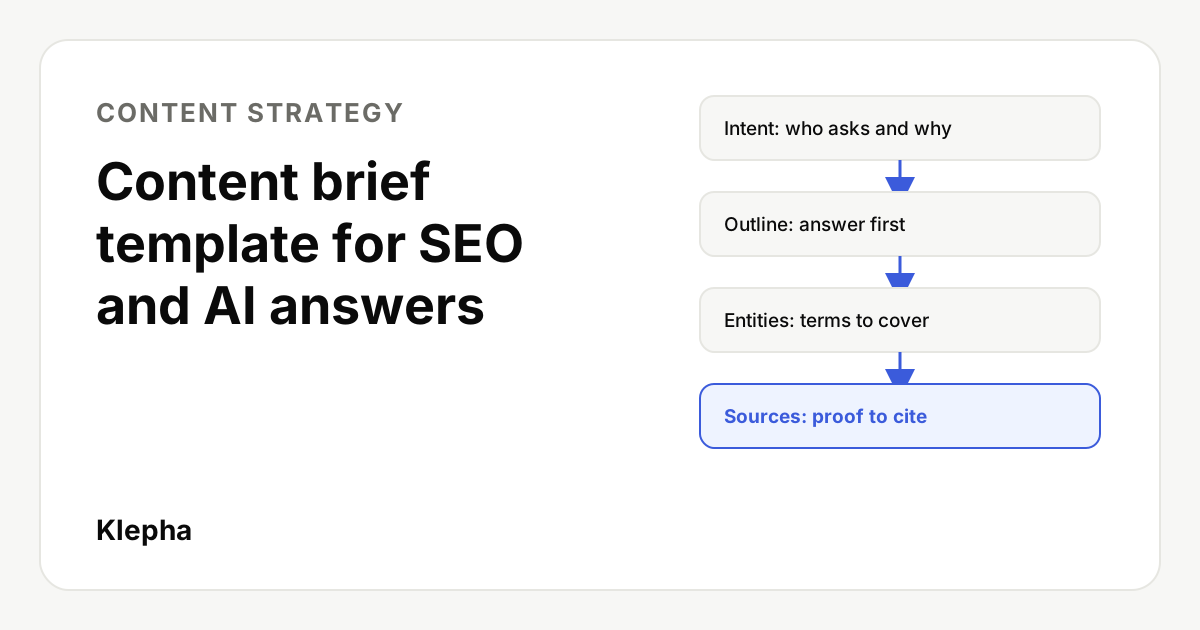
A content brief is a one page plan a writer gets before drafting. It defines the reader and search intent, the target query, a question led outline with the answer first, the entities and terms the page must cover, and the sources it must cite. Good briefs make the first draft close to publishable and make pages easier for Google and AI assistants to understand and quote.
Most weak pages are not caused by weak writers. They are caused by vague instructions. "Write 1,500 words on email marketing" leaves the writer to guess who the reader is, what question they asked, what the page should conclude and which facts it needs. The writer fills the gap with generic content, the editor rewrites it, and the page still does not match what searchers wanted.
A short, specific brief fixes that. This guide gives you a template you can copy, explains how to fill each field from research rather than guesswork, and shows a worked example. It also covers the extra details that help a page get quoted in AI answers, not only ranked in classic results.
Key takeaways
- One page, one query, one reader. A brief that tries to cover several intents produces a page that serves none of them.
- Intent comes from the results, not your opinion. Look at what currently ranks and what AI assistants answer before you outline.
- Write the answer into the brief. The first two sentences of the page should be decided before drafting starts.
- List entities and sources explicitly. Writers cover what you name; they rarely add what you leave out.
- Include original value. Every brief should say what this page will add that the current results do not.
What is a content brief?
A content brief is a written plan for one page. It tells the writer who the page is for, which search query it targets, what the page must conclude, how it should be structured and which facts and sources it must include. It is usually one or two pages long and is handed over before any drafting starts.
A brief is not the same as a content calendar or a style guide. Each document has a different job:
| Document | Scope | Answers the question |
|---|---|---|
| Content calendar | All planned pieces | What are we publishing, when, and who owns it? |
| Content brief | One page | What exactly should this page say, and why? |
| Style guide | All content | How do we write: voice, spelling, formatting? |
| Editorial checklist | One draft | Is this draft ready to publish? |
If you already run a calendar, the brief is what turns each calendar row into an assignment. Our guide to building a content calendar for a small team covers that planning layer.
What should a content brief include?
Keep the brief to the fields a writer actually needs. This template works for blog posts, guides and most landing pages. Copy it into a document and fill one per page.
| Field | What to write | Example |
|---|---|---|
| Working title | Question or keyword led, 50 to 60 characters | How to Set Up Negative Keyword Lists in Google Ads |
| Target query | The main query plus 3 to 5 close variants | negative keyword lists; how to add negative keywords |
| Reader | Who searches this and what they already know | Small business owner running their own Google Ads |
| Search intent | What the reader wants to do after reading | Learn the steps and set up a first list today |
| The answer | Two sentences the page must open with | Written in full by the briefer |
| Outline | H2 and H3 headings, phrased as questions | See the outline section below |
| Entities and terms | Concepts, products and named things the page must cover | Search terms report, match types, shared library |
| Original value | What this page adds that current results lack | A starter list by industry, plus a weekly routine |
| Sources | Primary sources to cite, with links | Official help pages, your own data |
| Internal links | Pages to link to and from | Account structure guide; conversion tracking guide |
| Format | Length range, tables, images, FAQ | 1,800 to 2,500 words, one comparison table, 5 FAQs |
| Call to action | The one next step for the reader | Free report, demo or related guide |
| Do not | Claims, topics or tones to avoid | No guaranteed results; no competitor attacks |
The two fields teams skip most often are "The answer" and "Original value". They are also the two that matter most, because they force the person writing the brief to decide what the page is for.
How do you find the search intent?
Search intent is the goal behind a query: what the person wants to know, do or buy. You find it by looking at the results that already exist, not by guessing.
- Search the target query in a private window. Note the type of pages that rank: guides, product pages, lists, tools, videos or forum threads. If the top results are mostly product pages, a long guide is unlikely to rank for that query.
- Read the top three results. Write down the questions they answer and the order they answer them in. That is the minimum the reader expects.
- Check the features on the page. AI Overviews, "People also ask" questions, featured snippets and video carousels show which formats and sub questions Google considers useful.
- Ask two or three AI assistants. Put the query to ChatGPT, Gemini and Perplexity. Note what they say, which sources they cite and what they leave vague. Gaps in those answers are opportunities for your page. Newer engines such as Yahoo Scout are worth a check too.
- Write the intent in one sentence. For example: "A marketer who already runs Google Ads wants to stop paying for irrelevant clicks and needs step by step instructions they can follow today."
If the results mix two different intents, for example definitions and buying guides, pick one for this page and brief the other separately. Our SERP analysis guide goes deeper on reading results pages.
How do you build the outline?
The outline is the part of the brief writers follow most closely, so it deserves the most care. Four rules keep it useful:
- Answer first. The opening paragraph gives the direct answer in two sentences. Detail follows. Readers and AI systems both reward pages that state the answer early.
- Phrase H2s as the questions readers ask. "How much does it cost?" is clearer than "Pricing considerations", and it matches how people type and speak queries.
- Make each section self contained. A section should make sense if someone lands on it from a search result or if an assistant quotes it alone. Avoid "as mentioned above".
- Order sections by what the reader needs next. Definition, then steps, then examples, then mistakes, then measurement is a common order for how to topics.
Under each heading, add one line telling the writer what the section must establish, and any table, list or example you expect. "Include a table comparing account level and campaign level negatives" is far more useful than "cover negative keyword levels".
Which questions should your next brief answer?
A free Klepha report shows the buyer questions ChatGPT, Gemini and Perplexity answer in your category, and where your brand is missing from those answers.
Get my free reportWhich entities and terms should the brief list?
Entities are the people, products, places, concepts and organizations a topic involves. Search engines and language models use them to understand what a page is about and whether it covers the subject completely. A page about content briefs that never mentions search intent, outlines or sources would look incomplete to a reader and to a machine.
To build the entity list:
- Collect the terms that appear in most of the top ranking pages and in AI answers for the query.
- Add the named products, standards or official documents a practitioner would expect to see.
- Add terms from your own customers: phrases from sales calls, support tickets and reviews.
- Group them by section so the writer knows where each one belongs.
Use entities naturally. The aim is complete coverage of the subject, not a keyword density target. Consistent naming also matters: if your product is called one thing on the homepage and another in a blog post, both readers and AI systems can treat them as different things. Our guide to topical authority and content clusters explains how entity coverage works across a set of pages.
How do you choose sources and proof?
Specific, checkable facts are what separate a useful page from a generic one. The brief should list them before drafting, so the writer is not tempted to invent or approximate.
| Type of proof | Where to get it | How to cite it |
|---|---|---|
| Rules, limits, features | Official documentation and help centers | Link the page and note the date you checked it |
| Statistics | Original studies, government data, your own data | Name the source, sample, date and method |
| Expert opinion | Your own team, interviews with named practitioners | Name the person and their role; quote accurately |
| Examples | Your work, public case studies, clearly labeled fictional examples | Say which kind it is |
Two rules are worth writing at the top of every brief. First, never invent numbers, quotes, studies or customers. Second, if a fact cannot be verified, the page either leaves it out or says plainly that it is uncertain. Google's guidance on helpful content asks whether a page provides original information and whether it is the kind of content you would trust, and both depend on accurate sourcing.
What makes a brief work for AI answers?
AI assistants assemble answers from passages they retrieve. Google has said that the same fundamentals apply to its AI features as to classic search: unique, helpful content written for people, pages that are crawlable and indexable, and a good page experience. A brief can make those fundamentals concrete by asking for:
- Quotable passages. Short paragraphs that answer one question each, with the key fact in the first sentence.
- Clear definitions. A one sentence definition of the main term near the top.
- Tables for comparisons. Structured data in HTML tables is easier to extract accurately than the same facts buried in prose.
- Dated facts. "As of November 2026" helps both readers and systems judge freshness.
- A visible author and sources. A named author with relevant experience and links to primary sources support trust.
None of this guarantees that a page will be cited. It does make the page easier to understand and quote. For a broader view, see how to get content cited by AI.
What does a finished brief look like?
Here is a condensed brief for a fictional accounting software company, written for a guide on invoicing.
| Field | Content |
|---|---|
| Working title | How to Write an Invoice as a Freelancer (Free Template) |
| Target query | how to write an invoice freelancer; freelance invoice template; what to include on an invoice |
| Reader | New freelancer sending a first or second invoice; no accounting background |
| Intent | Send a correct, professional invoice today |
| The answer | "A freelance invoice lists who you are, who you are billing, a unique invoice number, the date, what you did, how much is due and how to pay. Send it as soon as the work is delivered and state a clear due date." |
| Outline | What must an invoice include? / How do you number invoices? / What payment terms should you use? / Do you need to charge sales tax or VAT? / How do you follow up on late payment? / Template |
| Entities | Invoice number, payment terms, due date, tax ID, VAT or sales tax, late fee, purchase order |
| Original value | Downloadable template plus anonymized data from the product on average days to payment by payment term |
| Sources | Official tax authority guidance for the countries covered; product data with date range and sample size |
| Do not | Give country specific tax advice beyond what the official source states; promise faster payment |
Notice that the writer receives the conclusion, the structure and the proof. Their job is to explain clearly and add judgment, not to work out what the page is for.
What are common content brief mistakes?
- Briefing a keyword, not a question. "Email marketing" is a topic. "How often should a small store send marketing emails?" is a brief.
- Copying the top result's outline. Matching what ranks is the minimum. The brief must also say what this page adds.
- Setting word counts first. Length should follow from the questions the page must answer, not the other way round.
- Leaving sources to the writer. This is how invented statistics and outdated rules end up on published pages.
- Forgetting internal links. Decide which existing pages the new page links to, and which pages will link back to it after publishing. See our internal linking guide.
- Briefing two pages that target the same query. Check your existing content first. If a page already answers the question, brief an update instead of a new page.
Briefs also make content measurable. Because each one names a target query, you can check later whether the page ranks for it, earns clicks in Search Console and appears in AI answers. If you want help building briefs from real buyer questions, see our Blog Ranking solution, the disciplines on our expertise page and our case studies.
Sources
- Google Search Central, "Creating helpful, reliable, people-first content". developers.google.com
- Google Search Central Blog, "Top ways to ensure your content performs well in Google's AI experiences on Search" (May 2025). developers.google.com
- Google Search Central Blog, "Google Search's guidance about AI-generated content" (February 2023). developers.google.com
- Google Search Central, "SEO Starter Guide". developers.google.com
Frequently asked questions
How long should a content brief be?
One to two pages is enough for most blog posts and guides. If a brief runs longer, it is often trying to cover more than one query or intent, which is a sign the topic should be split into separate pages.
Who should write the content brief?
Usually the person who owns search or content strategy, because the brief depends on keyword and results research. A subject expert should review the answer, entities and sources before the writer starts.
Can AI tools write a content brief?
AI tools can speed up research, for example by summarizing ranking pages or suggesting questions. A person should still decide the intent, write the answer, choose the original value and verify every source, because those choices determine whether the page is useful.
What is the difference between a content brief and an outline?
An outline is the list of headings. A content brief includes the outline plus the reader, search intent, answer, entities, sources, internal links, format and call to action the writer needs to fill that outline well.
Should every page have a content brief?
Every page that targets a search query should. Short updates or news posts can use a lighter version with the query, the answer and the sources, but skipping the brief entirely is how pages drift away from what searchers want.