How do you design an SEO friendly URL structure?
Good URLs are short, readable, organised by topic and, above all, stable. Here is what Google actually recommends, how to structure folders as a site grows, and how to decide whether changing existing URLs is worth the risk.
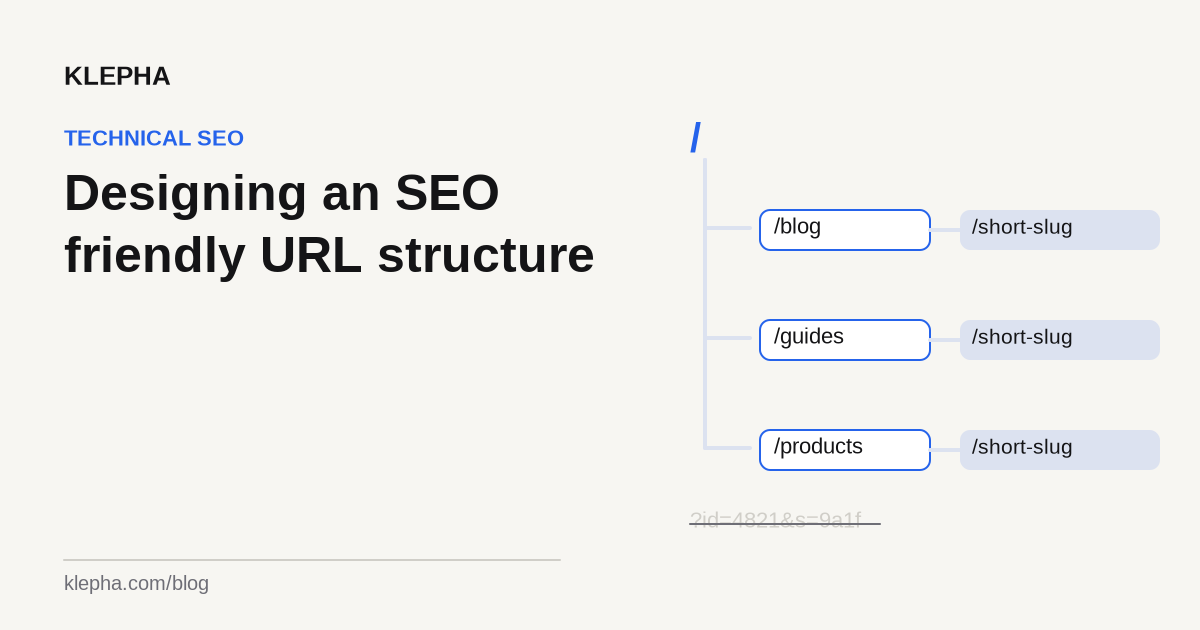
An SEO friendly URL structure uses short, readable words separated by hyphens, groups pages into a small number of topic folders that mirror how the site is organised, avoids unnecessary parameters, and stays stable once pages are live. Google's own guidance asks for descriptive words instead of long ID numbers, hyphens rather than underscores, as few parameters as possible and consistent lowercase, because URLs are case sensitive.
The harder question is what to do with URLs you already have. Changing a working URL has a real cost: Google says even a planned move causes temporary ranking fluctuation while pages are recrawled, so a URL change is only worth it when the current structure causes a measurable problem, such as duplicate URLs, crawl waste or a migration you are doing anyway.
Key takeaways
- Readable words, not IDs:
/blog/seo-friendly-url-structurebeats/index.php?p=4821. - Hyphens, lowercase, few parameters: Google recommends all three and treats
/Appleand/appleas different URLs. - Shallow topic folders: one or two levels that match your navigation, not your CMS's internal categories.
- No dates or stop words by default: they make URLs longer and age badly.
- Change URLs rarely: only for a measurable problem, with one to one 301 redirects kept for at least a year.
What does an SEO friendly URL look like?
A good URL tells a person and a search engine what the page is about before they click. Compare these two addresses for the same page:
| Weak URL | Strong URL | What changed |
|---|---|---|
example.com/index.php?cat=7&id=4821&sess=9a1f | example.com/guides/url-structure | Words instead of IDs, session parameter removed |
example.com/2026/11/21/how-to-design-the-best-url-structure-for-seo-in-2026/ | example.com/blog/seo-friendly-url-structure | Date and stop words removed, keyword phrase kept |
example.com/Products/Running_Shoes/Mens | example.com/running-shoes/mens | Lowercase, hyphens, redundant folder removed |
example.com/#/pricing | example.com/pricing | Real path instead of a URL fragment |
None of these changes is a ranking trick on its own. Google ranks pages on their content and signals, not on the words in the address. What a clean structure does is remove obstacles: duplicate versions of the same page, crawl paths that never end, and links that people hesitate to click or share because they look like spam.
What does Google require and recommend for URLs?
Google's Search Central page on URL structure, last updated October 21, 2026, separates hard requirements from best practices. The requirements are about crawlability:
- Follow IETF STD 66. Reserved characters must be percent encoded.
- Do not use URL fragments to change content. Google generally does not support fragments such as
/#/potatoes; use the History API if JavaScript changes the page. - Use a common encoding for parameters. An equals sign between key and value, an ampersand between parameters.
The best practices are about understanding:
- Use descriptive URLs with readable words rather than long ID numbers.
- Use your audience's language, including transliterated words where relevant, and percent encode non ASCII characters in links.
- Use hyphens to separate words. Google recommends hyphens over underscores because underscores are often read as joining words, as in programming names like
format_date, while hyphens signal a word boundary. - Use as few parameters as you can, trimming those that do not change the content.
- Remember URLs are case sensitive. Google treats
/APPLEand/appleas distinct URLs. If your server treats them the same, standardise on one case. - For multi regional sites, use a structure that makes geotargeting easy, such as a country domain or a country subfolder like
/de/.
How do you keep URLs short and readable?
There is no official character limit that matters for SEO. "Short" is a practical goal: a URL someone can read aloud, remember roughly and see in full in a search result or a chat message. These rules get you there.
- Use the core keyword phrase, not the title. A post titled "How Do You Design an SEO Friendly URL Structure?" becomes
/seo-friendly-url-structure. - Drop stop words such as "a", "the", "and", "of" unless removing them changes the meaning.
- Leave out dates and years unless the page is about a dated event. A guide with
2026in the slug needs a new URL, or looks stale, next year. News and event pages are the exception. - Avoid repeated words.
/shoes/running-shoes/running-shoes-for-mensays the same thing three times. - Use lowercase only and enforce it with a redirect from mixed case versions.
- Pick one trailing slash convention and one version of the domain (www or not, HTTPS only), then redirect the others to it and make canonical tags, sitemaps and internal links use the same form. On this site, for example, blog URLs have no
.htmlextension and no trailing slash, and every reference uses that exact form.
How should you organise URLs by topic?
Folders should mirror how a visitor understands your site, which usually means how your main navigation is organised. They are a promise about what lives inside: everything under /guides/ is a guide, everything under /running-shoes/ is about running shoes. That consistency helps people, and it makes reporting easier because you can filter Search Console and analytics by folder.
| Site type | Recommended pattern | Notes |
|---|---|---|
| Small business site | /services/service-name, /about, /contact | One level is enough for most sites under 100 pages |
| Blog or content hub | /blog/post-slug | Keep categories out of post URLs so posts can change category without a redirect |
| SaaS | /features/feature-name, /solutions/use-case, /blog/post-slug | Mirror the main navigation, keep docs on a separate folder or subdomain |
| Ecommerce | /category/subcategory, /products/product-name | Keep product URLs independent of category so a product in two categories has one URL |
| Multi regional | /de/..., /fr/... or country domains | Pair with hreflang annotations |
Two principles keep the structure stable as you grow. First, stay shallow: one or two folder levels cover almost every site. Deep nesting does not stop Google crawling a page, but it makes URLs long and creates more reasons to change them later. Second, separate URL structure from navigation details that change. Categories, tags and campaign groupings get reorganised; if they are baked into URLs, every reorganisation becomes a migration. This is the same thinking behind topical authority and content clusters: the cluster is expressed through internal links and hub pages, not necessarily through ever deeper folders.
Find the structural issues holding pages back
Klepha's free report audits your site alongside how Google and AI assistants see it, including duplicate URLs, crawl problems and pages that never get cited.
Get my free reportHow do you handle parameters, filters and duplicates?
Google's guidance lists the common ways sites accidentally create far more URLs than pages: additive filters that combine into thousands of variations, irrelevant parameters such as referral tags, sort orders and session IDs, infinite calendars, and broken relative links that generate bogus paths. The effect is that Googlebot spends time on near duplicates and may not fully index the pages that matter.
- Keep tracking parameters out of internal links. UTM tags belong on links from emails and ads, never on links between your own pages.
- Decide which filter combinations deserve their own page. "Men's trail running shoes" may have real search demand and deserve a clean URL; "size 10, blue, under $100, sorted by newest" does not.
- Use canonical tags to point parameter variants to the main version. Our guide to canonical tags and duplicate content explains when they work and when they are ignored.
- Block crawl traps in robots.txt, such as internal search results and unbounded filter combinations, as Google suggests for URLs that create infinite spaces.
- Use root relative links like
/guides/url-structurerather than parent relative links like../../guides, which Google notes can create infinite URL spaces.
When is changing existing URLs worth the risk?
Changing a URL is not free. Google's site move documentation says to expect temporary ranking fluctuation while pages are recrawled and reindexed, and that for medium sized sites it can take a few weeks or more for new URLs to replace old ones in results. Permanent redirects do not lose PageRank, Google says, but every change still depends on Google recrawling both URLs and on external links eventually being updated.
Use this test. Change URLs only if at least one of these is true:
| Situation | Change URLs? | Why |
|---|---|---|
| Multiple URLs serve the same page (case, parameters, trailing slash, HTTP) | Yes, consolidate | Duplicates split signals and waste crawling |
| Content lives behind fragments or session IDs | Yes | Google may not crawl or index it properly |
| You are already migrating CMS, domain or HTTPS | Often, but one change at a time | Google recommends changing one thing at a time |
| The page's topic has genuinely changed | Yes, or create a new page | The old URL no longer describes the content |
| The slug contains an outdated year on an evergreen guide | Sometimes | Only if the page matters and the date hurts click-through |
| URLs are merely "not pretty" but unique and indexed | No | Cost and risk exceed the benefit |
| You want to add keywords to rank better | No | Keywords in URLs are a minor signal at best |
If you are not sure, leave working URLs alone and apply the new structure to new pages only. Many sites run perfectly well with two URL conventions side by side.
How do you change URLs safely?
When a change is justified, follow Google's site move process, scaled to the size of the change:
- Map every old URL to one new URL. Start with pages in your sitemap, your top traffic pages and pages with external links.
- Use server side permanent redirects, 301 or 308, one to one. Do not redirect everything to the homepage.
- Avoid redirect chains. Google can follow up to 10 hops but advises redirecting straight to the final destination, and ideally no more than three hops.
- Update every reference: canonical tags, internal links, hreflang, sitemaps and structured data must all use the new URL.
- Return 404 or 410 for content you remove rather than redirecting it somewhere irrelevant.
- Keep redirects for as long as possible, generally at least a year according to Google, and indefinitely from a user's point of view.
- Monitor in Search Console: indexing of new URLs, "Not found" errors and performance by folder.
For a full domain or platform move, use our website migration SEO checklist, and run a technical SEO audit before and after. URL structure is one of the six disciplines on our expertise page, and our Blog Ranking service applies these rules to content sites; our case studies show the results on sites we run.
Sources
- Google Search Central: URL structure best practices for Google Search. Last updated October 21, 2026; accessed November 21, 2026. Requirements (STD 66, fragments, parameter encoding), best practices (descriptive words, hyphens, few parameters, case sensitivity, multi regional) and common issues.
- Google Search Central: How to move a site. Accessed November 21, 2026. Ranking fluctuation during moves, permanent redirects and PageRank, redirect chains, keeping redirects at least one year, changing one thing at a time.
- IETF: STD 66, Uniform Resource Identifier (URI): Generic Syntax. Accessed November 21, 2026. The URL standard Google Search supports.
Frequently asked questions
What is an SEO friendly URL structure?
It is a URL scheme that uses short, readable words separated by hyphens, groups pages into a few shallow topic folders that mirror the site's navigation, avoids unnecessary parameters, uses lowercase consistently and stays stable once pages are live. Google recommends descriptive words, hyphens and as few parameters as possible.
Should I use hyphens or underscores in URLs?
Use hyphens. Google recommends hyphens instead of underscores because hyphens clearly signal a word boundary, while underscores are commonly used to join words that belong together, as in programming names.
Do keywords in the URL help rankings?
Only slightly, if at all. Google ranks pages mainly on content and other signals. A descriptive slug helps people understand the link before they click, which is reason enough to use one on new pages, but adding keywords to existing URLs is rarely worth a redirect.
Should I put dates in blog post URLs?
Usually not. Dates make URLs longer and make evergreen guides look outdated, which can force a URL change later. Keep dates for pages that are about a dated event, such as news or an annual report.
When should I change existing URLs for SEO?
Change them when there is a measurable problem: several URLs serving the same page, content behind fragments or session IDs, a topic that has genuinely changed, or a migration you are already doing. Do not change unique, indexed URLs just to make them prettier.
How long should I keep 301 redirects after changing URLs?
Google recommends keeping redirects for as long as possible, generally at least one year, so it can transfer signals and recrawl links that point to the old URLs. From a user's point of view, keeping them indefinitely is better.