How do you fix duplicate content with canonical tags, and when should you use a redirect or noindex instead?
Use a canonical tag when duplicate URLs must stay live for visitors, such as tracking or filter variants; use a 301 redirect when the duplicate no longer needs to exist; and use noindex only for pages you want out of search entirely, not to choose between duplicates. Google says redirects and rel="canonical" are strong canonical signals, sitemaps are weak ones, and it does not recommend noindex or robots.txt for picking a canonical.
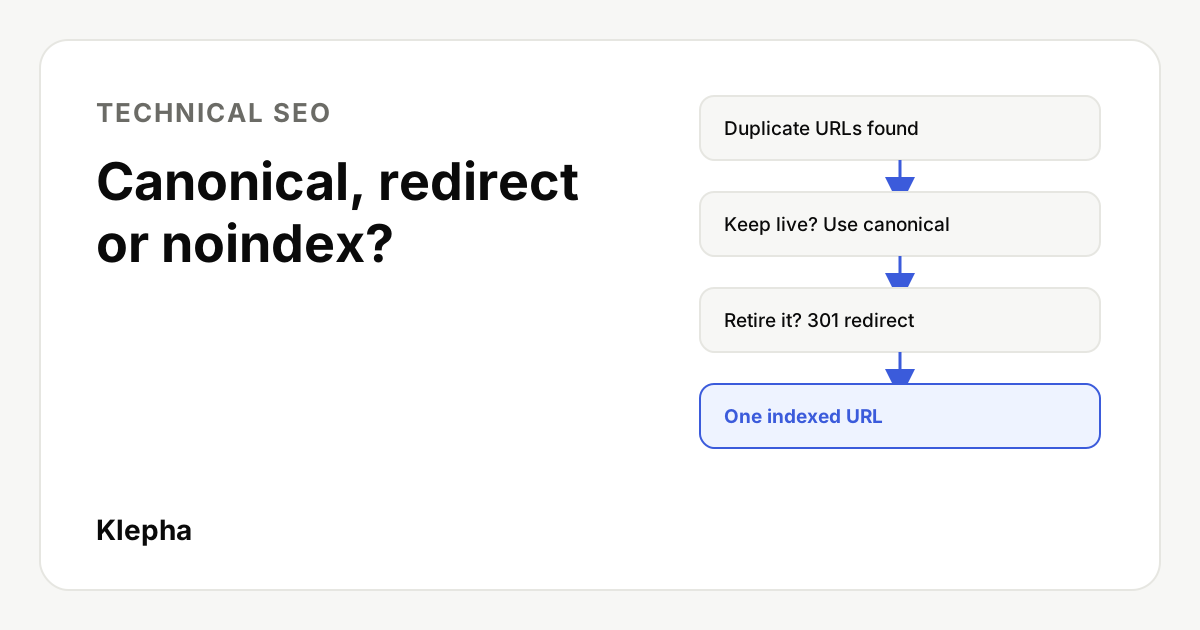
Duplicate content in SEO usually is not copied text from another site. It is the same page reachable at several URLs on your own site: with and without a trailing slash, with tracking parameters, under two categories, on HTTP and HTTPS, or as a printer version. Search engines then have to pick one URL to index and show. If you do not tell them which, they guess, and ranking signals can be split across versions.
This guide explains what each fix does, gives simple examples, and ends with a decision table and an audit checklist. Everything here follows Google Search Central's documentation, last updated July 10, 2026 for the canonical guide.
Key takeaways
- Canonical tag: the duplicate stays live; you tell search engines which URL to index. Best for parameters, filters and syndicated copies.
- 301 redirect: the duplicate disappears and visitors and signals move to one URL. Best for retired pages, protocol and host changes, and merged content.
- Noindex: removes a page from search completely. Google does not recommend it for choosing a canonical within one site.
- Robots.txt is not a canonical tool. Google may still index blocked URLs without their content.
- Be consistent. Canonicals, internal links, sitemaps and redirects should all point to the same URL.
What is duplicate content, and why does it matter?
Duplicate content is the same or nearly the same content available at more than one URL. Google calls the version it chooses to index the canonical URL. Common causes:
- URL parameters:
/shoes?utm_source=newsletter,/shoes?sort=price, session IDs. - Host and protocol variants:
http://andhttps://,wwwand non www. - Path variants: trailing slash or not, uppercase letters,
/index.html. - One product in several categories:
/men/running-shoeand/sale/running-shoe. - Print, AMP or mobile versions and staging sites that were left crawlable.
- Syndication: your article republished on a partner site.
Duplicate content is rarely a penalty issue. The real costs are practical: links and other signals spread across several URLs, crawlers spend time on copies instead of new pages, and the wrong URL can appear in results. Fixing it is part of every SEO audit.
When should you use a canonical tag?
Use rel="canonical" when the duplicate must stay accessible to people but you want one version indexed. The tag goes in the <head> of the duplicate and points to the preferred URL:
<link rel="canonical" href="https://www.example.com/shoes/running-shoe" />
Good use cases:
- Tracking and sorting parameters.
/running-shoe?color=blue&ref=emailcanonicalizes to/running-shoe. Visitors still land on the right variant. - Products in several categories. Both category paths stay usable for navigation; one is declared canonical.
- Syndicated articles. Ask the partner to add a cross domain canonical pointing to your original. Google supports cross domain canonicals, though it treats them as a signal, not an order.
- Self referencing canonicals. Every indexable page should carry a canonical pointing to itself. That protects it when someone links to it with parameters you did not plan for.
Three rules from Google's documentation are worth repeating. Use absolute URLs, not relative paths: Google says relative paths "can cause problems in the long run" and gives https://www.example.com/dresses/green/green-dress.html as the good example and /dresses/green/green-dress.html as the bad one. Put the tag in the <head>. And remember the canonical is a strong hint, not a directive: Google can pick a different URL if other signals disagree.
When is a 301 redirect better than a canonical?
Use a permanent (301) redirect when the duplicate does not need to exist for visitors. Google lists redirects first among canonical signals: "A strong signal that the target of the redirect should become canonical." A redirect also helps people, because nobody lands on the old version. Make it permanent: Google's redirect documentation says that with a temporary redirect, "the indexing pipeline doesn't use the redirect as a signal that the redirect target should be canonical."
- Protocol and host: redirect
http://example.com/pagetohttps://www.example.com/page, site wide. - Trailing slash and case: pick one format and redirect the other.
- Merged or retired content: two thin posts on the same topic become one strong post; redirect the weaker URL to the survivor. This is the consolidation approach we use on this blog: one topic, one page.
- Site migrations: map every old URL to its closest new equivalent, one to one, not everything to the homepage.
Avoid chains. A redirects to B redirects to C wastes crawl time and can lose signals; point A straight to C. Our guide on how to fix technical SEO issues covers chains, loops and how to find them.
When should you use noindex instead?
Use noindex when a page should not appear in search at all, regardless of duplicates: internal search results, thank you pages, login pages, thin tag archives. It is not a tool for choosing between duplicates. Google is explicit: "We don't recommend using noindex to prevent selection of a canonical page within a single site, because it will completely block the page from Search."
The practical risk is losing signals. If you noindex a duplicate that has backlinks, those links point to a page Google drops, instead of being consolidated into your preferred URL. And never combine noindex with a canonical on the same page pointing elsewhere; the two send conflicting messages.
Why not block duplicates in robots.txt?
Because blocking crawling does not stop indexing, and it hides your canonical tag. Google says: "Don't use the robots.txt file for canonicalization purposes. Google may still index URLs that are disallowed in robots.txt without their content." If Googlebot cannot fetch a duplicate, it cannot see the canonical tag on it, so the consolidation never happens.
Clean signals help AI search too
When AI assistants cite your site, they cite one URL. A free Klepha report shows how ChatGPT, Gemini and Perplexity describe your brand and which pages they use.
Get my free reportWhich fix should you use? A decision table
| Situation | Best fix | Why |
|---|---|---|
| Tracking parameters (utm, ref, gclid) | Self referencing canonical on the clean URL | URLs must keep working for attribution |
| Sort and filter variants | Canonical to the main listing | Shoppers need the filters |
| HTTP vs HTTPS, www vs non www | 301 redirect | Only one version should exist |
| Two posts targeting the same query | Merge, then 301 the weaker URL | Removes competition between your own pages |
| Product listed in two categories | Canonical to one path | Both paths help navigation |
| Article syndicated to a partner | Cross domain canonical on the partner copy | The copy stays live on their site |
| Internal search results, thank you pages | Noindex | These should not be in search at all |
| Staging site | Password protection | Keeps it out of search and away from users |
Worked example: an online shoe store
Imagine a store where one running shoe is reachable at five URLs:
https://www.shop.com/running/trail-runner, the main product page.https://www.shop.com/sale/trail-runner, the same product listed under Sale.https://www.shop.com/running/trail-runner?color=blue&utm_source=email, a link from a newsletter.http://shop.com/running/trail-runner, an old link from before the site moved to HTTPS and www.https://www.shop.com/running/trail-runner-2025, last year's model page, now discontinued and replaced.
The fixes: URL 1 gets a self referencing canonical. URL 2 keeps working for shoppers browsing the sale and declares URL 1 as canonical. URL 3 also canonicalizes to URL 1, so the email campaign still tracks correctly. URL 4 gets a site wide 301 redirect to the HTTPS www version. URL 5 gets a 301 redirect to URL 1, because the old model is gone and the new page is its closest replacement. Finally, internal links, breadcrumbs and the sitemap all use URL 1. Every signal now points the same way.
What are the most common canonical mistakes?
- Every page canonicalized to the homepage. Usually a template bug. It tells Google to ignore every other page.
- Canonical to a redirected, broken or noindexed URL. The target must return 200 and be indexable.
- Paginated pages canonicalized to page 1. Page 2 has different items; give each page its own self canonical.
- Mixed signals. The canonical says one URL, internal links and the sitemap use another. Google may ignore the tag.
- Canonical added only by JavaScript or placed in the
<body>. Keep it in the raw HTML head. - Multiple canonical tags on one page, often from a plugin and a theme. Keep exactly one.
How do you check that the fix worked?
- Crawl the site and list every URL with its status code, canonical target and indexability.
- Inspect key URLs in Search Console. URL Inspection shows the user declared canonical and the Google selected canonical. If they differ, look for conflicting signals.
- Review the Pages report for "Duplicate without user-selected canonical" and "Duplicate, Google chose different canonical than user."
- Align internal links. Update navigation, breadcrumbs and in-content links to the canonical URL; our guide to internal linking explains why this matters.
- List only canonical URLs in your sitemap. Google calls sitemap inclusion a weak signal, but a sitemap full of duplicates undercuts your tags.
Clean canonicals matter for AI search as well as Google: assistants that cite your content cite a URL, and consistent signals make it more likely to be the one you want. If you want a second pair of eyes, our Blog Ranking service includes this kind of technical cleanup, our expertise page describes our technical SEO work and our case studies show how we approach consolidation on real sites.
Sources
- Google Search Central, "How to specify a canonical with rel="canonical" and other methods", last updated July 10, 2026, accessed November 13, 2026. developers.google.com
- Google Search Central, "Redirects and Google Search", last updated April 14, 2026, accessed November 13, 2026. developers.google.com
- Google Search Central, "Block Search indexing with noindex", last updated December 10, 2025, accessed November 13, 2026. developers.google.com
Frequently asked questions
What does a canonical tag do?
A canonical tag tells search engines which URL is the preferred version of a page when the same content is reachable at several URLs. Google treats it as a strong signal, not a command, so other signals such as internal links and sitemaps should agree with it.
Should I use a canonical tag or a 301 redirect?
Use a 301 redirect when the duplicate URL no longer needs to exist, such as HTTP versions or retired posts. Use a canonical tag when the duplicate must stay live for visitors, such as tracking parameters, filters or a product listed in two categories.
Can I use noindex to fix duplicate content?
Google does not recommend it for choosing a canonical within one site, because noindex removes the page from Search entirely and does not consolidate its signals. Use noindex only for pages that should not be in search at all.
Should every page have a self-referencing canonical?
Yes, for indexable pages. A self-referencing canonical protects the page when it is linked with parameters you did not plan for, and it makes your preferred URL explicit.
Can I block duplicate pages in robots.txt?
No. Google says not to use robots.txt for canonicalization, because blocked URLs can still be indexed without their content, and Google cannot see a canonical tag on a page it is not allowed to crawl.
How do I know which canonical Google chose?
Use the URL Inspection tool in Google Search Console. It shows the user-declared canonical and the Google-selected canonical. If they differ, check internal links, sitemaps and redirects for conflicting signals.