How do you write responsive search ad headlines and descriptions that perform?
Responsive search ads let you give Google up to 15 headlines and 4 descriptions, and Google tests the combinations. This guide gives you a simple framework for filling those slots with keyword, benefit, proof and call to action assets, plus clear rules for when pinning is worth the trade off.
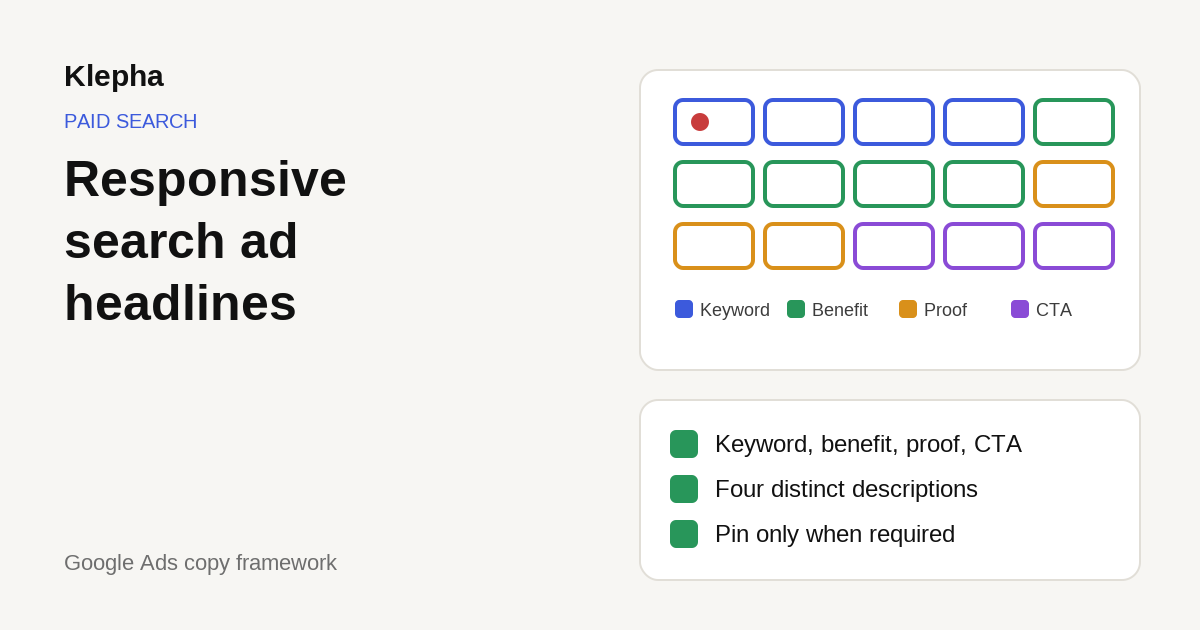
Strong responsive search ads give Google a balanced set of distinct assets: a few headlines that repeat the searcher's keyword, several that state concrete benefits, a few that prove the claim, and a few clear calls to action, plus four descriptions that each do a different job. Google can show up to three headlines and two descriptions at a time in any order, so every asset has to make sense on its own and next to any other.
Pin only what must always appear, such as a legal disclaimer or a required brand line, and when you do pin, pin two or three variants to the same position. Google's own help page says pinning reduces the combinations it can match to a search and "isn't recommended for most advertisers."
Key takeaways
- Know the limits: up to 15 headlines of 30 characters and up to 4 descriptions of 90 characters, with a minimum of 3 headlines and 2 descriptions.
- Write for any order: Google says assets can show in any order, so each line must read well alone and in combination.
- Use a mix: roughly 4 keyword, 4 to 5 benefit, 3 proof and 3 CTA headlines gives Google variety without repetition.
- Give descriptions roles: expand the benefit, remove risk, explain how it works, and ask for the action.
- Pin sparingly: only for text that must always show, and pin 2 to 3 variants per position rather than one.
- Run at least two RSAs: Google recommends at least 2 responsive search ads with Good or Excellent Ad Strength per ad group.
What are the rules for responsive search ads?
Google's help page "About responsive search ads," accessed November 27, 2026, sets out the constraints you are writing within:
| Element | Minimum | Maximum | Character limit |
|---|---|---|---|
| Headlines | 3 | 15 | 30 each |
| Descriptions | 2 | 4 | 90 each |
| Display path fields | 0 | 2 | 15 each |
A few rules shape how you write:
- Any order. Google assembles headlines and descriptions "in multiple ad combinations in a way that avoids redundancy," and its tip is blunt: assets "can be shown in any order, so make sure they make sense individually or in combinations."
- Up to three headlines show. Headline 1 and Description 1 usually appear. The second and third headlines and the second description appear when predicted to perform best or when there is space, and are not guaranteed.
- Assets travel. Under what Google calls enhanced flexibility, a headline can appear at the start of a description, and up to two unused headlines can serve as link based assets in the space sitelinks used to occupy.
- Double width characters count twice. In Korean, Japanese or Chinese, each character counts as two.
The practical takeaway: you are not writing one ad. You are writing a kit of interchangeable parts, and Google is assembling ads from that kit for each query.
What is the keyword, benefit, proof, CTA framework?
To give Google useful variety, sort every headline into one of four jobs. Each job answers a different question the searcher has.
| Asset type | Searcher's question | What it contains | Suggested share of 15 |
|---|---|---|---|
| Keyword | Is this what I searched for? | The core keyword or a close variant, stated plainly | 3 to 4 |
| Benefit | What do I get? | An outcome or feature that matters to the buyer | 4 to 5 |
| Proof | Why should I believe you? | A verifiable fact: customer count, rating, award, guarantee, years in business | 3 |
| Call to action | What should I do next? | A specific next step, ideally with low friction | 3 |
Any three headlines from a mix like this will usually combine into a sensible ad: one tells searchers they are in the right place, one gives them a reason, and one tells them what to do. Google's own guidance points the same way. Its tips suggest including at least one keyword in your headlines, highlighting "additional product or service benefits, a problem you're solving, or shipping and returns information," and creating variations "for example, try a different call to action."
How do you write the 15 headlines?
Here is a worked example for an imaginary invoicing tool for freelancers. Character counts are shown so you can see how tight 30 characters is. Proof lines are templates: fill them only with numbers you can verify, because a made up claim is both a policy risk and a trust risk.
| Type | Headline | Characters |
|---|---|---|
| Keyword | Freelance Invoicing Tool | 24 |
| Keyword | Online Invoice Generator | 24 |
| Keyword | Invoicing App for Freelancers | 29 |
| Keyword | Freelance Invoices Made Simple | 30 |
| Benefit | Get Paid Faster | 15 |
| Benefit | Automatic Payment Reminders | 27 |
| Benefit | Get Paid Without Chasing | 24 |
| Benefit | Accept Card Payments Online | 27 |
| Benefit | Send Invoices in 2 Minutes | 26 |
| Proof | Trusted by [X] Freelancers | depends on X |
| Proof | Rated [X] Stars on [Site] | depends on values |
| Proof | No Setup Fees | 13 |
| CTA | Start Your Free Trial | 21 |
| CTA | Start Free, No Card Needed | 26 |
| CTA | See Pricing Plans | 17 |
Headline writing rules
- Make every headline different. Google says to focus "on providing as many unique headlines as you can." Five versions of the same keyword phrase give the system nothing to test.
- Write the first three as a set. Google suggests writing the first three headlines "as if they'll appear together." It is a useful sanity check for the core message.
- Keep keywords intact. Do not split a keyword phrase across two headlines. If it is longer than 30 characters, Google's tip is to put it in a 90 character description instead.
- Prefer specific over clever. "Automatic Payment Reminders" tells a buyer more than "Invoicing, Reimagined."
- Mind the width. Google notes that wide characters like "m" take more space than narrow ones like "i," so a 30 character headline can still be cut on some screens.
- Match the landing page. Every claim should be visible on the page the ad sends people to. Our guide to landing pages for paid ads covers this.
Your ads cover the click. Do AI answers cover your brand?
Klepha's free report shows how ChatGPT, Gemini and Perplexity describe your brand and which buyer questions you are not answering yet.
Get my free reportHow do you write the 4 descriptions?
Descriptions have 90 characters and usually show one or two at a time, so give each a distinct role rather than four rewrites of the same pitch.
| Role | Example | Characters |
|---|---|---|
| Expand the main benefit | Create and send professional invoices in minutes. Add your logo, taxes and payment link. | 88 |
| Remove the risk | Automatic reminders follow up on late invoices for you, so you spend less time chasing. | 87 |
| Proof or reassurance | Trusted by freelancers in [X] countries. Cancel anytime, no long term contract. | depends on X |
| Call to action | Start a free trial today and send your first invoice before your coffee gets cold. | 82 |
Because Description 1 usually shows, it should be able to carry the ad on its own. If you have text that must always appear, Google says it has to go in Headline 1, Headline 2 or Description 1, which brings us to pinning.
When should you pin headlines?
Pinning fixes an asset to a position. Google explains that a headline or description pinned to Headline position 1, Headline position 2 or Description position 1 always shows, while content pinned to Headline position 3 or Description position 2 is not guaranteed. It also warns that pinning reduces the number of combinations that can be matched to a search, "isn't recommended for most advertisers and can affect ad strength."
| Situation | Pin? | How |
|---|---|---|
| Legal disclaimer or regulated wording that must appear in every ad | Yes | Pin it to Description position 1, which Google gives as its own example. |
| Brand or trademark rules require the brand name in every ad | Yes, carefully | Pin 2 or 3 brand headline variants to Headline position 1 so Google can still test. |
| You want the keyword in the first headline | Usually no | Google already bolds and favors relevant text. If testing proves you need it, pin 2 or 3 keyword variants, not one. |
| A promotion with an end date | Usually no | Use a separate asset, ad or schedule rather than pinning an expiring line. |
| You simply prefer a certain order | No | Let the system test. Preference is not a reason to cut combinations. |
Google's own recommendation when pinning is to "pin 2 or 3 unique headlines or descriptions to each position," avoid pinning identical or very similar text to the same slot, and use a hybrid approach where one or two essential headlines are pinned and the rest rotate. Also remember that if you pin something to every available position, unpinned assets will never show.
Does Ad Strength matter?
Ad Strength is Google's rating of how well your assets follow its best practices, such as variety and relevance. It is not the same as performance, but it is a useful check on whether you have given Google enough to work with. Google's help page says advertisers who improve Ad Strength from "Poor" to "Excellent" see 15% more clicks and conversions on average, citing internal data from August 15 to 20, 2025. That is Google's own figure, from a short window, so treat it as directional.
Google also recommends running at least 2 responsive search ads with "Good" or "Excellent" Ad Strength per ad group, each with a unique final URL. Our Quality Score guide explains how ad relevance and expected click through rate feed into what you pay, which is where better copy shows up in cost.
How do you test and improve RSAs?
- Launch two RSAs per ad group with different angles, for example one benefit led and one proof led.
- Give them time. Wait until each ad has enough impressions before judging. Our A/B testing guide covers sample size and timing.
- Read the asset report. Google provides reporting for individual assets and for combinations of assets. Look for assets that rarely serve or underperform their peers.
- Replace, do not just remove. Swap a weak asset for a new one of the same type so your mix stays balanced. Google notes that editing or removing assets can change which ads serve.
- Judge on conversions and cost per conversion, not click through rate alone. Clear, qualifying copy can lower clicks and still raise profit. Make sure conversion tracking is set up first.
Which mistakes should you avoid?
- Fifteen versions of one headline. Variety is the point of the format.
- Unverifiable proof. "Best in the world" claims and invented ratings hurt trust and can break ad policies.
- Headlines that only work together. "Save 20%" followed by "On Your First Order" breaks when the two appear apart.
- Over pinning. Pinning one asset to every position leaves Google with a single fixed ad.
- Ignoring the landing page. Ad copy that promises what the page does not deliver wastes clicks and hurts landing page experience.
Good RSA copy is less about clever lines and more about giving the system honest, varied, specific material. If you want help aligning paid copy with what AI assistants and search results already say about your brand, see our solutions, expertise and case studies.
Sources
- Google Ads Help: About responsive search ads. Accessed November 27, 2026. Asset limits, character limits, display rules, enhanced flexibility, pinning guidance, Ad Strength tips and the internal Ad Strength figure (internal data, August 15 to 20, 2025).
- Google Ads Help: Best practices for creating effective responsive search ads. Linked from the help page above; accessed November 27, 2026.
- Google Ads Help: About Ad Strength. Linked from the help page above; accessed November 27, 2026.
- Google Ads Help: Ad format requirements. Linked from the help page above; accessed November 27, 2026.
Frequently asked questions
How many headlines should a responsive search ad have?
Google allows 3 to 15 headlines of up to 30 characters each. Aim for close to 15 distinct headlines so Google has enough variety, for example 4 keyword, 4 to 5 benefit, 3 proof and 3 call to action headlines.
How many descriptions can a responsive search ad have?
You need at least 2 and can add up to 4 descriptions of up to 90 characters each. Give each a different role, such as expanding the benefit, removing risk, adding proof and asking for the action.
Should I pin headlines in responsive search ads?
Only when text must always appear, such as a legal disclaimer or required brand line. Google says pinning reduces combinations and is not recommended for most advertisers. If you pin, pin 2 or 3 variants to the same position.
Which positions always show when pinned?
Assets pinned to Headline position 1, Headline position 2 or Description position 1 always show. Content pinned to Headline position 3 or Description position 2 is not guaranteed to appear.
Does Ad Strength affect performance?
Ad Strength rates how well your assets follow Google's best practices, not results directly. Google reports that advertisers who improved Ad Strength from Poor to Excellent saw 15% more clicks and conversions on average, based on its internal data.