What is Google Ads Customer Journey Insights, and how should you read it?
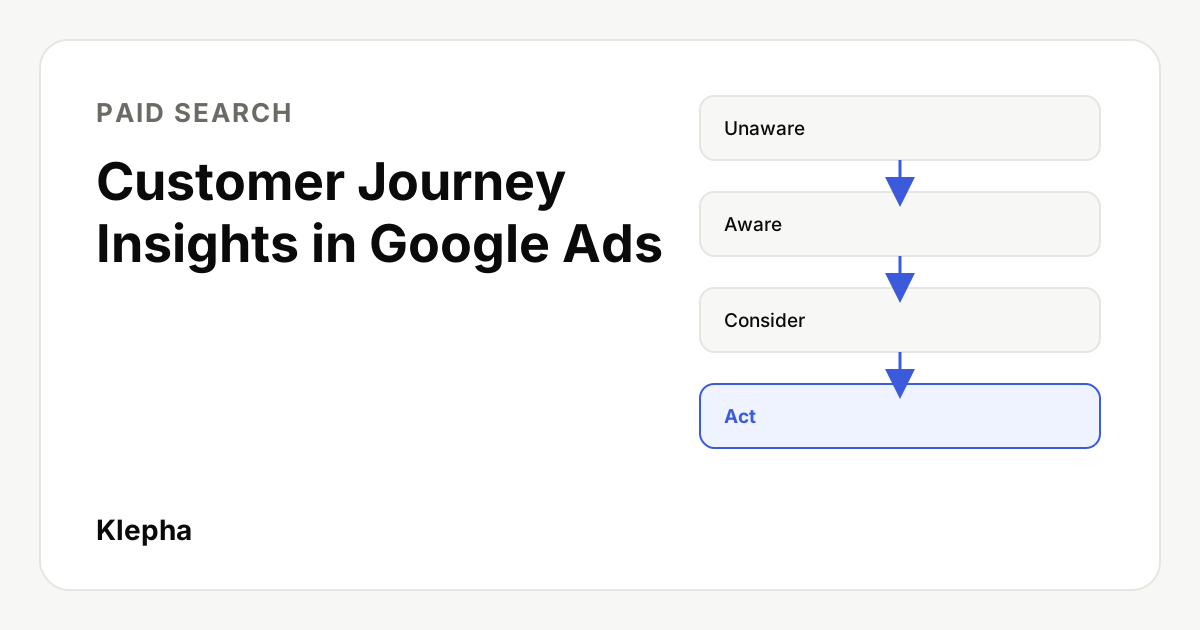
Customer Journey Insights is a new reporting card on the Google Ads Overview page, in pilot for eligible advertisers, that counts how many users your campaigns moved between four stages: Unaware, Aware, Consider and Act. It works for Search, Shopping and Performance Max campaigns, covers signed-in users only, runs eight days behind, and is a reporting view, not a proof that your ads caused the movement.
Google Ads posted a help article for Customer Journey Insights in November 2026, and Search Engine Roundtable reported it on November 11. Google describes it as "a new Google Ads Overview page reporting card pilot for eligible advertisers" that "provides transparency into how your campaigns move users across conversion journey stages."
The card answers a question most Google Ads reports ignore: what happened to the people who saw or clicked an ad but did not convert straight away. That is useful for campaigns with long sales cycles, but the card has real limits on coverage, timing and attribution. This guide explains what it shows, how Google defines each stage, and how to use it without overreading it.
Key takeaways
- A pilot card on the Overview page. It shows by default on the Overview Home page for eligible accounts and can be added to custom views.
- Four stages: Unaware, Aware, Consider and Act, assigned by Google's rules from the last 30 days of user activity.
- Two tabs. Customer journey counts unique users moving between stages; User actions counts leading actions such as branded searches and add to cart.
- Eligibility: Search, Shopping and Performance Max campaigns serving on Search, Shopping, Discover or YouTube within Performance Max.
- Limits: signed-in users only, an eight day data delay, up to 180 days of history, and no split of credit between campaigns.
What is Customer Journey Insights in Google Ads?
It is a reporting card, part of what Google calls Customer Journey Measurement. Google's reasoning is set out plainly in the help article: "Current ads measurement in Google Ads focuses heavily on final conversions. This approach doesn't capture the hidden value your ads create earlier in the customer journey."
Google lists three benefits:
- Understand user movement through journey stages to help with budget allocation.
- Surface hidden long-term value from campaigns that do not lead to an immediate checkout.
- Defend your marketing investments by using journey data to justify spend on campaigns that take longer to drive sales.
Google also states that the card is "purely for reporting and transparency" and that advertisers do not need to take any direct action or make manual changes. It does not change bidding or targeting.
What do the two tabs show?
| Tab | What it reports | Level |
|---|---|---|
| Customer journey | The number of unique users who interacted with your campaigns, and their stage before and after the ad ran, across Unaware, Aware, Consider and Act | Campaign |
| User actions | The total count of leading user actions, such as branded searches or adding to cart, that occurred within each stage | Campaign |
The first tab is about people, the second about behaviors. A campaign could move a modest number of users but generate many branded searches among them, or the reverse, so the two tabs are best read together.
How does Google define each journey stage?
Google says it analyzes historical journey data to set rules for which stage a user belongs to, "depending on how likely the same user will subsequently complete a deep conversion following observed leading user actions." A user is placed in a stage if any of that stage's criteria is met, based on the past 30 days. Eligible ad interactions are physical clicks and engaged views across Search and YouTube. The table below summarizes Google's published criteria.
| Stage | Examples of qualifying signals (past 30 days) |
|---|---|
| Unaware | No observed actions related to your business before the ad interaction, so no stage assigned |
| Aware | At least one Search ad click; at least one YouTube engaged view; at least one engagement conversion |
| Consider | At least one branded search; a YouTube ad click or three or more engaged views; conversion actions such as page view, contact, request quote, book appointment, get directions, outbound click, phone call lead, sign-up or lead form submit |
| Act | Conversion actions such as purchase, add to cart, begin checkout, converted lead, lead, default conversion or paid subscription |
Google gives one example: a user with no interactions or conversions for 30 days is Unaware. If they then see your YouTube ad or click your Search ad and go on to search for your brand, they move to Consider, which Google calls "a positive customer journey movement."
Two practical consequences follow. First, the stages depend partly on your conversion tracking: if you do not track actions such as lead form submits or add to cart, users cannot be observed reaching the stages those actions define. Second, a branded search is treated as a meaningful step, so brand demand you create elsewhere, through organic content, PR or AI answers, can show up here.
Who is eligible for Customer Journey Insights?
According to Google, you must meet two requirements:
- Your campaigns use Performance Max, Search or Shopping.
- Your ads run on Search, Shopping, Discover Feed, or YouTube within Performance Max.
If you qualify, the card appears on the Overview page automatically. It is hidden if the selected campaign is not eligible or if data is unavailable. Because this is a pilot, not every account that meets the requirements will necessarily see it yet; Google calls it a pilot "for eligible advertisers" and does not publish a rollout timeline.
What are the limits of the card?
| Limit | What Google says | Why it matters |
|---|---|---|
| User coverage | Only data from signed-in users | Counts are a subset of your real audience, not totals |
| Data freshness | An 8 day delay; the card does not show if your date range has no fresh data | Not useful for checking last week's changes |
| History | Up to 180 days back, with 60 days backfilled at launch | Long cycle B2B journeys may be cut off |
| Attribution | Does not differentiate which campaign caused a stage movement; a user is counted once across campaigns | You cannot add up campaigns to get a total effect |
| Time zone | Processed in Pacific time, displayed in your account time zone | Small day boundary differences against other tools |
| Status | A pilot, purely for reporting | Definitions and availability may change |
The biggest caution is about cause and effect. The card shows that users who interacted with your campaign moved between stages. It does not show that they would not have moved anyway. People who click an ad are often already interested, so some movement would have happened without the ad. Google does not describe the card as an incrementality or lift measurement, so do not present it to a client or a CFO as one.
How should marketers use Customer Journey Insights?
- Fix conversion tracking first. Stage definitions lean on conversion actions such as lead form submits, sign-ups and add to cart. Missing or mislabeled actions make the card less informative.
- Use it to compare, not to total. Look at which campaigns move more users from Unaware or Aware into Consider, relative to spend. Because users are counted once across campaigns, do not sum the numbers.
- Pair it with branded search data. Since a branded search is a Consider signal, check branded impressions in Google Ads and branded queries in Search Console over the same period.
- Protect upper funnel tests, but set an end date. The card can support keeping a YouTube or broad Performance Max effort running long enough to judge it. Agree in advance what movement would justify keeping it, and when you will decide.
- Use lift studies for causal questions. When the decision is large, use a controlled experiment or a geo test rather than the card alone.
- Mind the eight day lag. Review the card on a weekly or monthly rhythm, not daily.
For budget decisions, the card works best next to unit economics. Our guide to calculating CAC and LTV shows how to set a target cost per customer, and consistent UTM tagging helps you follow the same users in your own analytics. If you run on a tight budget, our guide to Google Ads account structure on a small budget explains why upper funnel spend usually comes later.
Find the questions that create brand searches
A free Klepha report shows how ChatGPT, Gemini and Perplexity answer the questions buyers ask in your category, which is often where the first brand search starts.
Get my free reportHow does it fit with reporting gaps in AI Mode?
The card arrives while advertisers face another visibility gap. Google says ads in AI Overviews and AI Mode are included in aggregate in standard campaign and search terms reports, with no separate segment. As we explain in our update on ads in Google AI Mode, you cannot calculate an AI Mode specific CPA or ROAS today.
Customer Journey Insights does not fill that gap. It does not report by surface, and its eligible ad interactions are clicks and engaged views on Search and YouTube. What it can do is show whether campaigns that now serve partly in AI experiences still move people toward branded searches and conversions over weeks, which is a better question than whether one click converted on the same day. For the organic side of the same journey, see how our Blog Ranking solution and expertise approach content that earns brand demand, and our case studies for examples.
Sources
- Google Ads Help, "About Customer Journey Insights", accessed November 12, 2026. support.google.com
- Search Engine Roundtable (Barry Schwartz), "New Google Ads Overview Page: Customer Journey Insights", November 11, 2026. seroundtable.com
- Google Ads Help, "About ads in AI-powered experiences in Google Search", accessed November 12, 2026. support.google.com
Frequently asked questions
What is Customer Journey Insights in Google Ads?
It is a pilot reporting card on the Google Ads Overview page that shows how many users your campaigns moved between four journey stages, Unaware, Aware, Consider and Act, and which leading actions they took in each stage.
Which campaigns are eligible for Customer Journey Insights?
Google says campaigns must use Performance Max, Search or Shopping, and ads must run on Search, Shopping, Discover Feed, or YouTube within Performance Max. Eligible accounts see the card on the Overview page automatically.
How does Google decide a user's journey stage?
Google uses rules built from historical journey data and the past 30 days of activity. For example, a Search ad click or a YouTube engaged view counts toward Aware, a branded search counts toward Consider, and a purchase or add to cart counts toward Act.
Does Customer Journey Insights prove my ads caused conversions?
No. The card shows that users who interacted with your campaigns moved between stages, not that they would not have moved without the ads. Google describes it as reporting and transparency, so use lift tests for causal questions.
Why is my Customer Journey Insights data delayed?
Google says reporting has an 8 day delay because some input data takes time to process. If your selected date range has no fresh data, the card does not show.
Does the card include all users?
No. Google says Customer Journey Measurement currently includes data from signed-in users only, so the counts are a subset of your audience.