How do you build a simple monthly SEO report for clients or managers?
Most SEO reports are too long and say too little. A good monthly report fits on one page, tracks a short list of metrics tied to business results, and explains every meaningful change in words a non specialist understands. Here is the structure, the metrics and the wording.
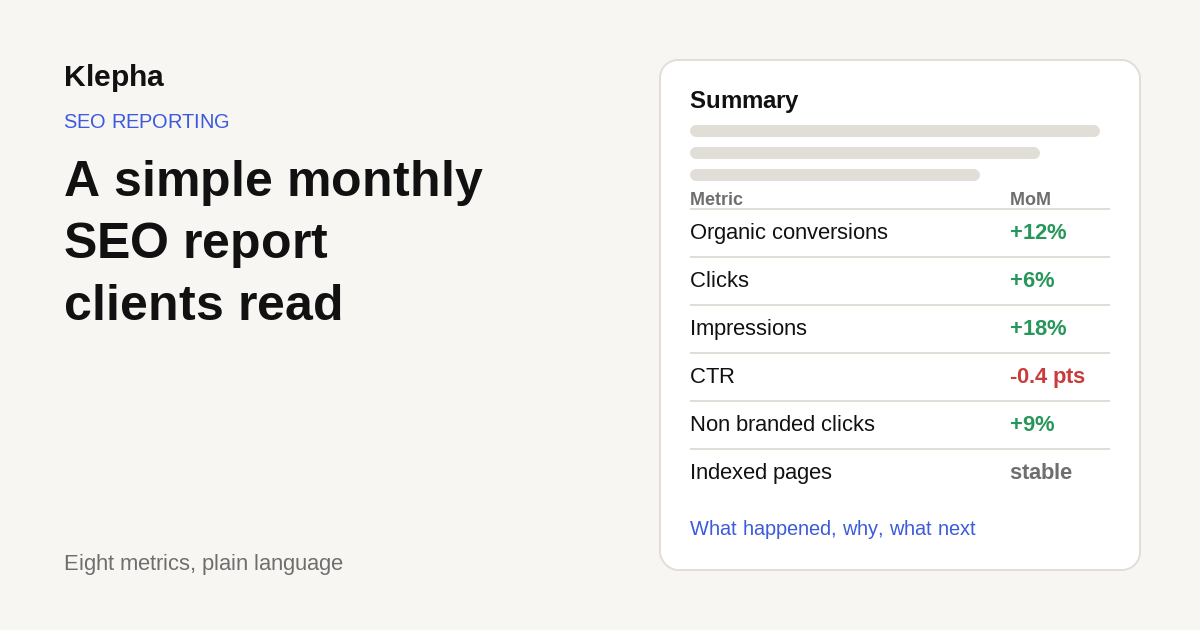
A simple monthly SEO report is one page with three parts: a short summary of what happened, a table of about eight metrics compared month over month and year over year, and a plain language explanation of each big change with the next action. Start with business outcomes such as organic conversions, then show the search metrics that explain them.
The metrics come mainly from Google Search Console (clicks, impressions, click through rate, average position, indexing) and your analytics tool (organic sessions, conversions, revenue). Everything else, from keyword lists to technical crawl exports, belongs in an appendix or a separate working document.
Key takeaways
- One page, three parts: summary, metric table, explanation and next steps.
- Outcomes first: organic conversions or revenue lead the table; rankings support the story.
- Compare two ways: month over month for momentum, year over year to remove seasonality.
- Every change gets a cause and an action: "what happened, why, what we are doing".
- Report AI visibility separately: do not blend it into a single score with Google traffic.
- Export monthly: Search Console keeps a limited history, so save each month's data.
What should a monthly SEO report include?
A client or manager wants to know three things: is organic search helping the business, what changed, and what you are doing about it. Build the report around those questions.
| Section | Content | Length |
|---|---|---|
| 1. Summary | Three sentences: overall result, main reason, main next step | 3 sentences |
| 2. Metric table | About eight metrics with this month, last month, same month last year and change | One table |
| 3. Wins | Pages or topics that grew, with the reason | 2 to 4 bullets |
| 4. Issues | Drops, errors or risks, with the reason and the fix | 2 to 4 bullets |
| 5. Work completed | What was shipped this month | Short list |
| 6. Next month | The three priorities and what you need from the client | 3 bullets |
If the reader only reads the summary, they should still get the right picture. Write it last.
Which metrics matter in a monthly SEO report?
Pick metrics that connect search activity to business results. For most sites, these eight are enough:
| Metric | What it tells the reader | Source |
|---|---|---|
| Organic conversions (leads, sign ups or orders) | Whether SEO is producing business results | Analytics, filtered to organic search |
| Organic revenue or pipeline value | The money attached to those conversions, where trackable | Analytics or CRM |
| Clicks from Google Search | How many visits search actually sent | Search Console |
| Impressions | How often the site appeared in results, a leading indicator of visibility | Search Console |
| Click through rate | How often an appearance turned into a visit | Search Console |
| Non branded clicks | Growth from people who did not already know the brand | Search Console, with a brand query filter |
| Top gaining and losing pages | Where the change came from | Search Console, Pages tab compared with last period |
| Indexed pages and errors | Whether important pages can appear at all | Search Console, Page indexing report |
Average position can be added, but explain it carefully. Google defines it as "the average position of the topmost result" from your site, and it changes whenever the mix of queries changes. A page that starts appearing for many new, lower ranking queries can lower the average while traffic grows. Our guide to tracking keyword rankings explains why position bands are often more useful.
Search Console definitions to quote
Using Google's own definitions avoids arguments about what a number means:
- Clicks: "The number of times a user clicked your site from Google Search results."
- Impressions: "How many times your site appeared in Search results."
- CTR: "The click count divided by the impression count."
Where do you get each number?
Google Search Console
The Performance report covers clicks, impressions, CTR and average position. Its default view shows the past three months, so set the date range to the calendar month and use Compare for the previous month and the same month last year. Google notes that the newest data can be preliminary and may change, so build the report a few days after the month ends. Search Console also lets you split web search into text based and multimodal traffic from Google Lens and Circle to Search; if that is material for the site, see our article on the Search Analytics API branded and multimodal filters.
Analytics
Use your analytics tool for organic sessions, conversions and revenue. Filter to the organic search channel and make sure the conversions you report are the ones the business cares about. If conversion tracking is not trustworthy, fix that first; a report built on broken tracking is worse than no report.
AI assistants
Visits from AI assistants such as ChatGPT and Perplexity show up as referrals in analytics, and how often they mention the brand needs separate monitoring. Report these in their own small section. Our guide on monitoring SEO and AI performance in one place explains why blending them into one score misleads.
Add AI visibility to your monthly report
Klepha's free report shows how ChatGPT, Gemini and Perplexity describe your brand, and which buyer questions you are not answering yet.
Get my free reportHow should you compare periods?
Show two comparisons side by side:
- Month over month shows momentum and the effect of recent work, but is distorted by seasonality, holidays and the number of days in the month.
- Year over year compares the same season and is the fairer test of growth, once you have a year of data.
Add a short note when a comparison is distorted, for example a holiday month, a site migration, a tracking change or a known Google update. Keep a running log of these events; it makes future reports much easier to explain. Save a monthly export of the key Search Console tables, because Search Console keeps a limited history and you will want older months later.
How do you explain changes in plain language?
Use the same three part pattern for every meaningful change: what happened, why it happened, and what you are doing next. Avoid jargon unless you define it in the same sentence.
| Situation | Jargon version | Plain language version |
|---|---|---|
| Impressions up, clicks flat | "Impressions increased 30% but CTR declined." | "We showed up in Google more often, mostly for new, broader searches where we are not yet near the top, so visits have not caught up. Next we are improving those pages so they move higher." |
| Clicks down after a Google update | "We were impacted by volatility during the core update." | "Google changed how it ranks pages this month, and three of our guides lost positions to more detailed competitors. We are expanding them this month." |
| Conversions up, traffic flat | "Organic CVR improved." | "About the same number of people visited from Google, but more of them became leads, because the new comparison page answers their questions better." |
| Pages not indexed | "Crawled, currently not indexed increased." | "Google found 40 new pages but chose not to include them in search yet, mostly thin tag pages. We are merging them into stronger pages." |
Three rules keep explanations honest:
- Separate fact from interpretation. "Clicks fell 12%" is a fact; "probably because of the update" is a hypothesis. Say which is which.
- Do not claim credit for seasonality. If year over year is flat, a month over month rise in December is not a win.
- Never promise rankings. State what you will do and what you expect to influence, not a guaranteed position.
If a drop needs deeper diagnosis, our guide on why website traffic drops walks through the checks.
What should you leave out of a monthly SEO report?
- Long keyword lists. Summarize as position bands or topics; attach the full list if someone asks.
- Vanity metrics. Third party "authority" scores and total backlinks rarely explain business results.
- Every chart available. If a chart does not support a sentence in the summary, cut it.
- Unexplained red numbers. Every drop shown needs a reason or an honest "we are investigating".
How should you deliver the report?
Send the report on the same working day each month so it becomes routine, and keep the format identical so readers learn where to look. A short call or a recorded five minute walkthrough helps when results are mixed, because tone matters when explaining a drop. Keep a shared log of every change made to the site, every tracking change and every notable Google update; when a manager asks "why did this happen in March?" six months later, the log answers it. Finally, ask the reader once a quarter which numbers they actually use, and remove the ones nobody reads.
A one page monthly SEO report template
Copy this structure into a document or dashboard:
Summary: Organic search produced [X] leads in [month], [up/down] [Y]% on last month and [Z]% on [month last year]. The main driver was [cause]. Next month we will focus on [priority].
Metrics table: organic conversions, organic revenue or pipeline, clicks, impressions, CTR, non branded clicks, indexed pages, with this month, last month, last year and change.
Wins: [page or topic], [change], [reason].
Issues: [page or problem], [change], [reason], [fix and date].
Work completed: [list].
Next month: three priorities, plus anything needed from the client.
Klepha tracks Search Console data next to AI visibility, which makes the second part of this report quick to fill. Our expertise page covers Search Console analytics as one of our six disciplines, the ChatGPT Ranking solution covers AI visibility tracking, and our case studies show how we report results.
Sources
- Google Search Console Help: Performance report (Search results): Overview and basic setup. Accessed November 24, 2026. Metric definitions, default three month view, preliminary data and search types.
- Google Search Central: AI features and your website. Accessed November 24, 2026. Traffic from AI Overviews and AI Mode is included in the Performance report under the Web search type.
- Google Search Central: Debugging drops in Google Search traffic. Linked from Google's AI features guide; accessed November 24, 2026.
Frequently asked questions
What metrics should be in a monthly SEO report?
Start with organic conversions and revenue or pipeline, then clicks, impressions, click through rate and non branded clicks from Search Console, the top gaining and losing pages, and indexing status. About eight metrics are enough for most sites.
How long should a monthly SEO report be?
One page for the main report: a three sentence summary, a metric table, and short notes on wins, issues and next steps. Put detailed keyword and technical data in an appendix or a separate working document.
Should I compare month over month or year over year?
Both. Month over month shows recent momentum, while year over year compares the same season and is a fairer test of growth. Note anything that distorts a comparison, such as holidays, migrations or tracking changes.
Is average position a good metric for clients?
Use it with care. Google defines it as the average position of your topmost result, and it shifts whenever the mix of queries changes, so it can fall while traffic grows. Position bands or clicks to key pages are often clearer.
How do I report traffic from AI Overviews and AI Mode?
Google says clicks and impressions from AI Overviews and AI Mode are included in the Search Console Performance report under the Web search type, so they are already in your totals. Mentions and visits from other AI assistants need separate tracking.