How do you build an email welcome sequence that turns subscribers into customers?
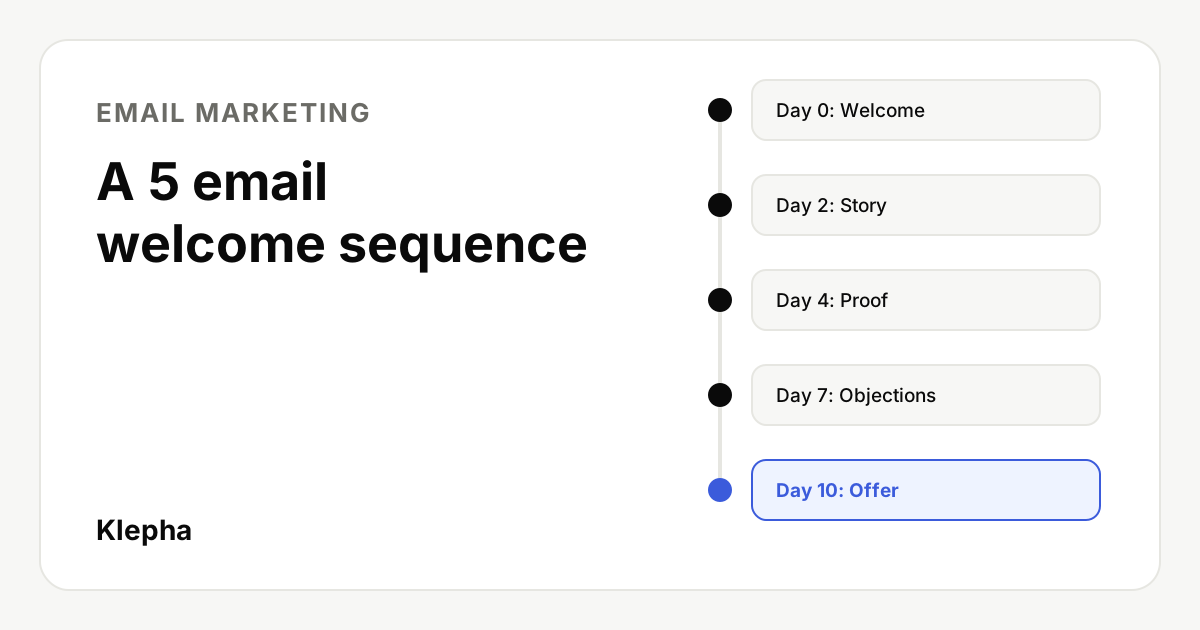
Build a welcome sequence as five short emails sent over about ten days, each with one goal: deliver what was promised and set expectations, tell the story behind the product, prove it works, remove the main objection, then make a clear offer. Send only to people who opted in, and make every email easy to unsubscribe from, because complaints hurt the deliverability of every later email.
A welcome sequence is the set of automated emails a new subscriber receives right after signing up. It is the one moment when a person has just asked to hear from you, so it is the best chance you get to turn a sign-up into a first purchase, a trial or a booked call.
The plan below works for SaaS, ecommerce, agencies and personal brands. It uses five emails because that is enough to introduce, persuade and ask, without fatiguing someone who joined a few days ago. Adjust timing to your sales cycle, but keep the rule of one goal per email.
Key takeaways
- Five emails over about ten days: welcome, story, proof, objections, offer.
- One goal and one call to action per email. Mixed asks lower clicks on all of them.
- Deliver the promise first. If someone signed up for a guide or discount, email 1 sends it immediately.
- Make leaving easy. Gmail requires one-click unsubscribe for senders of more than 5,000 messages a day, and CAN-SPAM requires a clear opt-out in commercial email.
- Measure clicks and conversions, not opens. Google says it does not track open rates and that low open rates are not necessarily a sign of deliverability problems.
Why does a welcome sequence matter?
New subscribers know the least about you and have the most recent intent. A single welcome email wastes that: it can deliver a lead magnet, but it cannot also explain why you are different, show proof and handle doubts. A short sequence spreads those jobs over several days, so each email stays readable on a phone.
It also protects your sender reputation. Gmail's sender guidelines recommend sending only to people who want your messages, because recipients who did not expect your email are more likely to mark it as spam, and those reports lower your domain's reputation over time. A welcome sequence that sets expectations early is one of the cheapest ways to keep complaints low.
The 5 email welcome sequence at a glance
| When | Goal | Call to action | Example subject line | |
|---|---|---|---|---|
| 1. Welcome | Immediately | Deliver the promise, set expectations | Download, claim or start | Here is your checklist (and what comes next) |
| 2. Story | Day 2 | Explain why you exist and who it is for | Read or reply | Why we built this |
| 3. Proof | Day 4 | Show results and how it works | See the example or case study | How one team cut reporting time in half |
| 4. Objections | Day 7 | Answer the main reason people hesitate | Read the answer or book a call | "Is this worth it for a small team?" |
| 5. Offer | Day 10 | Make a clear, specific offer | Buy, start a trial or book | Your next step, if you are ready |
The subject lines are illustrations, not tested benchmarks. The example in email 3 should only describe a result you can document; never invent a customer outcome.
Email 1: welcome and deliver the promise
Send: immediately after sign-up. Goal: deliver what the person asked for and tell them what to expect.
- Put the lead magnet, discount code or account link in the first lines, not below a long introduction.
- Say how often you will email and what about. "Four short emails over the next ten days, then one weekly tip" is clear.
- Ask for one small action that helps deliverability and engagement, such as replying with what they hope to achieve.
Subject line ideas: "Your discount code is inside", "Here is the guide you asked for", "Welcome, start here".
Email 2: story and positioning
Send: day 2. Goal: explain who you are for and what you believe, so the reader can decide if you fit.
- Tell the short story of the problem that led to the product, in the founder's or team's voice.
- Name who it is for and who it is not for. Saying no to some readers makes the rest trust you more.
- Link to one useful piece of content, not a product page.
Subject line ideas: "Why we built this", "The problem we kept running into", "Who this is (and is not) for".
Email 3: proof that it works
Send: day 4. Goal: show evidence. This is the email that turns interest into belief.
- Use one specific, verifiable example: a case study, a before and after, a short demo or a screenshot of the product doing the job.
- Explain how the result happened, step by step, so it does not read as luck.
- Only use real reviews and real numbers with permission. Fabricated testimonials are deceptive advertising.
Subject line ideas: "What happened when [customer type] tried it", "A 3 minute look inside", "Real numbers from a real account".
Email 4: handle the main objection
Send: day 7. Goal: remove the biggest reason people do not buy.
- Find the objection in sales calls, support tickets, reviews and unsubscribe reasons. Common ones are price, time to set up, switching cost and "not for my size of business".
- Answer it honestly, including when the product is not the right fit.
- Offer a low-risk next step: a free trial, a guarantee you actually honor, a short call or a comparison page.
Subject line ideas: "Is it worth it for a team of three?", "How long setup really takes", "The question we get most".
Email 5: make the offer
Send: day 10. Goal: ask clearly for the conversion.
- Summarize what they have seen in one or two lines, then make one specific offer with one button.
- If you use a deadline or discount, make it real and honor it. Fake urgency trains subscribers to ignore you.
- Tell people what happens next if they are not ready: they will move to your regular newsletter, and they can unsubscribe at any time.
Subject line ideas: "Your next step, if you are ready", "Your trial is one click away", "Last reminder: your welcome offer ends Friday".
The page behind that button matters as much as the email. Our guide to landing pages that convert applies to email traffic as well, and A/B testing ads and landing pages explains how to test offers properly.
How do you write subject lines that get opened?
- Be accurate. CAN-SPAM requires that the subject line "accurately reflect the content of the message," and Gmail's guidelines say not to start subject lines with "Re:" or "Fwd:" unless the message really is a reply or forward.
- Be specific. "Your 12 point SEO checklist" beats "Great resource inside".
- Keep the sender name stable. Gmail says display names should identify the sender and should not include subject content, urgency phrases or the recipient's name.
- Use the preview text to finish the thought the subject starts.
Grow the list that feeds your welcome sequence
A free Klepha report shows which buyer questions your brand is missing in search and AI answers, so you know which content to build to attract the right subscribers.
Get my free reportWhat deliverability and legal basics apply?
Commercial email has hard requirements. These come from the US FTC's CAN-SPAM guidance and Gmail's email sender guidelines; other countries have their own rules, so check the law where your subscribers live.
| Requirement | Source | What to do in a welcome sequence |
|---|---|---|
| Accurate header information and honest subject lines | CAN-SPAM | Send from your real brand and domain; match subject to content |
| Identify the message as an ad where it is commercial | CAN-SPAM | Make offers clearly offers, especially in email 5 |
| Include a valid physical postal address | CAN-SPAM | Put it in the footer template once |
| Clear opt-out, honored within 10 business days | CAN-SPAM | Unsubscribe link in every email, processed automatically |
| SPF or DKIM authentication for all senders | Gmail | Authenticate the sending domain in your email platform |
| SPF, DKIM and DMARC plus one-click unsubscribe above 5,000 messages a day | Gmail | Enable list-unsubscribe headers in your platform |
| Spam rate below 0.3%, ideally below 0.1% | Gmail Postmaster Tools | Only email people who opted in; set expectations in email 1 |
The FTC's compliance guide notes that each email in violation of CAN-SPAM can bring penalties of up to $53,088, and that the law applies to business-to-business email as well. Gmail's guidelines also advise confirming each subscriber's address, avoiding pre-checked opt-in boxes and never buying email lists.
How do you measure and improve a welcome sequence?
- Track the conversion, not the open. Gmail's guidelines say Google does not track open rates, cannot verify third-party open rates, and that low open rates are not necessarily an accurate indicator of deliverability problems. Privacy features in some email apps also make opens unreliable.
- Tag every link with consistent UTM parameters so you can see which email drives sign-ups or sales. Our UTM naming guide has a template.
- Watch unsubscribes and spam complaints per email. A spike on one email tells you exactly what to rewrite.
- Calculate the value. Compare the conversion rate of subscribers who finished the sequence with your cost to acquire a subscriber. Our guide to calculating CAC and LTV shows the math.
- Change one email at a time and give each change enough sends to judge it.
A welcome sequence converts the traffic you already have. To grow that traffic through search and AI answers, see our Blog Ranking solution, the expertise behind it and our case studies.
Sources
- US Federal Trade Commission, "CAN-SPAM Act: A Compliance Guide for Business", August 2023, edited January 2024 for inflation-adjusted penalties, accessed November 12, 2026. ftc.gov
- Gmail Help, "Email sender guidelines", accessed November 12, 2026. support.google.com
Frequently asked questions
How many emails should a welcome sequence have?
Five emails over about ten days is a practical default: welcome, story, proof, objections and offer. Shorter sales cycles can compress the timing; complex B2B products may add one or two educational emails.
When should the first welcome email be sent?
Immediately after sign-up. The first email should deliver what the person signed up for, such as a guide or discount code, and tell them how often you will email.
What is a good subject line for a welcome email?
One that is accurate and specific, such as "Here is the guide you asked for" or "Your discount code is inside". CAN-SPAM requires subject lines that reflect the content of the message.
Do welcome emails need an unsubscribe link?
Yes, for commercial email. CAN-SPAM requires a clear way to opt out, honored within 10 business days, and Gmail requires one-click unsubscribe for senders of more than 5,000 messages a day.
Should I measure welcome emails by open rate?
No. Google says it does not track open rates and that low open rates are not necessarily a sign of deliverability issues. Measure clicks, conversions, unsubscribes and spam complaints instead.
Can I add bought email lists to my welcome sequence?
No. Gmail's sender guidelines say not to buy email addresses or email people who did not sign up, because they are more likely to mark messages as spam and damage your sender reputation.