How do you run a pricing page optimization test for a SaaS website?
Your pricing page is where interest turns into revenue, so small presentation changes can move both conversion and plan mix. This guide shows which elements to test first, how to set up a fair test, and how to read the results without fooling yourself.
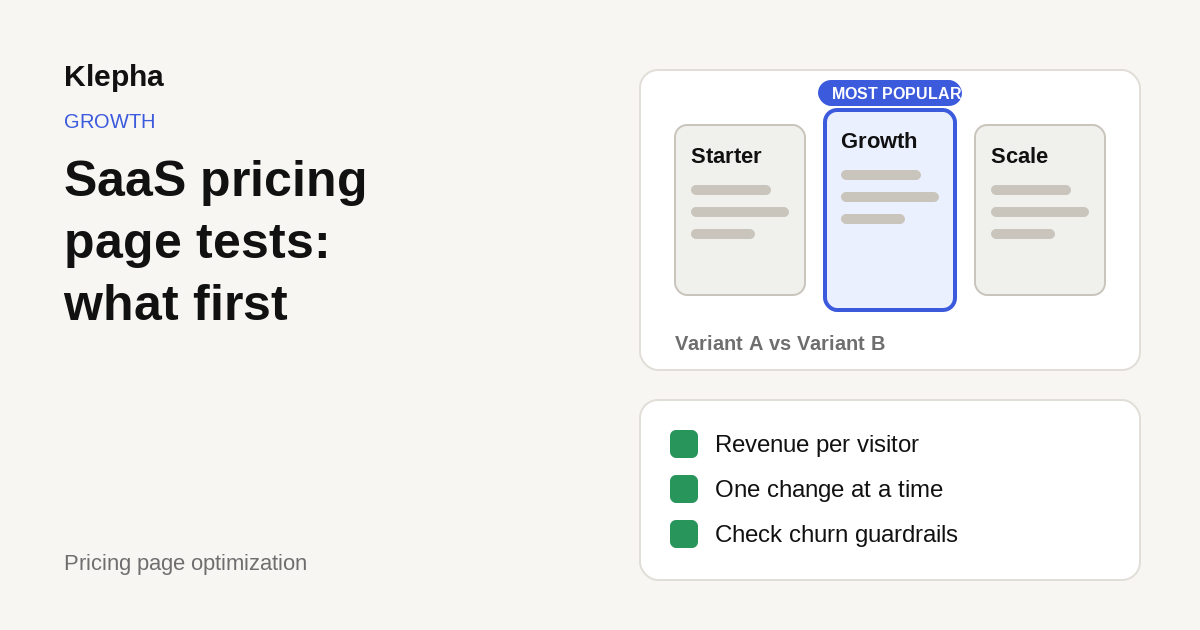
To run a SaaS pricing page test, pick one revenue focused metric such as paid conversions per visitor or revenue per visitor, change one presentation element at a time, split traffic randomly between the current page and a variant, and run the test for full weeks until you reach the sample size you planned in advance. Start with the elements that shape choice most: which plan is highlighted and in what order plans appear, how prices are anchored, the default billing period, and the FAQs that answer buying objections.
Read the result on revenue and plan mix, not on button clicks, and check guardrails such as refunds and early churn before you roll a winner out.
Key takeaways
- Optimize for revenue, not clicks: a variant that gets more trial starts but pushes people to the cheapest plan can lose money.
- Test choice architecture first: highlighted plan, plan order, anchoring and the default billing period usually matter more than colors or button text.
- FAQs are conversion copy: answers about cancellation, limits and billing remove the doubts that stop a purchase.
- Plan the sample size before you start: pricing pages often get less traffic than you think, so decide the minimum effect worth detecting.
- Run full weeks and do not peek: stopping early when a variant looks ahead is the most common way to ship a false winner.
- Check guardrails: refunds, downgrades, support tickets and churn in the first billing cycle tell you whether the win is real.
What should a pricing page test optimize for?
A pricing page has two jobs: convert visitors who are ready to buy, and steer them to the plan that fits. A test that only measures clicks on "Start trial" ignores the second job. Choose a primary metric that reflects revenue:
| Metric | When to use it | Watch out for |
|---|---|---|
| Revenue per visitor (new monthly recurring revenue divided by pricing page visitors) | Self serve SaaS with card payment at sign up | Needs revenue data joined to test exposure |
| Paid conversions per visitor | When you charge at sign up but plans are similar in price | Ignores plan mix |
| Trial to paid conversion, by variant | Free trial models | Takes a full trial length to read, so tests run longer |
| Qualified demo requests | Sales led or enterprise tiers | Count only leads sales accepts, not raw form fills |
Pick one primary metric and two or three secondary ones, such as plan mix and annual share. Write them down before launch. If you are still building your basic funnel metrics, our guides to calculating CAC and LTV and building a marketing funnel come first.
Which elements should you test first?
Prioritize changes that alter how people choose, then changes that remove doubt, then cosmetic changes. A simple order:
| Priority | Element | Example test | Why it can matter |
|---|---|---|---|
| 1 | Highlighted plan | "Most popular" badge on the middle plan versus the higher plan | A recommendation gives undecided buyers a default. |
| 2 | Plan order | Cheapest plan on the left versus most expensive on the left | People read in order. The first price they see becomes their reference point. |
| 3 | Anchoring | Show an enterprise or high tier next to the core plans versus hiding it | A higher reference price can make the middle plan look reasonable. |
| 4 | Default billing period | Annual toggle selected by default versus monthly | Defaults are sticky and change both conversion and cash flow. |
| 5 | Pricing FAQs | Add five objection handling questions under the table | Doubts about cancellation, limits and billing stop purchases late. |
| 6 | Plan names and feature lists | Outcome based plan names and shorter feature lists | Buyers need to see quickly which plan matches their situation. |
| 7 | Call to action and trial terms | "Start free trial" versus "Start free, no card needed" | Lower perceived risk can raise starts, but may change trial quality. |
Highlighted plan and plan order
Most SaaS pricing pages show three or four plans. The badge and the order tell visitors what you recommend. If most of your best customers end up on the middle plan, test highlighting it. If larger teams churn less, test highlighting the higher plan. Test order separately from the badge so you know which change caused the effect.
Anchoring
Anchoring means the first or highest price a visitor sees influences how they judge the others. A visible enterprise tier with "Contact us" or a high listed price can make a mid tier plan feel like the sensible choice. Test it honestly: the anchor plan must be real and purchasable, not a decoy you would never sell.
Default billing period
If you offer a discount for annual billing, the toggle default is one of the highest leverage tests you can run. An annual default can raise upfront cash and reduce early churn, but can also lower conversion among buyers who want to try monthly first. This is exactly why revenue per visitor and churn guardrails matter more than conversion rate alone.
Pricing FAQs
FAQs are conversion copy disguised as support content. Pull the top questions from sales calls, chat logs and cancellation surveys, then answer them directly under the pricing table:
- Can I cancel anytime, and what happens to my data?
- What happens if I go over my plan limit?
- Can I switch plans later, and is it prorated?
- Do you offer refunds?
- Which payment methods and currencies do you accept?
Visible FAQs also help search engines and AI assistants understand your pricing. Our guide to writing an FAQ section explains the format.
Buyers ask AI about your pricing before they visit
Klepha's free report shows how ChatGPT, Gemini and Perplexity describe your brand, including how they frame your plans, and which buyer questions you are missing.
Get my free reportHow do you set up a fair pricing test?
- Write a hypothesis. For example: "Highlighting the Growth plan instead of Starter will increase revenue per visitor because most retained customers use Growth features."
- Change one thing. If you change order, badge and FAQs together, you will not know which one worked. Multi element tests need far more traffic.
- Randomize by visitor, not by session. A visitor who returns should see the same variant, or your data will mix experiences.
- Plan the sample size. Decide the smallest improvement worth acting on, then use a sample size calculator with your baseline conversion rate to see how many visitors each variant needs. If the answer is months of traffic, test bigger changes or use a higher volume metric such as trial starts as an early read.
- Run full weeks. B2B traffic differs sharply between weekdays and weekends. Run in whole weeks and avoid launch days, big campaigns and holidays that distort traffic.
- Connect exposure to revenue. Pass the variant ID into your billing or CRM system at sign up, so you can later measure plan, revenue, refunds and churn by variant.
- Keep the page indexable and consistent. Serve variants to visitors without cloaking or redirect tricks, and keep the canonical URL the same, so search engines see a single pricing page.
Our general guide on how to A/B test ads and landing pages covers sample size, test duration and common traps in more detail.
How do you read the results?
When the planned sample is reached, read the test in this order:
- Primary metric. Did revenue per visitor (or your chosen metric) improve, and is the difference statistically reliable at the threshold you set in advance?
- Plan mix. Did the share of each plan change? A small rise in conversions with a big shift to the cheapest plan can be a net loss.
- Billing mix. Did annual share change? Value annual contracts correctly in your revenue metric.
- Guardrails. Over the first billing cycle, compare refunds, downgrades, support tickets and churn between variants.
- Segments, carefully. Look at device and traffic source only to explain the main result, not to hunt for a segment where the variant "won." Slicing data until something looks significant creates false winners.
A worked example with illustrative numbers
The figures below are invented to show the arithmetic, not benchmarks.
| Measure | Control (Starter highlighted) | Variant (Growth highlighted) |
|---|---|---|
| Pricing page visitors | 10,000 | 10,000 |
| Paid sign ups | 300 | 280 |
| Share on higher plan | 25% | 45% |
| New monthly recurring revenue | $40,500 | $44,800 |
| Revenue per visitor | $4.05 | $4.48 |
On conversion rate alone, the variant loses. On revenue per visitor, it wins. Before shipping it, you would check whether the extra higher plan customers stay past their first month, because a plan they do not need can lead to downgrades or churn.
Should you test the prices themselves?
Testing presentation is low risk. Testing different prices for the same product at the same time is riskier: customers compare notes, support teams get awkward questions, and depending on where you sell, consumer protection rules may apply. Safer approaches include testing a new price on new visitors in a defined period, testing a new plan rather than a new price on an existing plan, or surveying willingness to pay before you change anything. If you do run a live price test, get advice on the rules in your markets first and honor the price each customer saw.
What does a 90 day test roadmap look like?
| Weeks | Focus | Output |
|---|---|---|
| 1 to 2 | Instrument: variant IDs into billing, revenue per visitor dashboard, baseline | Clean data you trust |
| 3 to 6 | Test 1: highlighted plan or plan order | Decision on default recommendation |
| 7 to 10 | Test 2: default billing period | Decision on annual versus monthly default |
| 11 to 13 | Test 3: FAQ block with top objections | Decision on FAQ content |
Adjust the length of each test to your sample size calculation. Low traffic sites may only manage one or two clean tests per quarter, which is fine. One reliable answer beats five noisy ones.
Which mistakes should you avoid?
- Stopping when it looks good. Decide the sample size up front and stick to it.
- Optimizing for trial starts alone. More trials of the wrong kind can lower paid conversion.
- Testing during a launch or promotion. Unusual traffic makes the result hard to repeat.
- Hiding prices. If buyers cannot find a price, they will ask an AI assistant or a competitor's page instead. Clear, crawlable pricing also helps AI answers describe you accurately.
- Forgetting the rest of the journey. If ads or AI answers set expectations your pricing page contradicts, no layout test will fix it.
Pricing page tests reward patience and clean data more than clever ideas. If you want help connecting pricing, content and AI visibility, see our solutions, expertise page and case studies.
Sources
- Google Search Central: Minimize A/B testing impact in Google Search. Accessed November 27, 2026. Guidance on testing without cloaking and on canonical and redirect use during tests.
- Google Search Central: Creating helpful, reliable, people-first content. Last updated October 5, 2026; accessed November 27, 2026. Background on clear, complete pages that serve visitors.
- Klepha: How to A/B test ads and landing pages the right way. Our companion guide to hypotheses, sample size, duration and common testing traps.
Frequently asked questions
What should I test first on a SaaS pricing page?
Start with choice architecture: which plan is highlighted, the order of plans, price anchoring and the default billing period. Then test FAQs that answer buying objections. Colors and button styles usually come later.
What metric should a pricing page test use?
Use a revenue focused metric such as revenue per visitor or paid conversions per visitor, with plan mix and annual share as secondary metrics. Click through to sign up alone can hide a shift to cheaper plans.
How long should a pricing page test run?
Run it in full weeks until you reach the sample size you calculated before launch. Low traffic pricing pages may need several weeks or more, so test changes big enough to detect.
Is it safe to A/B test different prices?
Testing presentation is low risk. Showing different prices for the same product at the same time can create customer trust problems and, in some markets, legal issues, so consider testing new plans or new cohorts instead and get advice first.
Do pricing page FAQs help conversions?
They can, because they answer late stage doubts about cancellation, limits, plan changes and refunds. Visible FAQs also help search engines and AI assistants describe your pricing accurately.