How do you submit feedback to Google after a core update, and what can it fix?
Google documented a Submit Feedback option in Search Console for significant ranking updates on November 24, 2026. Here is how to send useful feedback after a core update, what Google says it does with submissions and what feedback cannot fix.
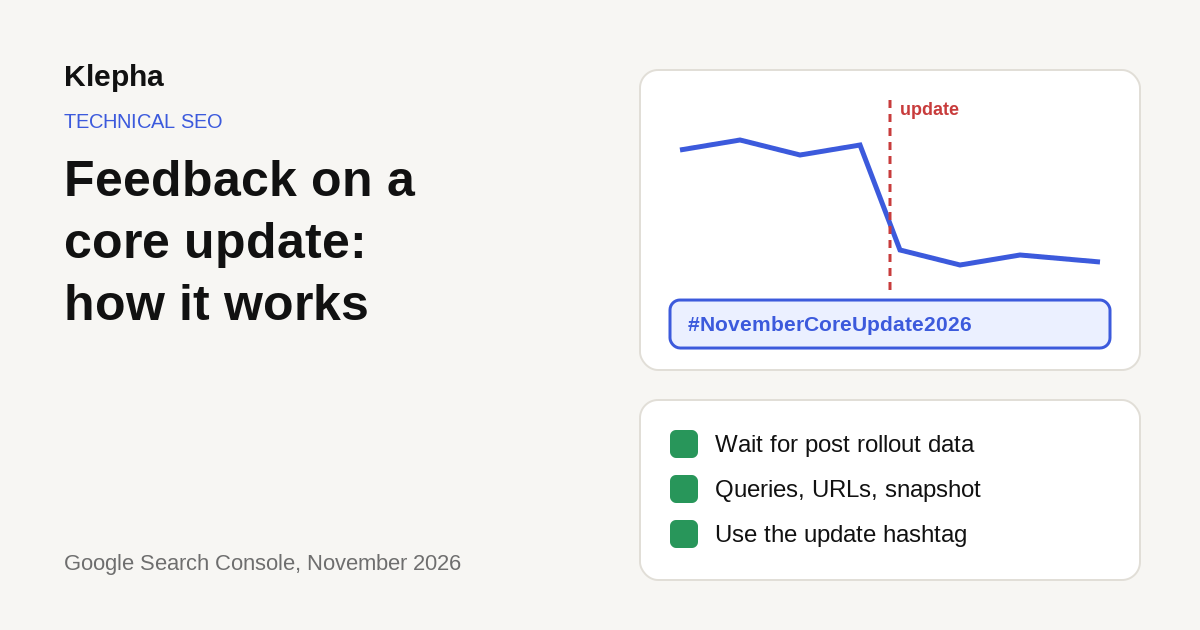
After a significant ranking change announced on Google's Search Status Dashboard, such as a core update, verified site owners can send feedback directly in Google Search Console by clicking the Submit Feedback button and naming the update in hashtag format, for example #NovemberCoreUpdate2026. Google documented this on a new "Submit feedback about ranking changes" page, last updated November 24, 2026.
Feedback is a way to show Google where results got worse, ideally with performance data, queries and example URLs. It is not an appeal: according to Search Engine Journal's reading of the new documentation, Google's engineering teams evaluate submissions as a whole and do not make manual, URL specific ranking changes because of them.
Key takeaways
- Only for announced updates: feedback applies to significant ranking changes and actionable policy updates listed on the Search Status Dashboard.
- Verified owners only: you need a verified Search Console property to see and use the Submit Feedback button.
- Use the hashtag: name the update in hashtag form, such as #NovemberCoreUpdate2026, so the submission is grouped correctly.
- Wait for data: Google says to wait until an update is marked complete plus at least a week of post rollout data before evaluating traffic changes.
- Evidence beats complaints: Google asks for a performance report snapshot, exact queries and locale, affected and competing URLs, impact dates and context.
- Not a fix for your site: feedback does not lift a manual action, reverse a spam penalty or restore a single URL. Separate channels exist for those.
What is the Submit Feedback option?
On November 24, 2026 Google published a new ranking section on Search Central. One page, "Submit feedback about ranking changes in Google Search," explains that "website owners, publishers, and creators can submit feedback about ranking updates in Google Search or request dispute resolution through the channels on this page."
The core instruction is short. Google says: "When Google rolls out a significant ranking change or actionable policy update on the Search Status Dashboard, verified site owners can submit feedback directly in Google Search Console by clicking the Submit Feedback button." In the feedback box you include the specific change "in hashtag format," and Google's own example is #NovemberCoreUpdate2026.
The same release added a companion page on how to stay informed about ranking updates, and Search Engine Journal reported that Google also published a ranking principles page the same day. Together they create what SEJ called a Ranking Hub: advance notice of big changes, a place to track them, and a channel to respond.
When can you submit feedback?
Feedback is tied to updates Google has announced. Google's stay informed page lists two kinds of change that get notice:
- Actionable policy changes: updates to Search content policies, technical guidelines or eligibility criteria where site owners may need to adjust their site, content practices or markup.
- Significant ranking changes: broad algorithmic updates, such as core updates, that may produce noticeable ranking shifts across many queries and sites.
Timing matters. Google's guidance is to "wait until an update is marked complete on the Search Status Dashboard (plus at least a week of post-rollout data) before evaluating traffic changes in Search Console." Search Engine Journal calculated that, for the November 2026 core update, the first full week of post rollout data ran from November 25 to December 1. Google has also pre-announced a December 2026 core update on the dashboard, so expect another feedback window soon.
| Stage of an update | What to do |
|---|---|
| Pre-announced | Subscribe to the dashboard feed, take a baseline export from Search Console, freeze large site changes if you can. |
| Rolling out | Monitor, but do not draw conclusions. Rankings move during rollout. |
| Marked complete | Start the clock on at least one week of post rollout data. |
| One week or more after completion | Analyze the change, then submit feedback if results for your queries got worse for searchers. |
How do you submit feedback step by step?
- Confirm the update is listed. Check the Search Status Dashboard and note the exact name and completion date.
- Open the right property. Sign in to Search Console as a verified owner of the affected property.
- Gather the evidence. Export a Performance report comparison and pick a small set of representative queries and URLs (the next section lists what to include).
- Click Submit Feedback. Google says the button is in Search Console. Write your feedback in the box.
- Add the hashtag. Include the update name in hashtag form, for example
#NovemberCoreUpdate2026. - Keep a copy. Save what you sent and the date, so you can compare against later updates.
What should your feedback include?
Google says "it's helpful to be as detailed as possible" and recommends these details. The right column shows how to make each one useful.
| Google's recommended detail | How to prepare it well |
|---|---|
| Performance report snapshot | Compare equal length periods before and after the update, filtered to the affected pages or queries. |
| Search queries and locale | Exact query text, country and language. Pick queries where the result quality clearly fell, not just your position. |
| Example URLs | Your affected URLs alongside competing URLs that appear to rank inappropriately. Google's own example is scraped content outranking an original source. |
| Impact | When and how your URLs were affected, for example a screenshot of the traffic change. |
| Context | Why the current results fail searchers, with before and after impressions or position data where relevant. |
| UK market impact | If you operate in the UK, how the change affected the functioning of a UK market you are active in. |
A short template
Keep it factual and focused on searchers. For example:
#NovemberCoreUpdate2026. Query "[exact query]", United States, English. Since [date], our original guide [URL] dropped from page one, while [competing URL], which copies our text, now ranks first. Clicks for this query fell from [X] to [Y] week over week (snapshot attached). Searchers now land on a copy without the original data tables.
Three things weaken feedback: arguing that your site deserves to rank, sending dozens of URLs with no explanation, and submitting during rollout before the data has settled.
Lost visibility in Google? Check AI answers too
Core updates and AI answers often move together. Klepha's free report shows how ChatGPT, Gemini and Perplexity describe your brand and which buyer questions you are missing.
Get my free reportWhat does Google do with feedback?
Google's feedback page does not promise a reply. According to Search Engine Journal's report on the new documentation, published November 24, 2026, "Google says its engineering teams evaluate submissions as a whole and do not make manual URL-specific ranking changes based upon such feedback." SEJ also quotes the new principles page as saying Google does not make manual ranking adjustments except to comply with legal obligations or apply its Content Policies for Search.
So the realistic value of feedback is collective. Clear examples of results getting worse for searchers can inform how Google evaluates and adjusts its systems in future. It will not trigger a manual boost for your page, and you should not expect individual confirmation that anyone read it.
What can feedback not fix?
The same Google page lists separate routes for problems that feedback is not designed for. Use the right one:
| Problem | Correct channel |
|---|---|
| Manual action for a spam policy violation | Fix all affected pages, then request a review (reconsideration request) in the Manual actions report. |
| Page removed under the counterfeit goods policy | Submit an appeal through Google's legal troubleshooter. |
| Site incorrectly flagged as explicit by SafeSearch | Follow the troubleshooting guide. If you applied fixes, Google says wait at least 2 to 3 months before requesting a review. |
| Content removed after a copyright request | File a counter notice. |
| Whole site manually excluded from the index, serving UK users | UK CMA indexing appeal, which Google says becomes active on December 17, 2026. |
| Site in the EEA not appearing in Search despite meeting DMA access conditions | Verify the site in Search Console, check indexing errors, then use the DMA appeals process. |
| Another site violating spam policies | Report spam through the spam report form. |
| Technical problems such as crawling or indexing errors | Fix them on your site. Feedback cannot repair a blocked page or a broken canonical. Our SEO audit guide covers the checks. |
Feedback also cannot change the core reason most sites lose in a core update, which is that Google's systems now judge other pages as more helpful for the query. That is a content and experience problem only you can work on.
Why does the UK keep coming up?
Google's stay informed page says that "for changes where UK users may experience a significant ranking shift, we provide advance notice to site owners in accordance with CMA's fair ranking conduct requirements for Google." Search Engine Journal reports that, under the UK Competition and Markets Authority's requirement, Google must give at least 30 business days' notice before changes where publishers could act to reduce the impact, and at least 15 business days for other significant changes, with the requirement coming into force on December 17, 2026. Google's page says it explains its advance notice timelines but does not list the number of days.
That regulatory push explains the extra UK field in the feedback form and the new UK indexing appeal. For site owners elsewhere, the practical benefit is the same: more warning before big updates and a documented place to respond.
What should you do after a core update instead?
Feedback is one step in a recovery plan, not the plan. A sensible order:
- Confirm the cause. Make sure the drop lines up with the update dates and is not a tracking error, seasonality or a site change. Our guide on why website traffic drops helps rule those out.
- Find the pattern. Group losses by template, topic and query type. Our 2026 core updates guide summarizes what lost and gained in earlier updates this year.
- Improve the pages that matter. Use Google's helpful content self assessment questions honestly, especially on originality, expertise and whether your page adds value beyond what already ranks.
- Submit feedback where results got worse for searchers, using the evidence format above.
- Measure over months. Improvements are usually recognized over time and often at the next core update, not within days.
If you want help diagnosing a drop, our blog ranking service, expertise page and case studies show how we work. We do not promise recovery, because no one honest can, but we can help you find what changed and fix what is in your control.
Sources
- Google Search Central: Submit feedback about ranking changes in Google Search. Last updated November 24, 2026; accessed November 27, 2026. Submit Feedback button, hashtag format, recommended details, dispute resolution channels.
- Google Search Central: How to stay informed on Google Search ranking updates. Last updated November 24, 2026; accessed November 27, 2026. Types of change that get notice, dashboard and feed, one week of post rollout data.
- Google Search Status Dashboard: Ranking update history. Accessed November 27, 2026.
- Search Engine Journal: Google Explains How To Send Feedback On A Core Update, by Matt G. Southern. Published November 24, 2026, updated November 26, 2026; accessed November 27, 2026. How Google evaluates feedback, principles page, CMA notice periods, December 2026 core update pre-announcement.
- Google Search Central: Creating helpful, reliable, people-first content. Last updated October 5, 2026; accessed November 27, 2026. Self assessment questions referenced in the recovery plan.
Frequently asked questions
How do I send feedback to Google about a core update?
Sign in to Search Console as a verified owner, click the Submit Feedback button, and describe the issue with the update name in hashtag format, such as #NovemberCoreUpdate2026. Feedback applies to significant ranking changes and actionable policy updates listed on the Search Status Dashboard.
What should I include in core update feedback?
Google recommends a Performance report snapshot, exact queries with country and language, your affected URLs and competing URLs that seem to rank inappropriately, when and how you were impacted, and context on why results fail searchers. UK sites can add the impact on a UK market.
Will Google restore my rankings if I submit feedback?
No. Search Engine Journal reports that Google's engineering teams evaluate submissions as a whole and do not make manual, URL specific ranking changes based on feedback.
When should I submit feedback after an update?
Wait until the update is marked complete on the Search Status Dashboard and you have at least one week of post rollout data, which is Google's guidance before evaluating traffic changes.
Can I use Submit Feedback for a manual action?
No. For a manual action you fix the issues on all affected pages and request a review in the Manual actions report. Google lists separate channels for counterfeit, SafeSearch, copyright, UK indexing and EU DMA appeals.